
Pareto Order Limit vs Minmaxify Order Limits: Which App Now?
Pareto Order Limit vs Minmaxify Order Limits are two of the most popular apps on Shopify for setting purchase rules. Both let you control minimum and maximum quantities. But they work quite differently – and picking the wrong one can leave your rules easier to bypass than you’d expect.
This guide compares both apps across every important dimension: features, how rules are enforced, automation, pricing, and real-world use cases. By the end, you’ll know exactly which one to install.
Who Needs an Order Limits App?
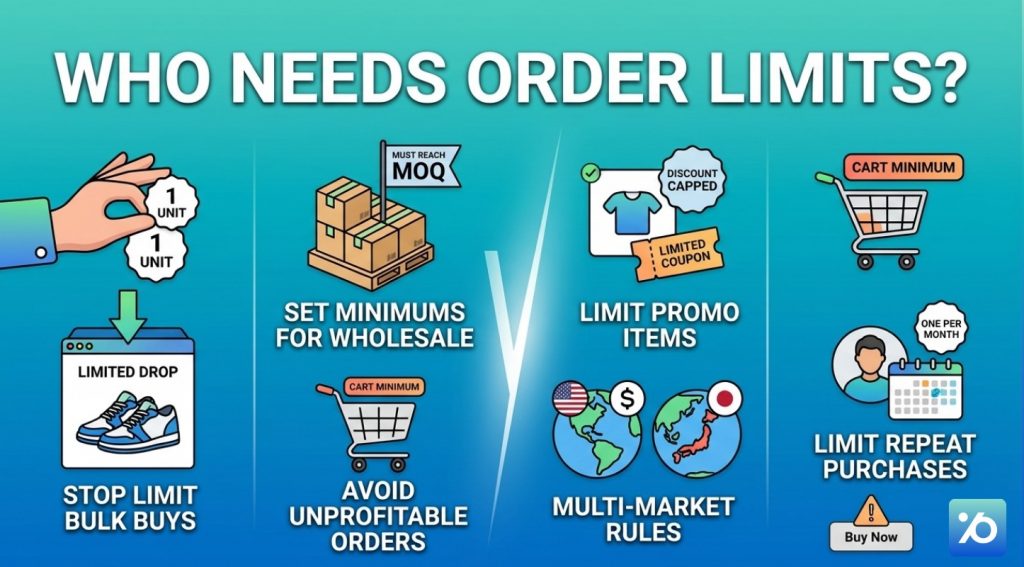
Order limits solve a specific set of problems. Here’s when you actually need one:
- You’re running a product drop or limited release and want to stop any one person from buying more than 1–2 units
- You sell wholesale and need customers to meet a minimum order quantity (MOQ) before checking out
- You’re running a promotion and want to cap how many discounted items one person can grab
- You want to avoid small, unprofitable orders by setting a cart minimum
- You sell in multiple countries and need different purchase rules per market
- You want to limit repeat purchases – for example, one item per customer per month
One thing to understand before you pick an app: where your rules run matters as much as what rules you set. A limit that only checks the cart can be skipped entirely if a customer uses a “Buy Now” button or an express checkout link. We’ll come back to this – it’s one of the biggest differences between these two apps.
Pareto Order Limit vs Minmaxify Order Limits at a Glance
Before diving into the details, here’s a quick snapshot of each app.
Pareto Order Limit is made by OmegaTheme. It’s focused on strong checkout enforcement, a deep rule-building engine, and automation through Shopify Flow. It has the “Built for Shopify” badge – a quality mark from Shopify itself that the app meets performance and UX standards.
Minmaxify Order Limits has been on the Shopify App Store since 2012. It’s one of the most established apps in this space, with a near-perfect rating. It’s especially strong at group-based limits – where you apply a combined rule across a mix of products – and at enforcing pack sizes (selling in multiples of X).
Both apps get the job done for most merchants. The right choice depends on which features you actually need.
The Rules Engine: How Much Control Do You Get?
Both apps cover the basics well – min/max quantities per product, per collection, and per customer group. But each one has a different area of depth.
What Does Pareto Order Limit Offer?
Most order limit apps do one thing: set a number and block anyone who goes over it. Pareto goes further. It gives you a full set of rules that work together – so you can handle complex real-world situations, not just simple quantity caps.
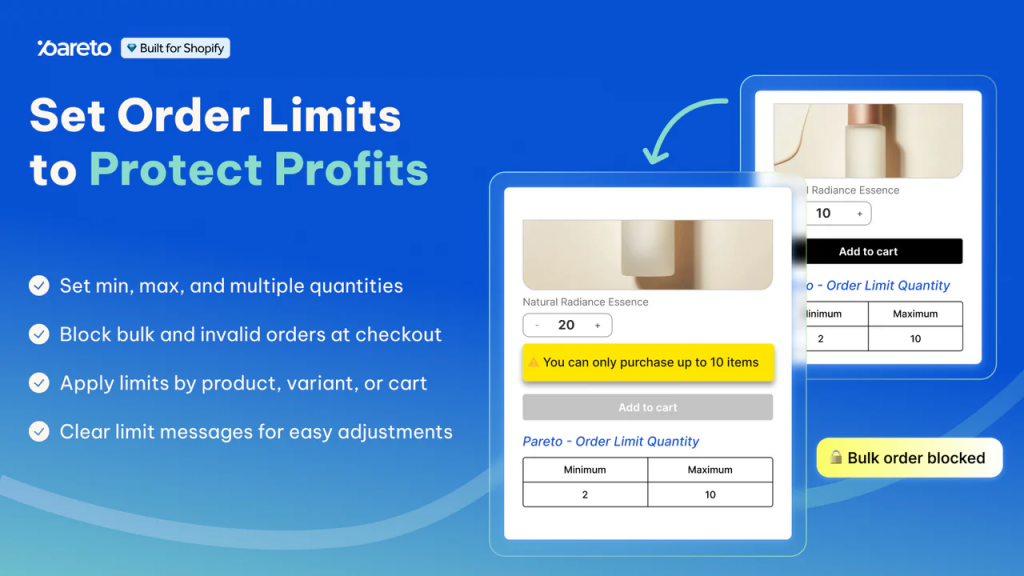
Here’s what makes it stand out:
MOQ, value, and weight limits – Set a minimum order quantity, a minimum spend, or even a weight-based threshold. Whether you’re running a wholesale store or protecting a limited product, you control exactly what “enough” looks like.
Block product combinations – Some products shouldn’t go in the same cart. Maybe a bundle deal is only meant for first-time buyers, or pairing two items creates a fulfillment headache. With this rule, you can prevent specific products from being purchased together – automatically, every time.
Scheduled rule activation – Launch day is stressful enough. You shouldn’t have to sit at your computer waiting to flip a switch. Set your rule to turn on at exactly the right time and turn off automatically when the window closes. Pareto handles it – you focus on everything else.
Lifetime order limits – This is different from a standard per-order cap. Instead of limiting what someone buys in a single checkout, Pareto tracks purchases across multiple orders over time. Set a limit of 1 unit per customer per month, and Pareto remembers – even if they come back and try again three days later. This is one of the most effective tools for stopping scalpers.
Market, tag, and customer rules – Not every customer should play by the same rules. Apply different limits by country, market, B2B or B2C status, or customer tag. A wholesale buyer and a retail shopper can have completely different rules – set once, enforced automatically.
Strict checkout validation – Rules are enforced directly at checkout, including through express payment methods like Shop Pay. Customers can’t bypass a limit by skipping the cart page.
Auto-translate messages – Limit messages at checkout, automatically translate based on the customer’s language. International shoppers always see the right message – no extra setup needed.
Low stock counter – Display real-time stock levels on the product page to create urgency. No code required.
Taken together, these rules give you control that most apps simply don’t offer – without needing a developer or a custom solution.
What Does Minmaxify Order Limit Offer?
Minmaxify’s group limits are its standout feature. You can create a group of products – pulled from a collection, by vendor name, keyword, tags, or SKU – and apply a combined rule to the entire group.
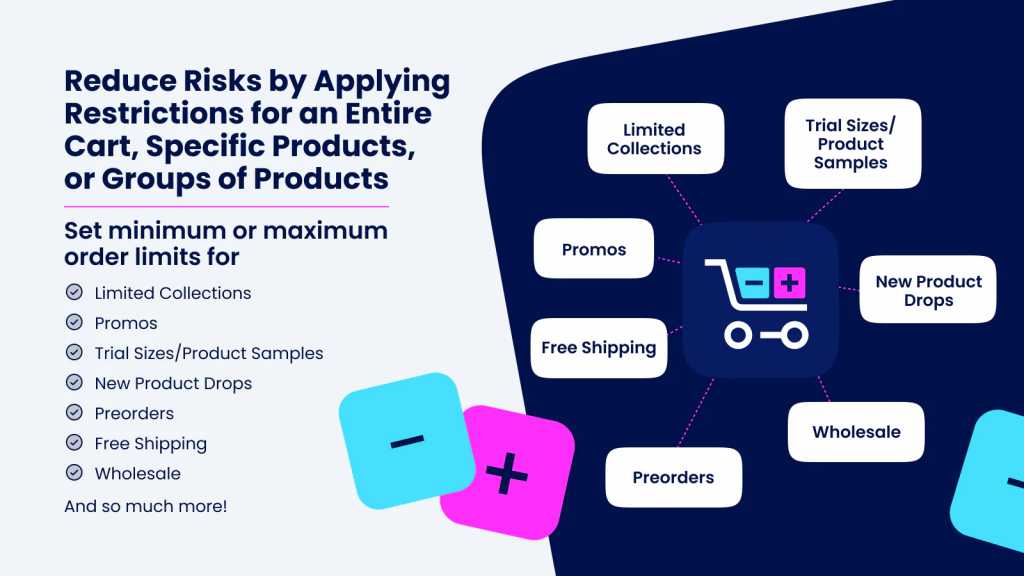
Here’s a simple example: “Any mix of items from our wholesale collection must total at least 12 units.” The customer can pick any combination of products, and Minmaxify counts all of them together toward the limit.
This is genuinely hard to replicate with other apps and makes Minmaxify a strong pick for wholesale merchants who sell across many SKUs.
Minmaxify also handles pack sizes cleanly. If you sell beverages in cases of 6, you can enforce that quantities must always be a multiple of 6. This works at both the product level and the group level.
Side-by-Side Feature Comparison
Here’s the feature comparison table of Pareto Order Limit vs Minmaxify Order Limits:
| Feature | Pareto Order Limit | Minmaxify Order Limits |
| Min/Max quantity per product | ✅ | ✅ |
| Min/Max cart value | ✅ | ✅ |
| Weight-based limits | ✅ | ✅ |
| Collection-level limits | ✅ | ✅ |
| Variant-level limits | ✅ | ✅ |
| Pack size / sell in multiples of X | ✅ | ✅ |
| Group limits (by tag, vendor, keyword, SKU) | ✅ | ✅ Strong |
| Customer tag-based limits (e.g., wholesale vs. retail) | ✅ | ✅ |
| Market / country-specific rules | ✅ | ❌ Not documented |
| Schedule rules to start/stop at a set time | ✅ | ❌ Not documented |
| Limit purchases per customer per day/week/month | ✅ | ❌ Not documented |
| Block specific product combinations | ✅ | ❌ |
| Require a product to be included (dependency rule) | ✅ | ❌ |
| Low stock counter on product pages | ✅ | ❌ |
| Set max quantity = current inventory automatically | ✅ | ❌ |
| Cart-level alerts | ✅ | ✅ |
| Product page alerts | ✅ | ✅ |
| Checkout UI extensions (Shopify Plus only) | ✅ | ✅ Plus plan |
| Server-side checkout validation | ✅ | ✅ Premium/Plus |
| Shopify Flow integration | ✅ | ❌ |
| Analytics dashboard (blocked actions, abuse stats) | ✅ | ❌ |
| “Built for Shopify” badge | ✅ | ❌ |
| Free plan available | ✅ | ❌ |
| Starting price (paid plans) | $8.99/month | $10/month |
| App Store rating | 4.7/5 · 114+ reviews | 4.9/5 · 171+ reviews |
Checkout Enforcement: The Part Most Merchants Get Wrong
Setting a purchase limit means nothing if customers can bypass it. And bypassing cart-level rules is easier than most merchants realize.
The 3 ways apps enforce limits
- Level 1 – Cart blocking – The app checks your cart when a customer clicks “Proceed to Checkout.” If a rule is broken, it blocks the button and shows a warning.
- This works for normal checkout flows. But it fails the moment a customer skips the cart entirely.
- Level 2 – Server-side validation – This runs on Shopify’s servers when checkout is submitted – no matter how the customer got there. It catches violations even when the cart is skipped completely. This is the most reliable method.
- Level 3 – Checkout UI extensions (Shopify Plus only) The app shows an error message directly inside the checkout, at the payment or shipping step. The customer sees exactly what’s wrong, right where they are.
Here’s a real example. You set a 1-unit limit on a sneaker. On drop day, a buyer finds a direct checkout link on Discord and pays with Apple Pay in two taps – skipping your cart page entirely. Your rule never runs. The order goes through.
This happens more than you think. Shop Pay, Apple Pay, Google Pay, and “Buy Now” buttons all skip the cart. If your app only blocks at the cart level, those paths are wide open.
Where Pareto and Minmaxify differ:
| Pareto | Minmaxify | |
| Cart-level blocking | ✅ | ✅ |
| Server-side validation | ✅ | ✅ Premium/Plus only |
| Checkout UI extensions | ✅ Shopify Plus plan | ✅ Plus plan only |
| Shopify Flow safety net | ✅ | ❌ |
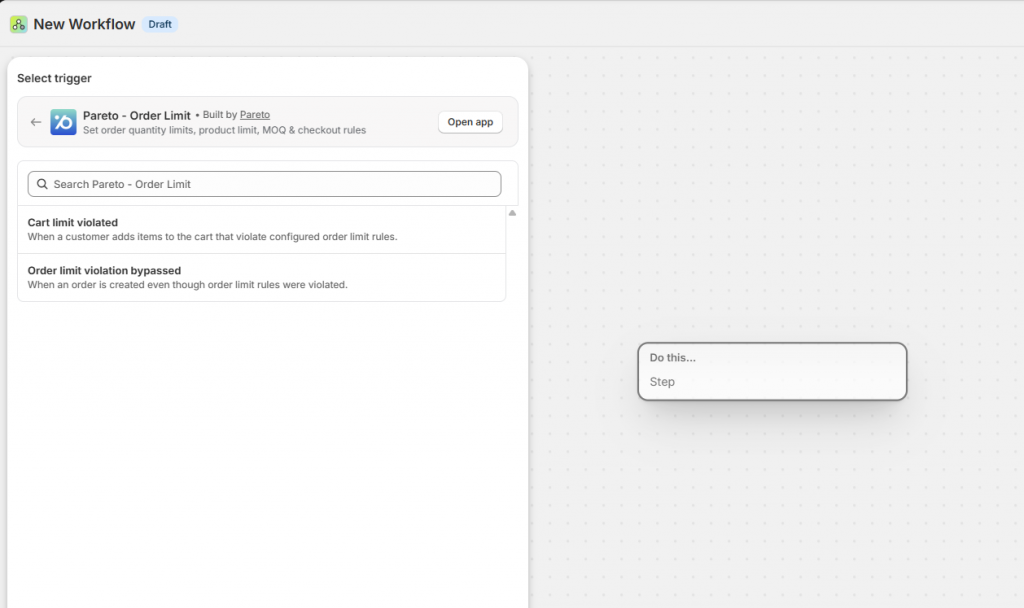
Pareto enforces rules server-side by default, so express checkout and Buy Now bypasses are caught automatically. For Shopify Plus merchants, the Checkout alerts module shows in-checkout error messages. And if an order somehow still slips through, Shopify Flow steps in as a backup.
Minmaxify added server-side validation and checkout UI extensions in its higher-tier plans – a real improvement over its older cart-only approach. Keep in mind these features are only available on Premium ($20/month) and Plus ($50/month). Also, effectiveness can vary by theme, so always test before going live.
Automation: What Happens After a Rule Is Broken?
Blocking a purchase is step one. Knowing about it – and acting on it – is step two.
Pareto connects directly with Shopify Flow, Shopify’s built-in automation tool. When a limit is violated, Pareto can automatically:
- Tag the customer who tried to over-buy
- Send a Slack alert to your team
- Trigger a follow-up email via Klaviyo or Omnisend
- Flag the order for manual review or cancellation
This means even if an order slips through checkout, Flow catches it and takes action – automatically, without anyone on your team having to watch for it.
Minmaxify has no Shopify Flow integration. Any automated response to violations would need to be built externally using webhooks, or handled manually by your team.
| Pareto | Minmaxify | |
| Shopify Flow integration | ✅ | ❌ |
| Auto-tag violating customers | ✅ | ❌ |
| Slack / email alerts on violations | ✅ | ❌ |
| Catches orders that slip through | ✅ | ❌ |
If you run regular drops or deal with repeat bulk buyers, Pareto’s automation is a clear advantage. For smaller stores where blocking alone is enough, this difference won’t matter much
Analytics: Are Your Rules Actually Working?
Both apps let you set rules. Only one tells you what those rules are doing.
Pareto’s Statistics page shows:
- Total violations detected
- How many purchases were blocked
- Abuse prevention rate over time
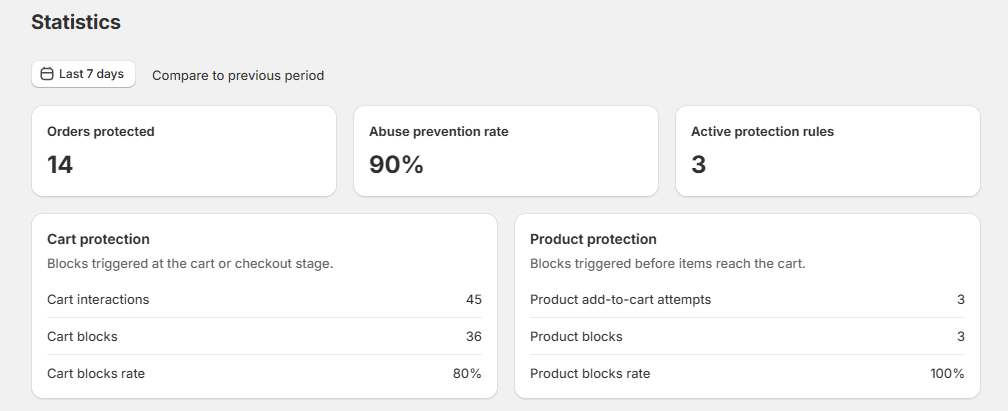
This is useful for two reasons. First, it proves your rules are working. Second, it helps you spot patterns – if one product keeps getting hit during drops, you know to tighten that rule or watch it more closely next time.
Minmaxify has no analytics dashboard. You can manage your rules, but you won’t see how often they fire or how many attempts were blocked.
| Pareto | Minmaxify | |
| Violations dashboard | ✅ | ❌ |
| Blocked purchase tracking | ✅ | ❌ |
| Abuse prevention reporting | ✅ | ❌ |
If knowing whether your limits are actually doing anything matters to you, Pareto is the only option here that shows you.
Pricing: Pareto Order Limit vs Minmaxify Order Limits
For Shopify Plus merchants, Pareto delivers checkout UI extensions at nearly half the price of Minmaxify. For merchants just getting started, Pareto’s free plan lets you test with no upfront cost.
| Pareto | Minmaxify | |
| Free plan | ✅ | ❌ |
| Entry price | $8.99/month | $10/month |
| Server-side enforcement | From $19.99/month | From $20/month |
| Checkout UI extensions | $29.99/month | $50/month |
Support and Reliability
Pareto merchants highlight fast support for theme issues and custom rule setups. The Built for Shopify badge means the app has passed Shopify’s review for performance, security, and UX quality.
Minmaxify has been running since 2012. That kind of track record shows – recent reviews mention the support team configuring complex B2B rules directly. Its slightly higher rating reflects trust built over more than a decade.
The honest take: Minmaxify wins on experience and rating. Pareto wins on modern platform standards. Both teams are responsive and well-reviewed.
| Pareto | Minmaxify | |
| App Store rating | 4.7/5 · 114+ reviews | 4.9/5 · 171+ reviews |
| Built for Shopify badge | ✅ | ❌ |
Pareto Order Limit vs Minmaxify Order Limits: Which App Should You Choose?
Here’s a clear, practical breakdown by use case:
Choose Pareto if you:
- Run product drops and need to stop any single buyer from clearing stock
- Need per-customer time-frame limits (e.g., 1 unit per customer per month across all orders)
- Sell internationally and need different rules per country or market
- Are on Shopify Plus and want enforcement and error messages inside the checkout itself
- Want violations to automatically trigger actions via Shopify Flow
- Want a dashboard to see how many rule violations are being caught
- Want to start free and only pay when your needs grow
Choose Minmaxify if you:
- Sell wholesale and need group-based MOQ where customers can mix products but must hit a combined minimum
- Sell in pack sizes and need strict “multiples of X” enforcement
- Prefer a long-established app with a large, proven user base
- Have straightforward cart-based purchase rules and don’t need scheduling or market-specific logic
Final Thoughts
Both Pareto and Minmaxify are solid apps that solve a real problem for Shopify merchants. Neither is a bad choice – they just serve different needs. Still not sure? Start with Pareto’s free plan. Set up one rule, run it for a week, and look at the Statistics page. The data will show you exactly how much work your limits are doing – and whether you need to upgrade for more.