
New in Pareto Quantity Breaks: Apply discounts by product weight or total cart weight
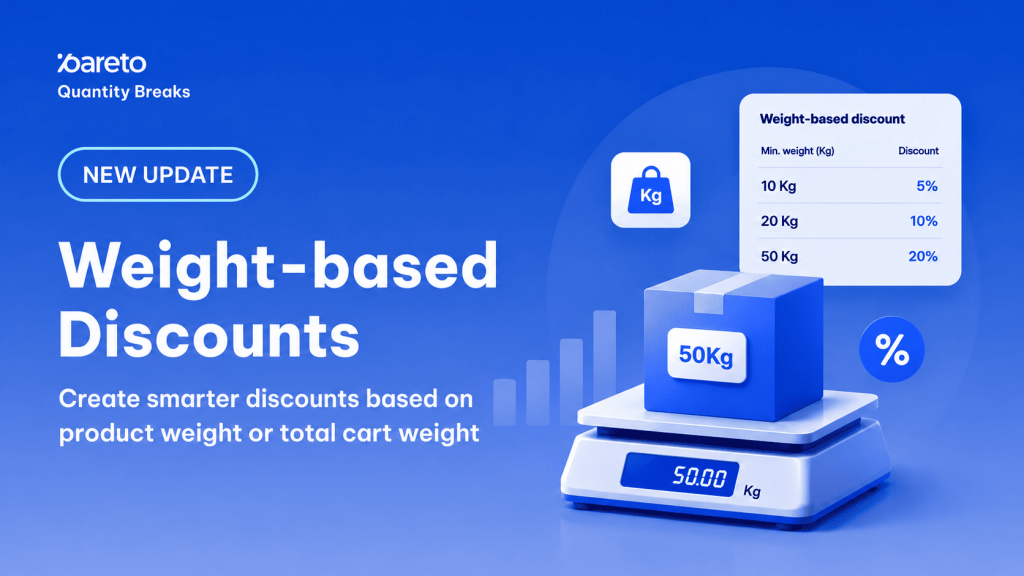
For merchants selling bulk goods, wholesale ingredients, fabrics, or raw manufacturing materials, traditional quantity-based discounts have always posed an operational headache. Setting promotions based on the “number of items” rarely aligns with how heavy or fractionally measured goods are actually commercialized. Your customers don’t just think in units; they buy in kilograms, tons, and custom-cut sizes.
To eliminate awkward workarounds and optimize the fulfillment economics of bulk commerce, the Pareto teamhas rolled out a native, high-powered infrastructure update: Weight-Based Discounts. This feature enables merchants on our Professional and Advanced plans to deploy automated price incentives tied directly to physical inventory weights rather than simple box counts.
The Structural Shift: Units vs. Physical Weight
When dealing with fractional fulfillment, a customer adding 1.5Kg of a product to their cart shouldn’t be penalized by tools that only recognize whole numbers. Pareto’s new weight framework operates under two robust native templates that take your Shopify variant weight settings and convert them cleanly into active discount triggers:
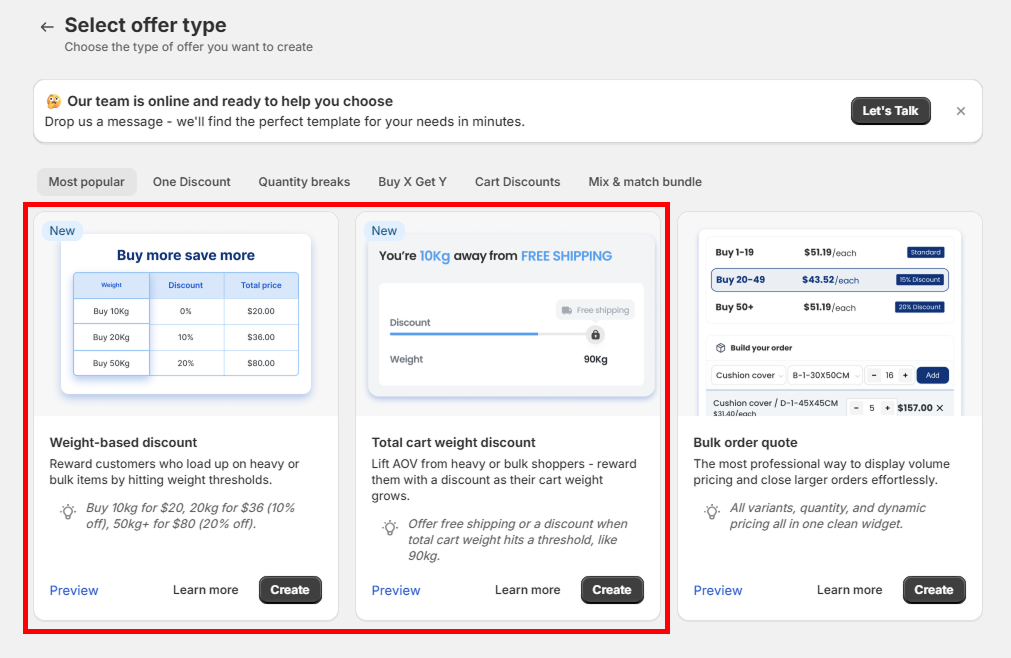
- Weight-Based Discount (Quantity Breaks Engine): Counts the total mass accumulated for specific designated variants, collections, or products. When the individual item line weight hits a target threshold, a tiered price adjustment kicks in.
- Total Cart Weight Discount (Order Discount Engine): Aggregates the combined weight of every single product loaded into the active checkout session, unlocking macro incentives like flat reductions, free gifts, or zero-cost freight once the overall shipment gets heavy enough.
Weight-Based Product Discounts
Housed inside Pareto’s Quantity Breaks campaign archetype, this tier logic shifts the core counting variable from unit velocity to total volume mass. Instead of evaluating if a customer selected 5 items, the algorithm checks if the line-item weight has safely breached your target threshold.
How to Deploy:
- Navigate to Pareto > Campaigns > Create offer.
- Select Quantity Breaks as your underlying architectural campaign type.
- Choose the pre-built Weight-based discount template to bypass manual rule-making.
- Isolate your target inventory under Discounted products and hit save.
Configuring Tier Rule Variations
Within the rules interface, you can add multiple sequential line items to structure standard volume steps (e.g., Buy 10Kg → 5% off, Buy 20Kg → 10% off, Buy 50Kg+ → 20% off). Crucially, you can also mark an absolute high-performing tier as Pre-selected, formatting it as the default visual offer displayed directly on your frontend Shopify product pages to maximize visual motivation.
Strategic Mechanism — The “Multiples of Buy From” Rule: If you check the box for “Discount for quantities in multiples of buy from”, Pareto will systematically repeat that precise discount behavior every single time that weight block is achieved. For instance, a rule built for 10Kg will automatically re-trigger at 20Kg, 30Kg, and so on.
Note: Enabling this linear compounding removes alternative sequential tiers.
Supported Product-Level Discount Types:
Weight-based discount supports four discount types:
| Type | Behavior |
|---|---|
% | Percentage off the product price once the weight tier is hit. |
Amount | Fixed amount off, applied once when the tier is hit. |
Fixed price | Sets the product to a fixed total price after discount. |
Amount per Kg | Multiplies the value by the actual weight purchased. See example below. |
A flat discount can destroy your margins if a customer orders fractional bulk amounts between major milestones. The Amount per Kg option ensures scaling fairness by executing math against real-time fractional data. Consider a tier set at a modifier of $5.00 off per Kg:
- Customer Purchases 1.5Kg -> $5.00 × 1.5 = $7.50 Total Line Discount
- Customer Purchases 10.25Kg -> $5.00 × 10.25 = $51.25 Total Line Discount
This is exceptionally vital for high-volume raw ingredients, textiles, and agricultural businesses where checkouts frequently land on complex decimals.
Total Cart Weight Order Discounts
While product-specific breaks incentivize deeper focus into isolated collections, the Total Cart Weight Discount engine tracks cross-store orders via the Order Discount framework. Here, Pareto aggregates the weight configurations of all items sitting in the cart. This serves as a powerful lever to increase Average Order Value (AOV) by tying heavy shipping optimization directly to buyer rewards.
How to Deploy:
- Navigate to Pareto > Campaigns > Create offer.
- Select Order Discount as your foundational core structure.
- Select the Total cart weight discount template from the dashboard wizard.
Configuring Cart Ranges and Exclusions
Unlike simple item breaks, cart weight rules allow you to build explicit bounding ranges using both Buy from (weight) and Buy to (weight) properties. Leaving the “Buy to” field completely empty creates an open-ended top tier, ideal for massive enterprise or truckload orders.
If you have specific high-volume items that carry unique freight complexities, you can leverage the Exclude specific products feature. By selecting items through name search or collection browse, you can declare them to be excluded from condition only. This means their mass will not help unlock the overarching weight tier, but they can still inherit the reward reduction if configured globally.
Supported Cart-Level Discount Types:
| Type | Behavior |
|---|---|
% | Percentage off the cart subtotal once the weight tier is hit. |
Amount per Kg | Multiplies the value by the actual cart weight. See example below. |
Price | Fixed amount off the cart total. |
Free gift | Adds a selected product to the cart at $0. |
Free shipping | Removes shipping cost at checkout. |
To ensure zero friction when deploying these structural campaigns into live production environments, merchants should keep four foundational platform rules in mind:
- Automated Unit Conversion: Pareto communicates directly with Shopify’s backend data models. While Pareto displays thresholds exclusively in kilograms (Kg) across its administration dashboard, it will ingest variant dimensions defined in grams (g), pounds (lb), or ounces (oz) and execute math conversions seamlessly in the background.
- The Zero-Weight Trap: Calculations rely strictly on the value defined in your Shopify variant parameters. Variants that lack an explicit weight configuration default to 0 Kg inside the Pareto counting engine and cannot trigger rules.
- Excluded Variants: Any item variant marked as explicitly excluded will be completely stripped from active evaluation cycles and will not chip away at the tier target.
- Plan Availability: This optimization suite is exclusively active for operators currently utilizing Pareto’s Professional or Advanced tiers.
See setup details here:
👉 Weight-based discount
👉 Total cart weight discount
Ready to Optimize Your Bulk Orders?
Weight-based templates are live on your Pareto dashboard. If you want to configure custom ranges or need help reviewing your Shopify variant weight settings, reach out to our team via live chat or reply directly to your account representative.
👉 Try Weight-Based Discounts Feature
Create smarter discounts based on product weight or total cart weight.
Try Pareto on Shopify