
Shopify Volume Discount: How to Sell More Without Losing Profit
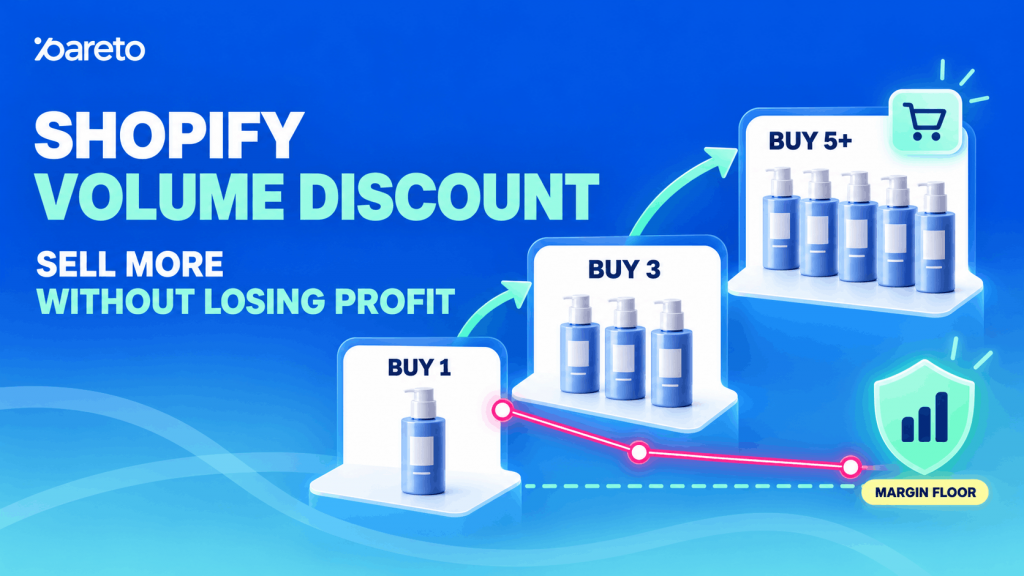
Getting a customer to your Shopify store takes time and money, so increasing the value of each order can make a real difference. A Shopify volume discount encourages shoppers to buy more by offering better pricing at higher quantities, such as 10% off three items or 15% off five. Done well, it can increase units per order and average order value without discounting every purchase. However, bigger orders do not always mean more profit. The right offer needs sensible quantity tiers, suitable products, clear messaging, and careful margin tracking. This guide covers the main volume discount types, setup methods, apps, and strategies for building profitable offers.
What Is a Shopify Volume Discount?
A volume discount gives customers a better price when they purchase a certain quantity of a product or group of products.
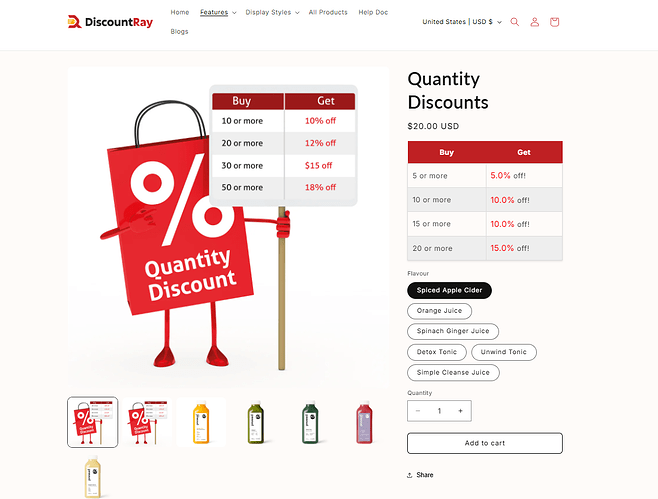
A basic offer might look like this:
| Quantity | Price |
|---|---|
| 1–2 items | Regular price |
| 3–4 items | 10% off |
| 5–9 items | 15% off |
| 10+ items | 20% off |
You may also see this type of promotion called a quantity discount, quantity break, bulk discount, or tiered pricing. The terms often overlap, although the way the discount is calculated can be different.
For example, an all-units quantity break could mean that once a shopper buys five units, all five receive the 15% discount. Progressive tiered pricing works differently: the first five units may stay at full price, units six through ten receive 10% off, and only later units receive the deeper discount.
That distinction matters because both options can produce the same headline -“save more when you buy more” – while creating very different margins for the merchant.
Volume discounts are also different from minimum order quantity rules. An offer such as “Buy 10 and save 15%” encourages customers to purchase ten items. A rule such as “You must buy at least 10” controls what they are allowed to purchase. The first creates an incentive; the second creates a restriction.
This difference becomes especially useful for wholesale stores, where merchants may want both. A buyer could be required to order at least 12 units, for example, while receiving better pricing at 24, 48, and 100 units.
Why Offer Volume Discounts on Shopify?
The obvious reason is to sell more items in each order, but that is only part of the value.
Imagine a skincare product that normally sells one unit at a time. Instead of discounting the product across the entire store, the merchant could keep the single-item price unchanged and introduce an offer such as:
- Buy 3 and save 10%
- Buy 5 and save 15%
A customer who only wants one item can still buy one. Someone who already likes the product, wants to stock up, or shops for several people now has a reason to increase the order.
Increase average order value
Suppose a product normally costs $20. One unit gives you a $20 order, but a customer who buys three with a 10% volume discount spends $54.
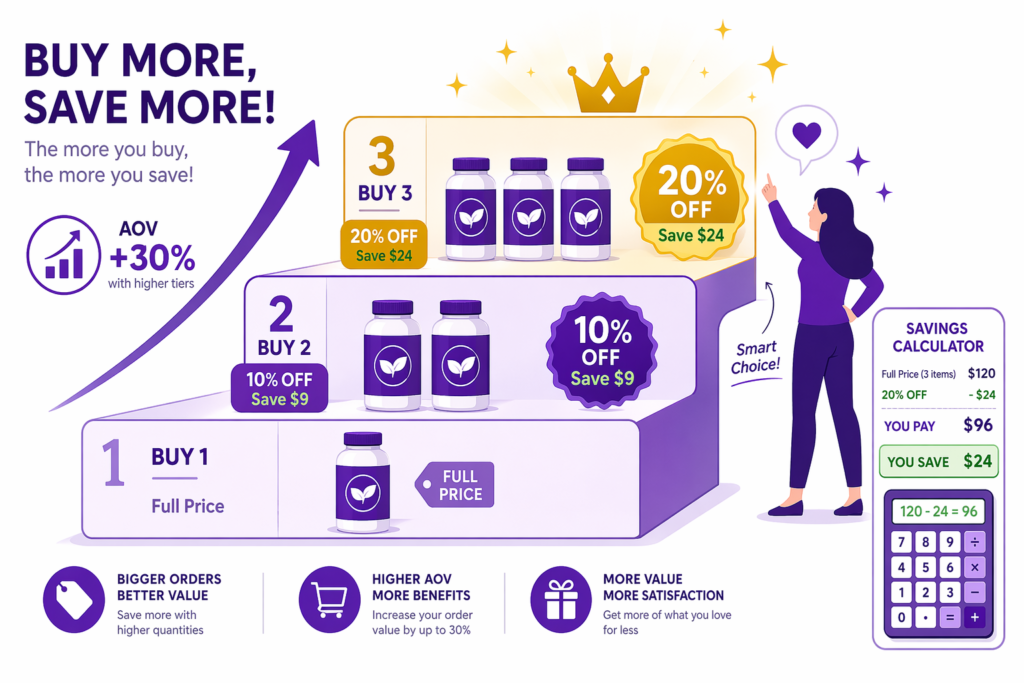
The price per unit is lower, yet the total order is much larger. If the product has enough margin to support the discount, that can improve the economics of the traffic you already have rather than requiring another customer to generate the extra revenue.
This is especially useful when customer acquisition is expensive. Getting more value from an existing order can sometimes be easier than finding another buyer.
Encourage customers to stock up
Volume discounts work best when buying several units already makes sense for the customer.
Consumable products are a clear example. Coffee, supplements, skincare, pet food, cosmetics, cleaning products, stationery, craft supplies, raw materials, and many wholesale goods are likely to be used again after the first unit runs out.
The offer simply gives customers a reason to bring part of that future purchase into the current order.
That logic is much weaker for products that people rarely need in multiples. Someone may happily buy five bags of coffee but have no reason to buy five identical phone cases. In that situation, a bundle of complementary products could make more sense than a straight quantity discount.
Move inventory without discounting every order
Volume pricing can also help stores move products that are overstocked, seasonal, or approaching the end of their selling period.
Instead of offering 20% off every unit, the store could reserve the discount for customers who buy several. This keeps the normal price intact for smaller orders while giving high-volume shoppers a stronger incentive.
It is still important to check whether those extra units are truly incremental. If customers simply buy three months of stock today and then stop ordering for three months, the store may have pulled future full-price purchases forward rather than creating much new demand.
Support wholesale and B2B pricing
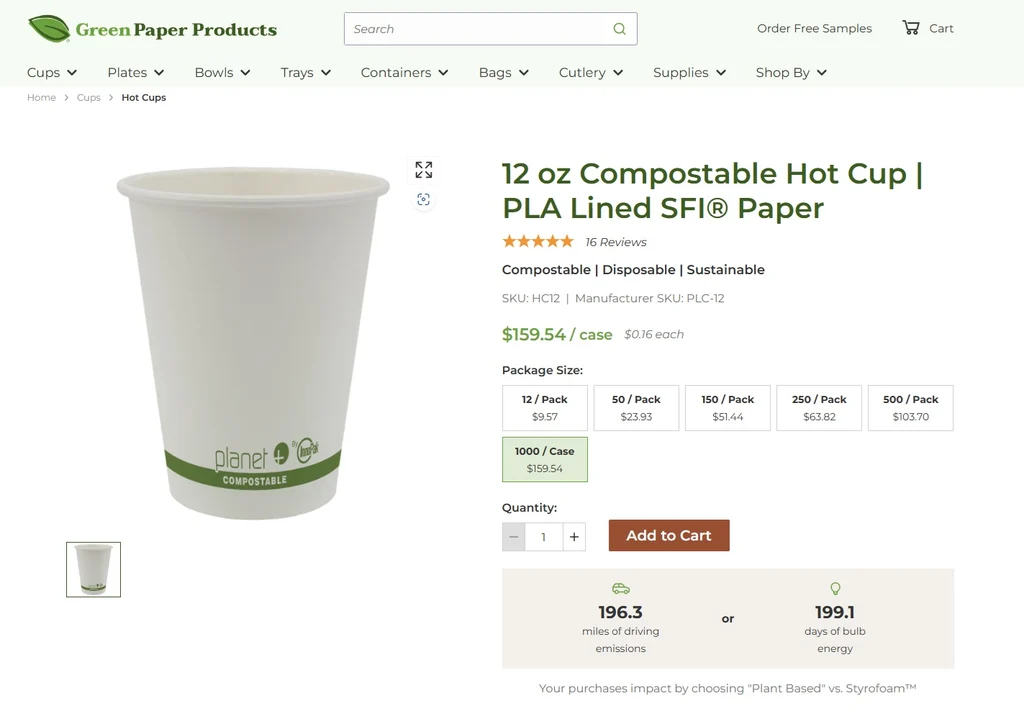
Volume pricing is particularly natural in B2B because larger order sizes are already part of the buying behavior.
A retail shopper might buy two bottles. A reseller, restaurant, distributor, salon, or corporate buyer could need 20, 50, or several hundred units. Giving those buyers structured price breaks makes the pricing easier to understand and connects the discount directly to order size.
Shopify’s current B2B capabilities also include native quantity price breaks, while more customized DTC experiences can be built with apps or Shopify Functions which replaced Shopify Scripts after Scripts reached end of life on August 28, 2025.
Types of Shopify Volume Discounts
There is no single volume discount structure that works for every store. The right format depends on what you sell, how customers normally buy, and how much margin you can afford to trade for a larger basket.
Quantity breaks
Quantity breaks are the most familiar option. For example:
| Quantity | Discount |
| 1–2 | Regular price |
| 3–4 | 10% off |
| 5–9 | 15% off |
| 10+ | 20% off |
When customers reach a new threshold, they unlock a better price.
This format is easy to communicate and works well on product pages because shoppers can immediately see what happens if they add more items.
Progressive tiered pricing
With progressive pricing, different parts of the order can receive different discount levels.
For example:
- Items 1–5: regular price
- Items 6–10: 10% off
- Items 11–20: 15% off
If someone buys 15 units, the whole order does not suddenly drop to the deepest price. Each quantity range keeps its own rate.
This can be useful for wholesale orders because it rewards additional units while helping the merchant keep more margin on the quantity the customer might have purchased anyway. Pareto documents this type of tiered discount structure as part of its quantity-pricing options.
Fixed amount and fixed-price offers
Percentage discounts are not always the easiest promotion for shoppers to understand.
For a $12 product, instead of saying “16.7% off when you buy three,” a store could simply say: 3 for $30 or buy 5 and save $10
The promotion is still based on quantity, but the saving is easier to process.
For low-priced products in particular, fixed pricing can feel more concrete than a small percentage.
Free gifts and quantity-based rewards
The reward does not always have to be a lower unit price.
A beauty brand could offer a travel-size product when someone buys four full-size items. A pet store might add a free toy once the customer reaches a certain quantity. A stationery store could include a small accessory with a larger order.
If the gift has a low cost but a high perceived value, it may encourage the same buying behavior without cutting the price of every qualifying product.
BOGO and Buy X Get Y promotions work on a similar principle: the customer receives extra value after meeting a purchase condition rather than simply seeing every item become cheaper.
How to Set Up Shopify Volume Discounts
There are two practical ways to set up a Shopify volume discount. You can use Shopify’s native volume pricing for B2B customers, or install a volume discount app such as Pareto if you want more flexible promotions for DTC, B2B, or both.
Method 1: Use Shopify’s Native Buy X Get Y Discount
For a simple DTC promotion, Shopify’s built-in Buy X Get Y discount is the easiest free option. You can create it directly in Shopify Admin without installing an app.
For example, you could offer:
- Buy 2, get 1 free
- Buy 3, get the next item 20% off
- Spend $100, get a selected product free
To set it up:
- From Shopify Admin, go to Discounts.
- Click Create discount.
- Select Buy X get Y.
- Choose Automatic discount or Discount code.
- Under Customer buys, set the minimum quantity or purchase amount.
- Select the qualifying products or collections.
- Under Customer gets, choose the reward product and discount.
- Set the discount as a percentage, fixed amount, or free item.
- Configure eligibility and dates, then save the discount.
Shopify supports one qualifying threshold and reward structure within each Buy X Get Y discount. For automatic discounts, eligible products must be in the customer’s cart before Shopify applies the promotion.
This makes the native option useful for a straightforward offer, but it isn’t the same as a full volume-pricing system.
For example, if you want to show:
| Quantity | Quantity |
|---|---|
| 3 | 10% off |
| 5 | 15% off |
| 10 | 20% off |
Shopify’s native Buy X Get Y discount doesn’t let you build those three tiers into one offer. The discount is applied through the cart and checkout, and Shopify doesn’t provide a built-in quantity-break table for displaying those tiers on the product page.
So, Method 1 works best when you need one simple DTC threshold rather than a full tiered volume discount.
Method 2: Set Up Volume Pricing With Shopify B2B
If you sell wholesale or B2B, Shopify has native volume pricing inside B2B catalogs. Unlike Buy X Get Y, this is true volume pricing: the unit price decreases when a B2B customer reaches a certain quantity.
For example:
| Quantity | Price per unit |
|---|---|
| 1–19 | $20 |
| 20–49 | $18.50 |
| 50–99 | $17.75 |
| 100+ | $16 |
To set it up:
- From Shopify Admin, go to Markets > Catalogs.
- Open the B2B catalog you want to edit.
- Under Products and pricing, select Manage > Manage products and pricing.
- Find the product or variant you want to configure.
- In the Volume pricing column, click + Add.
- Select + Add quantity price breaks.
- Enter the quantity required for each tier and the price customers will pay.
- Add more price breaks if needed, then click Done > Save.
Shopify currently supports up to 10 price breaks per product, and volume pricing is applied at the variant level. For example, if the price break starts at 20 units, the customer generally needs 20 units of the qualifying variant rather than combining different variants.
You can also add quantity rules for minimum quantities, maximum quantities, and purchasing increments. For example, a wholesaler could require customers to order a variant in quantities of 10, 20, or 30.
Shopify B2B is currently available on Basic, Grow, Advanced, and Shopify Plus. Basic, Grow, and Advanced stores can assign up to three active catalogs across their B2B markets, while Shopify Plus supports unlimited B2B market catalogs and direct catalog assignment to companies and company locations.
The main limitation is the audience. Shopify’s native volume pricing is designed for B2B catalogs, so it isn’t the best fit if you want to run promotional quantity breaks for regular DTC shoppers.
Method 3: Set Up Volume Discounts With Pareto
If you want multi-tier volume discounts for DTC shoppers, or more control over how products and quantities qualify, you can use Pareto Quantity Breaks & BOGO.
For example:
| Quantity | Discount |
|---|---|
| 1 | Regular price |
| 3 | 10% off |
| 5 | 15% off |
| 10 | 20% off |
Install Pareto Quantity Breaks from the Shopify App Store and complete the initial setup. You can then use Pareto to:
- Create multiple quantity tiers within the same promotion.
- Run quantity discounts for DTC, B2B, wholesale, or hybrid stores.
- Calculate quantity across the entire store, by collection, SKU, product group, vendor, or line item properties. Giving POD stores more control over custom product options.
- Display quantity breaks directly on any page like homepage, collection pages, featured sections, product pages, cart page and cart drawer, checkout for Shopify Plus, thank-you and order confirmation pages, Shopify Catalog, and Shop App, with POS support coming soon.
- Show cart messages such as “Add 2 more items to unlock 15% off.”
- Target offers by customer group or market.
- Apply promotions to variants, products, collections, product groups, or broader product selections.
- Combine quantity discounts with BOGO, bundles, free gifts, upsells, and other promotion types.
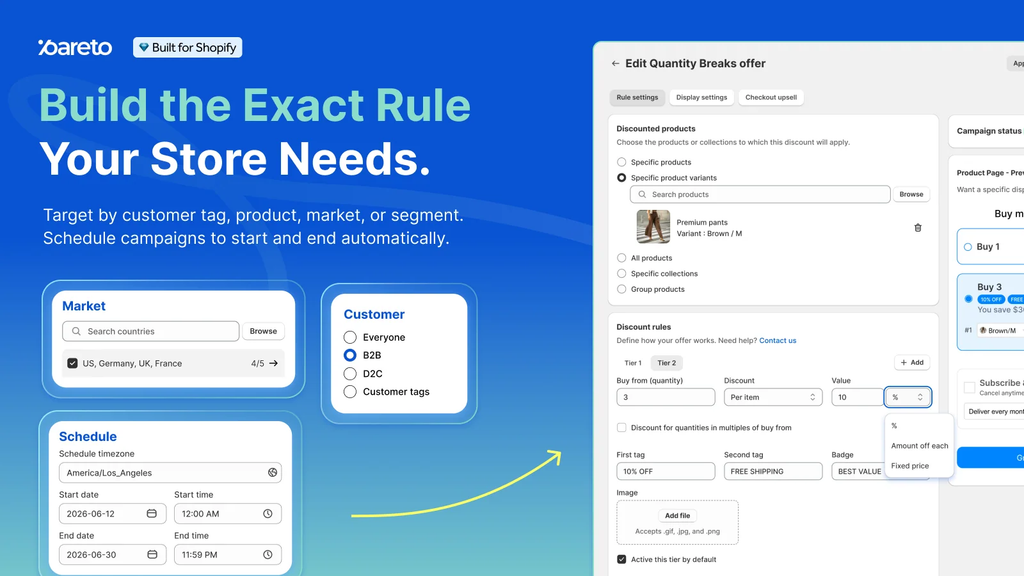
The biggest difference is how Pareto counts qualifying items.
For example, a coffee store could let shoppers mix five different flavors and still unlock the five-item discount. Another merchant could require five units of the exact same variant before the discount applies. Pareto supports both approaches.
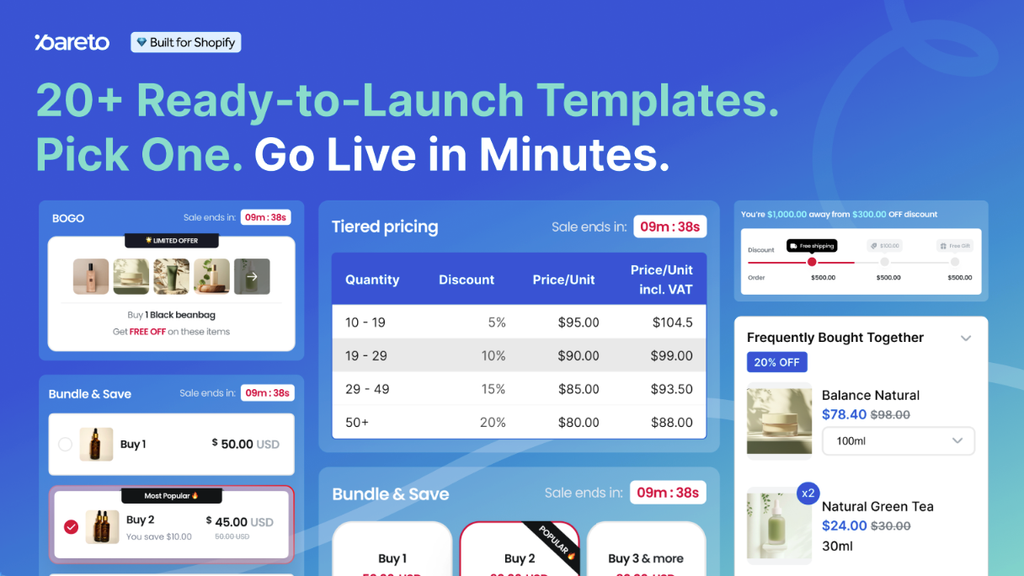
Merchants can also create different promotions for different audiences. For example, all shoppers might see Buy 1, 5, or 10 and save 2%, 5%, or 10%, while logged-in VIP or wholesale customers with a matching tag automatically unlock an additional Buy 100, save 20% tier. This gives larger buyers better pricing without requiring them to request a quote, while also encouraging customers to log in.
So, Pareto’s main advantage isn’t simply that it creates volume discounts. It gives merchants more control over how offers are structured, who sees them, and where they appear, while keeping setup simple. Merchants can also use Shopify Sidekick to help set up promotions faster.
In short, the three methods serve different needs:
| Method | Best for | Main limitation |
|---|---|---|
| Shopify Buy X Get Y | Simple DTC promotion | One threshold/reward structure; no native product-page tier table |
| Shopify B2B volume pricing | Wholesale and B2B pricing | Built around B2B catalogs |
| Pareto Quantity Breaks | Flexible DTC, B2B, or hybrid promotions | Requires installing an app |
For a simple Buy 2 Get 1 Free offer, Shopify’s native discount may be all you need. For wholesale price breaks, Shopify B2B provides a strong native option. But if you want shoppers to see several quantity tiers, mix qualifying products, or receive different offers by customer or market, Pareto gives you more control.
Setting Up Volume Discounts the Right Way
A good volume discount should be based on your own costs and customer behavior, not on what competitors are offering.
Start by checking how many units customers usually buy. If most orders contain one or two items, a first tier at three units may feel realistic. Setting the first discount at ten units could be too far from normal buying behavior.
You should also decide whether customers can mix products or variants to reach a tier. For example, a stationery store might let shoppers combine five notebook designs, while a wholesale supplier may require the same SKU.
Check Your Margin First
Before choosing the discount, calculate how much profit remains after product costs, fees, packaging, and other variable expenses.
For example, if a $30 product has $15 in variable costs, a 20% discount reduces the selling price to $24 and leaves only a $9 contribution per unit. The discount may still work if customers buy enough extra units, but the larger order needs to make up for the lower margin. A useful metric to watch is how much extra revenue every $1 of discount generates. If $1 in discount only brings back $1.20 in additional revenue, the offer may not be doing much. If it brings back $3, $5, or more, you have a much stronger signal that the volume offer is paying off.

Keep the Tiers Simple
Avoid adding too many levels. A structure like Buy 3, save 10% and Buy 5, save 15% is easier to understand than six or seven different tiers.
Set thresholds close to how customers already shop, then adjust them based on performance.
Test Before Launch
Test every quantity tier from the product page through checkout. Check the discount calculation, cart, mobile display, and any other active promotions.
Also make sure volume discounts do not combine with other offers in a way that cuts your margin more than expected.
Before publishing a volume discount, run a quick storefront check to make sure the offer works smoothly across the rest of your Shopify setup:
- Theme compatibility: The widget should not break your theme, product page, or responsive layout.
- Product option apps: Check that quantity rules still work with product options, add-ons, personalization, and custom line item properties.
- Subscription apps: Make sure subscription products and one-time purchases calculate discounts correctly.
- Translation: Check labels, tier messages, and discount text across supported languages.
- Taxes and pricing: Confirm taxes, currencies, compare-at prices, and discounted prices display correctly.
- Cart and cart drawer: Test quantity changes, discount updates, and cart calculations in both.
- Promotion messaging: Review progress bars, banners, badges, savings messages, and next-tier prompts.
- Storefront design: Make sure fonts, colors, spacing, buttons, and tier tables match your store’s branding.
- Other discounts: Test discount codes, automatic discounts, bundles, gifts, and other promotions for unexpected stacking.
- Mobile and desktop: Check the full buying flow on different screen sizes before launch.
A reliable volume discount setup is not only about getting the math right. It should also fit naturally into the rest of your store and keep working as shoppers move from the product page to checkout.
Best Practices and Common Pitfalls In Set Up Shopify Volume Discount
Most volume discount mistakes come from focusing too closely on the size of the order.
A promotion can increase units per order and AOV while still weakening the business if the discount is too generous or customers simply shift purchases they would have made later.
The goal is not to create the biggest cart possible. It is to create a better order.
Do Not Copy Competitors Blindly
A competitor’s discount may not fit your costs, shipping fees, or margins. Use other stores as reference, but build your offer around your own numbers.
In 2026, merchants can also start moving beyond static discount tiers. With AI agents connected through MCP and the right app integrations, an agent can factor in signals such as competitor offers, product costs, margins, or inventory, then recommend or automatically adjust volume tiers and BOGO rules.
When those promotions run through Shopify Functions, merchants can update discount logic without constantly changing the product’s base price. This creates a more flexible path toward automated promotions while keeping pricing and discount execution inside Shopify’s commerce stack.
Track Profit, Not Just AOV
A larger order is not always a better order. If AOV rises but profit per order falls, the discount may be too generous.
Keep Tier Jumps Reasonable
Avoid large jumps such as 10% off at four items and 30% off at five. Gradual increases are easier to control and less likely to hurt margin.
Watch Discount Stacking
Check how volume discounts combine with other offers, such as order discounts, free shipping, or loyalty codes. Always test the final price before launch.
Make the Offer Clear
Show the exact savings instead of using vague messages like “Save up to 20%.”
For example:
- Buy 3 — save 10%
- Buy 5 — save 15%
- Buy 10 — save 20%
Clear tiers make it easier for customers to understand the offer and decide whether to add more items.
Final Words
A Shopify volume discount works best when it encourages customers to buy more without putting too much pressure on your margin. Set realistic quantity tiers, keep the offer easy to understand, and track both AOV and profit after launch. For simple needs, Shopify’s native tools may be enough, while apps like Pareto give you more flexibility for advanced volume pricing and promotions.