
Track Offer Changes and Revenue Impact with Pareto Campaign Activity Logs
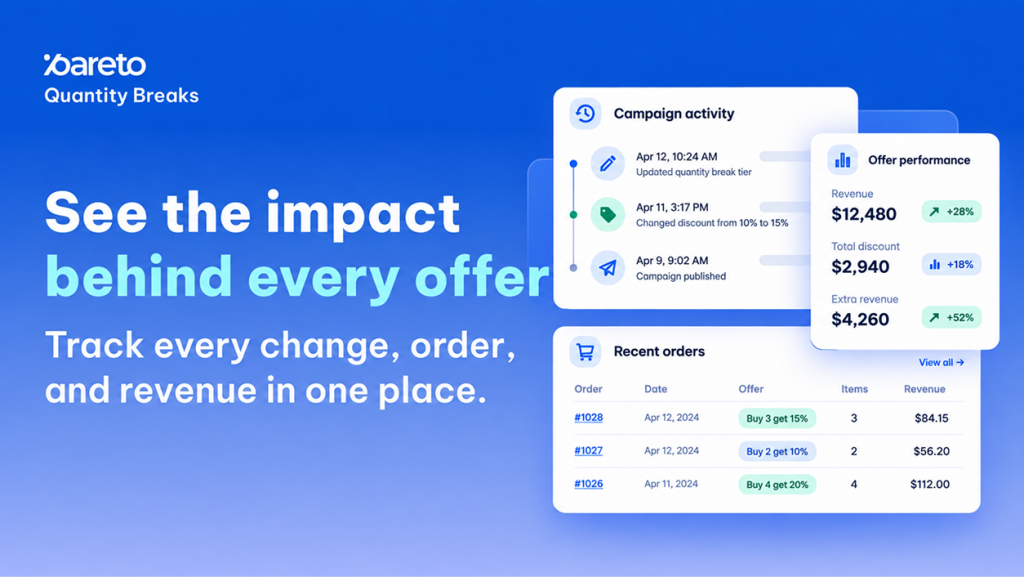
Adjusting volume tiers, tweaking discount percentages, and refining launch schedules are routine tasks for high-volume Shopify merchants. However, without a dedicated audit trail, evaluating whether a specific modification improved conversion or diluted your margins becomes guesswork. When multiple team members optimize offers across peak seasons, knowing who changed what – and when – is essential for accurate performance attribution.
Pareto’s new Campaign Activity Logs feature eliminates this blind spot. By connecting configuration updates directly to order-level results, merchants can now see exactly what changed, trace every discounted order, and verify whether an offer generated incremental profit.
Inside Campaign Activity Logs: Core Offer Tracking Capabilities
Campaign Activity Logs track updates and order metrics in two centralized locations within the Pareto app: the individual campaign timeline and the global order logs table.
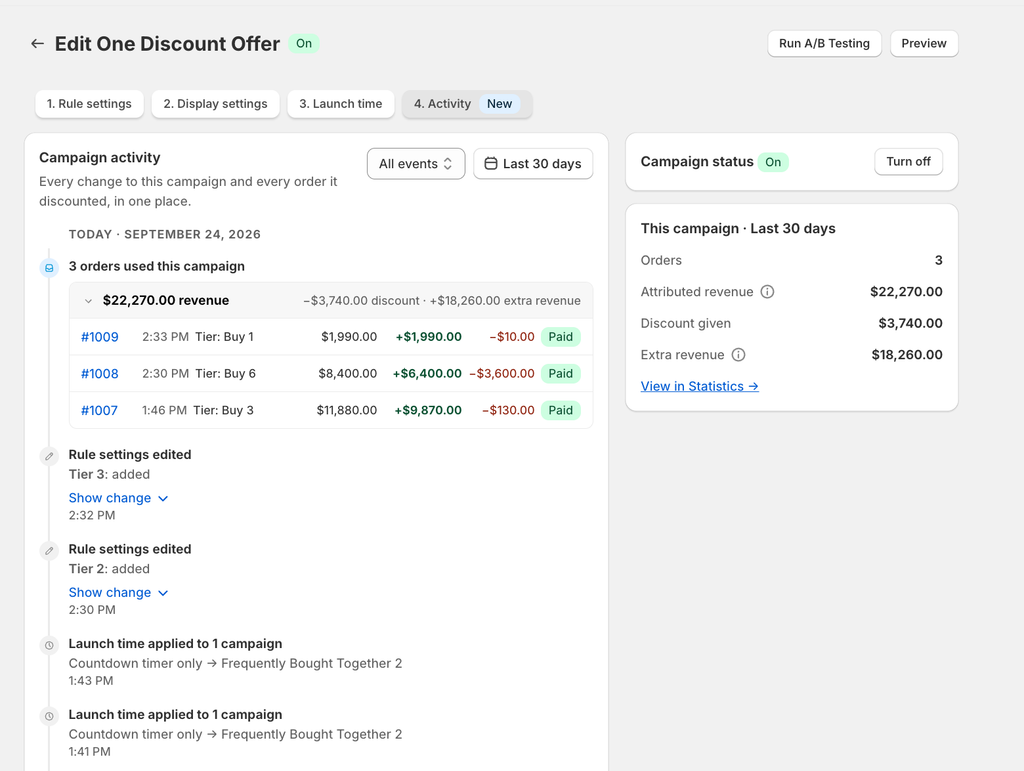
- Campaign-Level Activity Timeline: Access the dedicated 4. Activity tab inside any campaign to review an event history grouped by day.
- Granular Change Tracking: Click Show change on any timeline entry to inspect specific configuration adjustments, such as rule edits or countdown timer updates.
- Order Attribution Details: Track order numbers, discount amounts, tier levels used, attributed revenue, extra revenue, and payment statuses directly alongside campaign events.
- Real-Time Performance Summary: Use the This campaign summary card to review total orders, attributed revenue, discount given, and extra revenue for the selected timeframe.
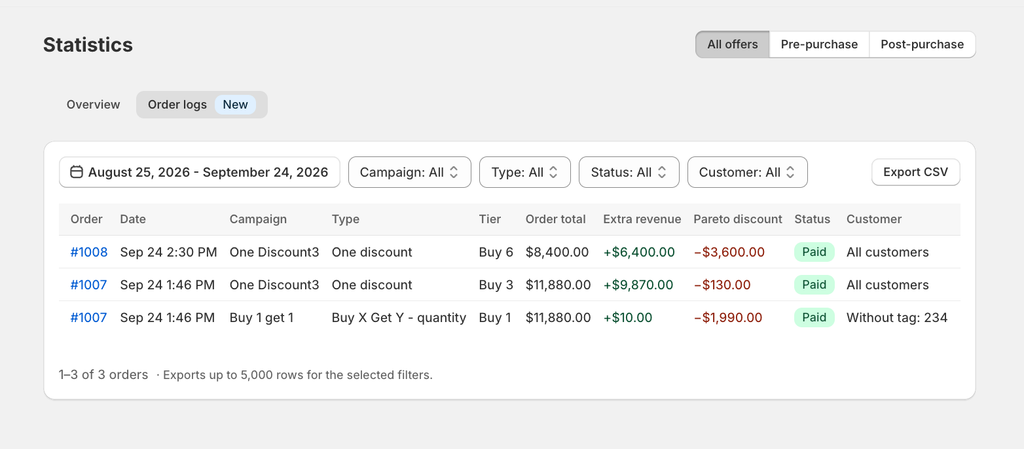
- Cross-Campaign Order Logs: Navigate to Statistics → Order logs to review a consolidated table of all orders across every active Pareto campaign.
- Custom Filtering and CSV Exports: Segment order logs by date range, campaign, type, status, or customer segment, and export up to 5,000 rows to CSV for reporting.
Why Audit Trails and Discount Analytics Matter for Shopify Stores
Volume discounts drive higher Average Order Value (AOV), but unmonitored promotion adjustments can compress merchant margins without driving incremental volume.
- Precise Margin Protection: Measure attributed revenue against discounts given to ensure tiered pricing yields genuine net-positive return on spend.
- Faster Root-Cause Analysis: Correlate sudden spikes or dips in campaign conversion directly to documented setting revisions.
- Seamless Operational Collaboration: Give marketing teams, developers, and agency partners full visibility into offer histories without internal miscommunication.
- Direct Shopify Integration: Click any logged order number to jump straight to the corresponding order record inside your Shopify admin.
How to Access and Audit Activity Logs in Pareto
Accessing your campaign history and exporting order-level logs requires only a few clicks inside the Pareto dashboard.
Inspecting an Individual Campaign
- Open the target campaign in the Pareto app and select the 4. Activity tab located next to Rule settings, Display settings, and Launch time.
- Adjust the date picker (defaults to the Last 30 days) and use the All events filter to view All, Orders only, or Changes only.
- Click Show change on any entry to see the exact settings modified, or review the This campaign card on the right for aggregate totals.
Reviewing and Exporting Store-Wide Orders
- Open Statistics from the main navigation and click the Order logs tab.
- Apply your desired filters across date range, campaign name, campaign type, status, or customer segment.
- Click Export CSV to download up to 5,000 order records for external bookkeeping or internal analysis.
(Note: Activity recording began on the feature release date of September 24, 2026. Changes and orders made prior to this date are not recorded. If your log shows “No activity in this view,” adjust your date range or filters.)
Start Auditing Your Volume Breaks Today
Stop guessing whether your latest discount tweak helped or hurt your bottom line. Open your offers, review your logs, and make data-backed decisions on every promotion you run.
Explore the feature in your store: Open Pareto Quantity Breaks or start a live chat with our team for strategic guidance on optimizing your campaign tiers.
See Exactly How Your Offers Perform with Pareto
Campaign Activity Logs bring together your setting history, order attribution, and net revenue in one clear view – so you know what works, what to refine, and what to launch next.
Need help optimizing your discount tiers? Start a live chat directly in the app dashboard anytime.