
Manage Store Limits Faster: Shopify Flow Actions & CSV Bulk Management
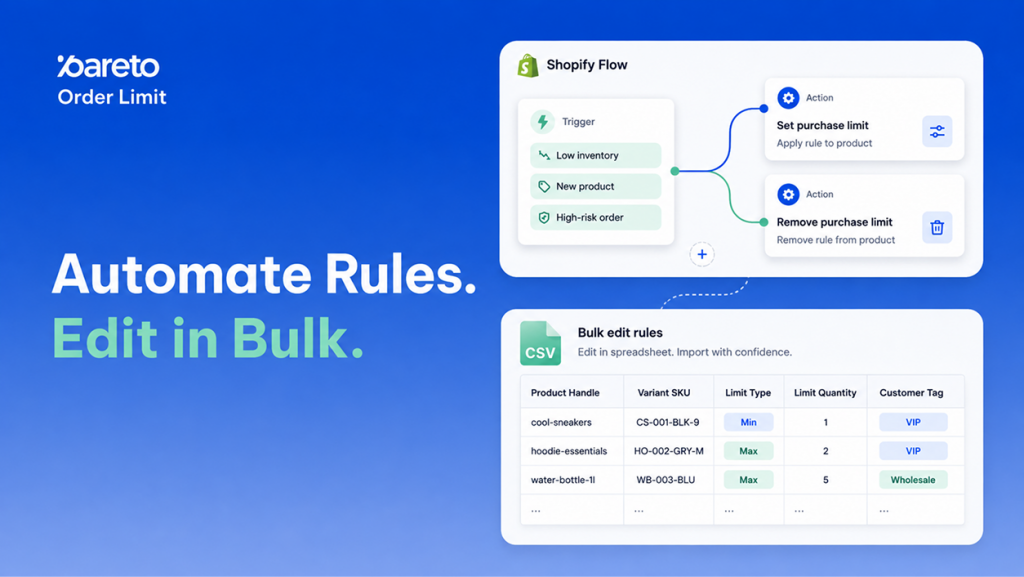
Managing order limits manually on a SKU-by-SKU basis creates operational bottlenecks for growing Shopify stores. When inventory fluctuates quickly, flash sales launch, or product catalogs expand, updating rule thresholds by hand consumes valuable team hours and increases the risk of overselling, stock depletion, or unmitigated fraud.
To eliminate repetitive manual tasks and safeguard your operations in real time, Pareto Order Limit has introduced two major updates: native Shopify Flow actions with pre-built templates and CSV Import/Export capabilities. These additions allow you to automate rule adjustments based on real-time store events and modify hundreds of limit rules simultaneously in your favorite spreadsheet editor.
Shopify Flow Automations & CSV Bulk Editing: Core Feature Breakdown
This release equips store operations teams with hands-off automation and bulk catalog controls, making limit enforcement reactive to inventory changes and easy to maintain at scale.
1. Shopify Flow Integration & Automated Limit Rule Templates
Shopify Flow can now automatically create, update, and remove Pareto limit rules based on events happening across your store. Flow-created rules are enforced at checkout identically to manual rules and appear directly in your app dashboard. Flow only manages the rules it creates – your manually configured rules remain untouched.
Available Triggers:
Cart limit violated: Fires when a shopper adds items to the cart that exceed your configured rules.Order limit violation bypassed: Fires when an order is completed despite limit rule violations.
Available Actions:
Set purchase limit: Creates or updates a Flow-managed limit rule based on target scope, limit type, name, and value (minimum value of 1).Remove purchase limit: Deletes the Flow-managed rule previously created for that specific target.
Four Ready-Made Templates:
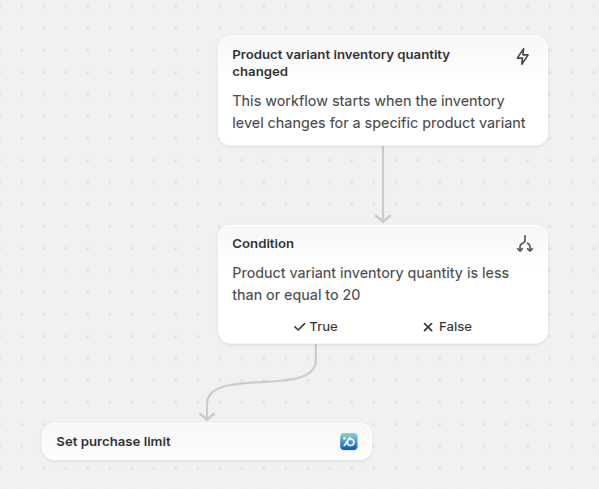
- Cap purchase quantity when inventory runs low: Applies a per-variant limit when available stock drops to or below your specified threshold (default: 20).
- Remove purchase limit when inventory is restocked: Automatically deletes the low-stock limit once inventory recovers to normal levels.
- Add purchase limit to new products: Applies a product-level quantity limit to newly published items matching specific criteria (such as a tag).
- Cap order count for high-risk customers: Sets an order-count restriction when Shopify’s fraud analysis flags an order as High risk.
2. Bulk Limit Rule Management via CSV Import & Export
For stores managing large catalogs or frequent seasonal campaign shifts, you can now bypass manual dashboard entry by handling rules in bulk via CSV.
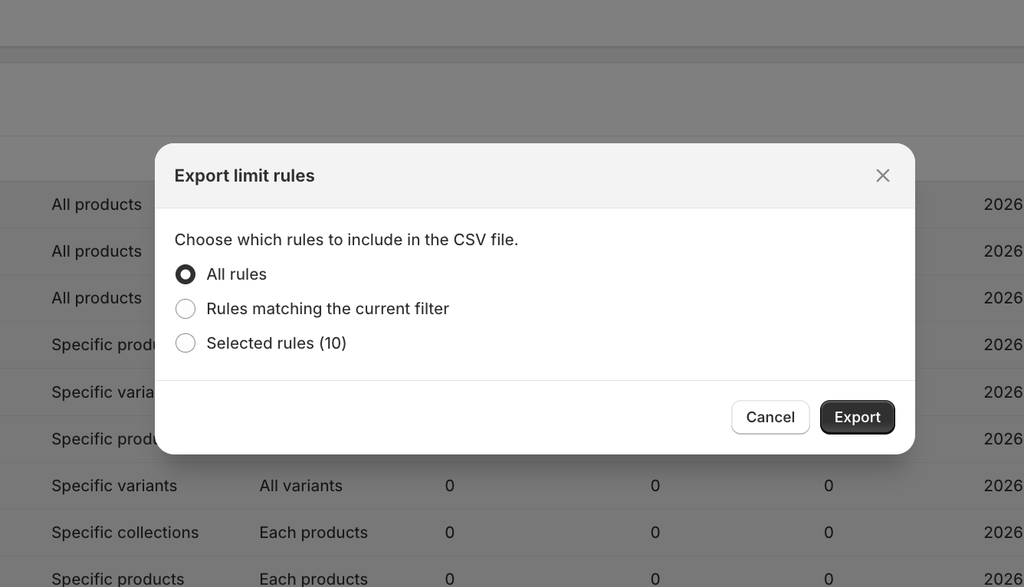
Selective Exporting: Export all rules, export by current selection, or export based on active filters (search terms, status, and dates). Supported export types include Quantity, Amount, Weight, and Purchase rules.
Human-Readable Spreadsheets: CSV files use plain-text values (e.g., active, draft, per_day) and include both ID columns for editing and clear label columns for easy identification in Excel or Google Sheets. Product groups are structured cleanly with a primary row and additional rows for each condition.
Pre-Import Validation & Error Reporting: Upload up to 1,000 rules per CSV file. Before changes apply, Pareto generates a preview showing the exact number of rules to be created, updated, or skipped. If any row contains issues, you can download a detailed error report, correct the data, or proceed with valid rows only.
Flexible Publishing: Choose whether to publish imported rules immediately to active status or save them as drafts for scheduled reviews.
Why Automated Order Limits & Bulk CSV Updates Matter for Shopify Merchants
Automating limit controls directly protects your margins, secures your inventory during peak sales, and streamlines daily store operations.
- Real-Time Inventory & Margin Protection: Automatically throttling purchases on low-stock items prevents stockouts and scalping during high-traffic drops. As soon as inventory is replenished, limits lift without manual intervention.
- Substantial Operational Time Savings: Merchandising teams can update hundreds of SKU thresholds in minutes via CSV spreadsheets instead of editing each product rule individually in the dashboard.
- Proactive Fraud & Risk Control: Connecting fraud detection to automated customer limits helps insulate your store against repeat fraudulent orders and chargeback fees.
Step-by-Step Guide: Setting Up Shopify Flow Actions & CSV Limit Rules
Both features are available across all plans and can be configured directly from your Shopify Admin and Pareto dashboard without custom development.
How to Configure Shopify Flow Automations
Ensure you have an active installation of Pareto Order Limit and the Shopify Flow app installed on your store.
- In Shopify Admin, navigate to Apps → Shopify Flow and click Create workflow.
- Select a trigger (such as inventory level changes, order creation, or Pareto triggers like
Cart limit violated). - Add a condition if needed (e.g., check if inventory is below a threshold or if customer risk is High).
- Add a Pareto action (
Set purchase limitorRemove purchase limit), configure the target and values, or simply load one of the four pre-built templates. - Click Turn on workflow and test it with a sample product or cart event.
How to Import and Export Limit Rules via CSV
- In the Pareto app, open the Limit rules page.
- Click Export and choose your desired export scope (All rules, filtered rules, or selected rules).
- Open the downloaded CSV in Excel or Google Sheets, modify your rules, or download the blank template to add new rules from scratch.
- Click Import, upload your file (up to 1,000 rules), and choose whether to enable Publish all rules after importing.
- Review the Upload and preview screen, download the error report if adjustments are needed, and click Confirm to apply the updates.
Scale Your Shopify Order Limits with Automation and Bulk CSV Controls
Whether you need to automate real-time inventory safety nets or overhaul rules across extensive product catalogs, these updates give your team granular control with minimal manual overhead.
Install or open Pareto – Order Limit Quantity to start building your workflows and managing your limit rules in bulk. If you need assistance setting up Flow templates or formatting your CSV files, reach out to the Pareto support team via in-app chat or email.
👉 Stop Editing Limit Rules One By One
Let Shopify Flow adjust limits the moment stock drops, and update hundreds of rules at once with a single CSV.
Automate Your Order Limits