
Display Estimated VAT by Country on Shopify Product Pages with Pareto Quantity Breaks
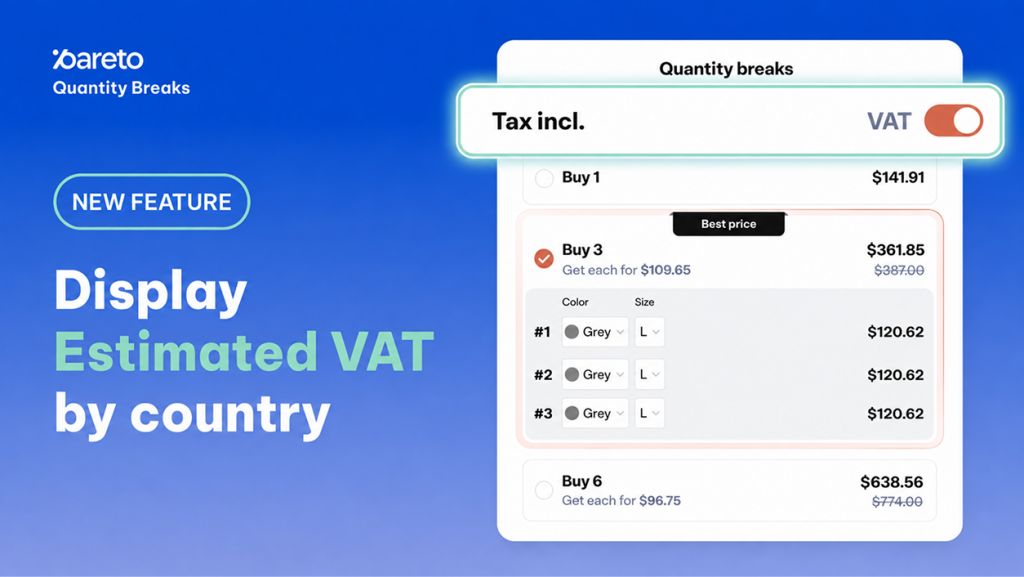
Shoppers make the critical decision to add items to their cart directly on the product page. When tax information is vague, hidden, or delayed until the final checkout step, unexpected price jumps introduce friction and hesitation right at the point of purchase. For international merchants selling across regions with varying tax structures – such as the European Union – this lack of early transparency often leads to abandoned carts.
To help merchants eliminate pricing surprises and build buyer trust upfront, Pareto Quantity Breaks introduces VAT Display by Country. Store owners can now showcase estimated, location-specific VAT rates directly on quantity break and bundle widgets before shoppers proceed to checkout.
Country-Specific VAT Display: How Dynamic Tax Estimation Works on Storefronts
Showing accurate, localized pricing earlier in the purchasing funnel helps international shoppers understand their total investment before entering the checkout flow. Pareto handles this seamlessly by detecting location data and aligning displayed tiers with local tax requirements.
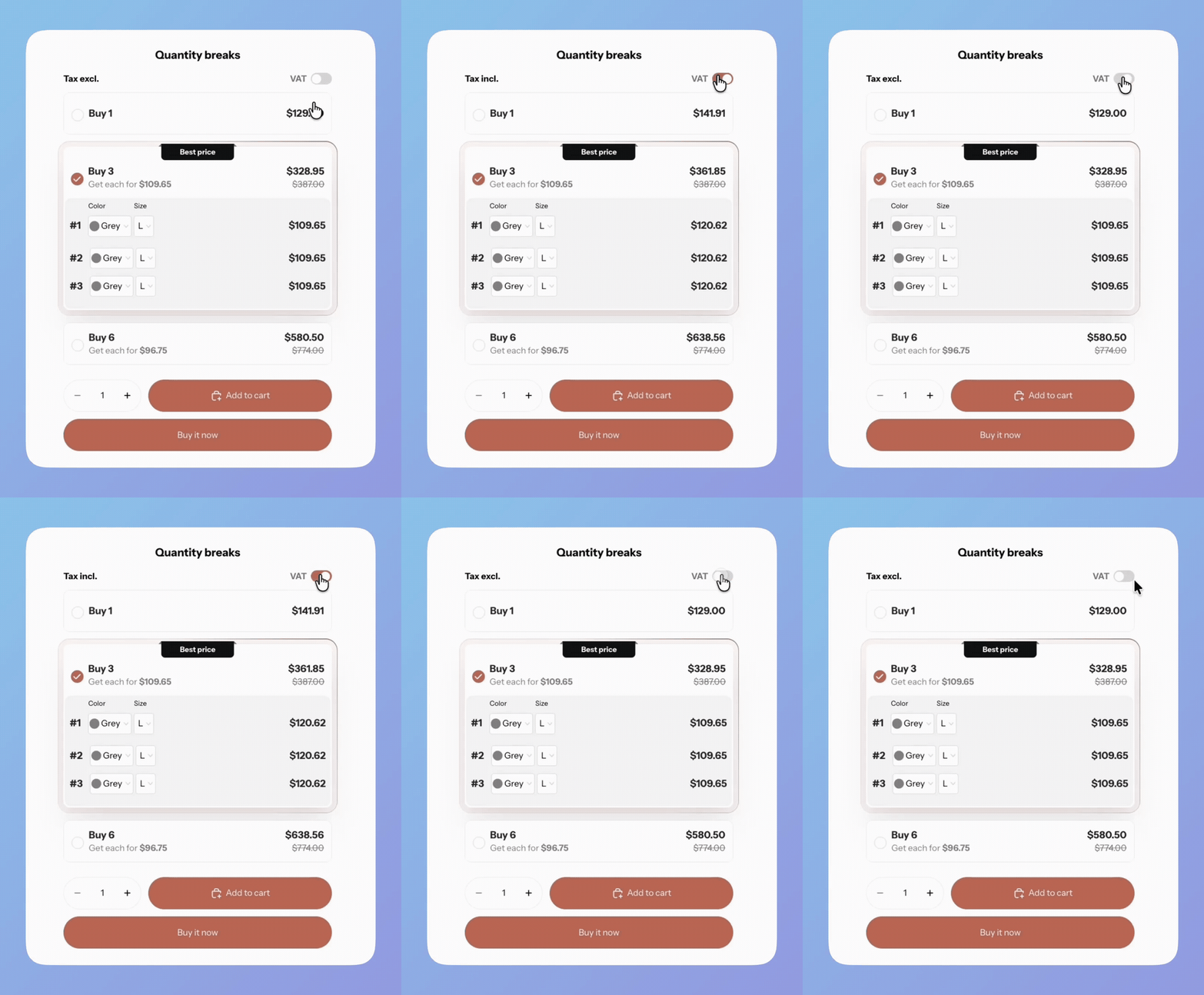
Dynamic Location-Based Lookup: When a customer enters their shipping address, Pareto automatically identifies the destination country, retrieves the configured VAT rate for that market, and displays the tax-inclusive pricing on your quantity breaks widget.
Automatic Default Fallback: If a shopper has not yet entered a shipping address or browses from a region without a designated country-specific rate, the widget automatically displays your pre-configured default VAT rate.
Real-Time Address Sync: If a buyer updates their shipping address during their shopping session, the displayed VAT amount updates automatically across product page widgets without requiring a page refresh.
Native Shopify Markets Alignment: For stores leveraging Shopify Markets, the estimated VAT display automatically matches the customer’s assigned market region.
Storefront-Only Cosmetic Layer: The VAT display functions as a clear visual indicator on product and bundle layouts to inform buyer decisions; actual backend tax calculations, invoicing, and collections remain securely governed by Shopify’s core checkout tax engine.
Why Storefront VAT Transparency Drives Multi-Market Conversion
Unexpected fees and taxes at checkout remain one of the primary drivers of cart abandonment in cross-border e-commerce. Surfacing estimated VAT directly within tiered volume offers transforms tax clarity into a conversion asset.
- Lower Checkout Drop-Off Rates: Revealing estimated taxes on the product page eliminates unexpected total price surges on the final checkout screen, keeping high-intent buyers in the funnel.
- Higher Add-to-Cart Confidence: Transparent pricing reassures shoppers that the displayed quantity discount reflects what they will actually pay, accelerating purchasing decisions on high-volume tiers.
- Improved Conversion Across Global Markets: Tailoring VAT rates to distinct regional expectations – such as displaying standard VAT for specific EU member states – ensures localized consistency across promotional campaigns.
How to Configure Country-Specific Estimated VAT Rates in Pareto
Setting up estimated VAT rates can be completed in minutes, whether you are configuring a few key shipping regions manually or importing a comprehensive list of international rates in bulk.
Manual Setup via Campaign Settings
- In the Pareto dashboard, navigate to Campaigns and open the campaign you wish to configure.
- Scroll to the Tax / VAT Display section and toggle the switch to On.
- Click Add country to generate a new rate entry.
- Select the target country from the dropdown menu and enter the corresponding VAT rate as a percentage.
- Repeat the process for all required target markets, then click Save.
Bulk Rate Import via CSV
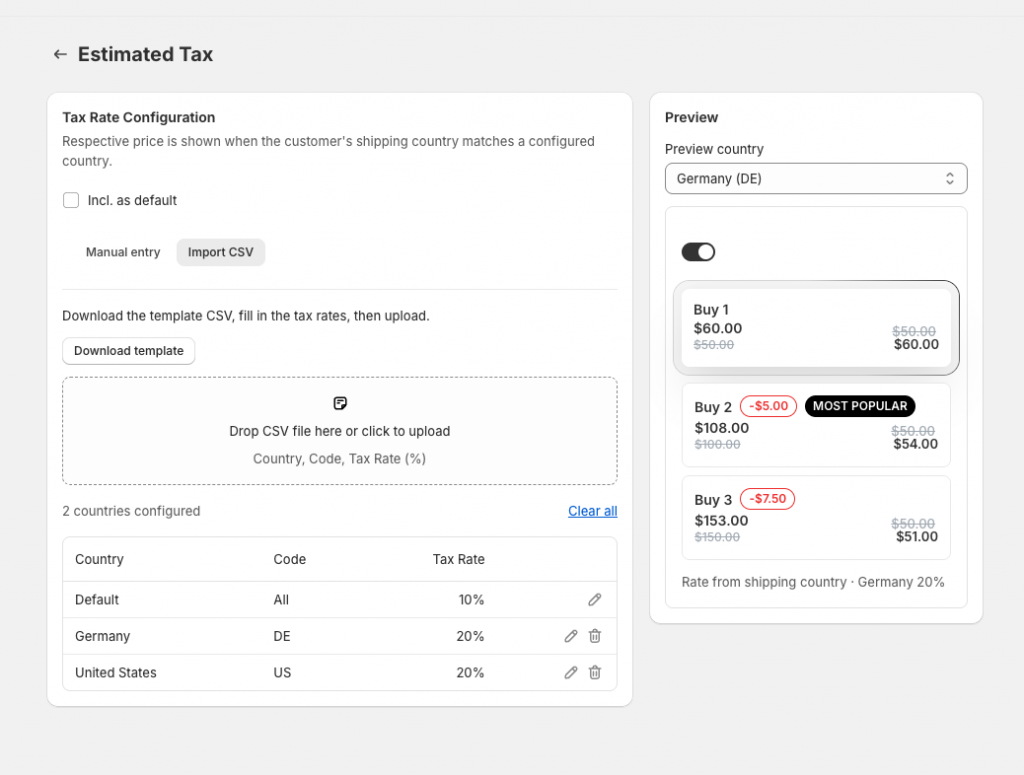
For merchants managing dozens of regional tax rates, Pareto supports fast bulk uploads via standardized spreadsheets:
- Under the Tax / VAT Display section, download the provided CSV template.
- Populate the
country_codecolumn using standard ISO 3166-1 alpha-2 format (e.g.,DE,FR,GB,US) and input the corresponding percentage in thevat_ratecolumn. - Click Import CSV and upload your completed file.
- Verify the imported country rows in the preview list and click Save.
Widget Layout Compatibility and Integration Notes
Estimated VAT display integrates across standard Pareto templates, allowing you to maintain brand consistency across your catalog.
Setup Assistance: If you need guidance configuring regional tax rates or matching specific Shopify Markets settings, reach out to the Pareto support team via live chat or email assistance.
Broad Layout Support: Country-specific VAT display is fully compatible with Table, Stacked, Compact, and custom theme-configured layouts for quantity breaks and standard bundles. (Note: Wholesale and “Buy Your Own Bundle” custom templates are currently excluded).
Ready to offer transparent pricing to your international customers? Access your Pareto admin to configure estimated VAT rates by country today.
👉 Show VAT Upfront, Not At Checkout
Display country-specific VAT rates right on your quantity break widgets – so shoppers never hit a surprise total on the final screen.
Set Up VAT Display Now