
Less manual work before peak season with 11 ready-made Shopify Flow templates.
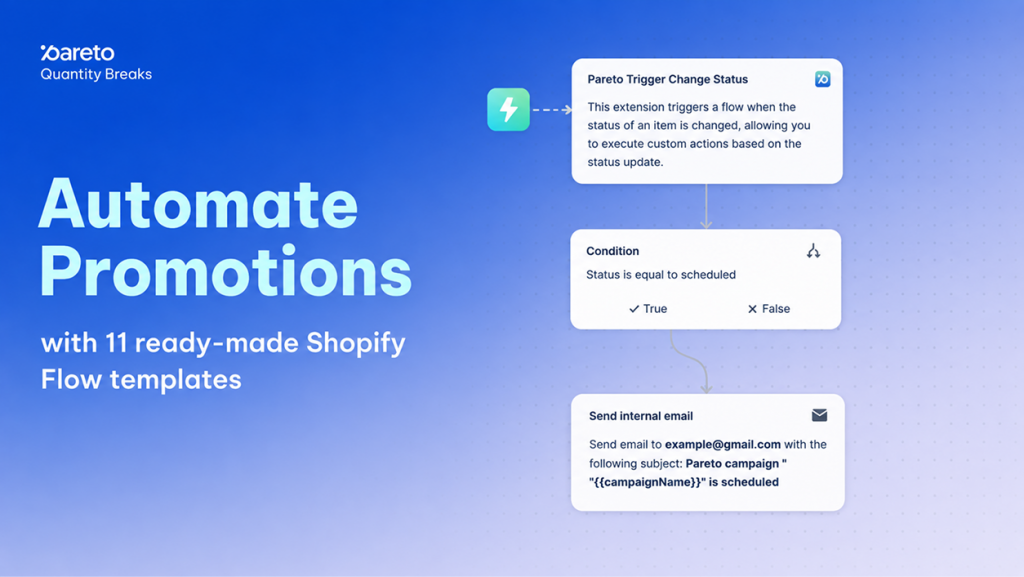
Peak shopping seasons and high-traffic promotional periods place immense operational pressure on e-commerce teams. When you run multiple volume discounts, quantity breaks, and tiered pricing campaigns simultaneously, manual administrative tasks compound quickly. Forgetting to pause paid ads after a flash sale ends, missing an expiring campaign deadline, or losing track of high-tier customer purchases can lead to wasted budget, inventory stockouts, and missed revenue.
To eliminate these manual bottlenecks, Pareto Quantity Breaks now integrates directly with Shopify Flow, accompanied by 11 ready-made workflow templates. This integration allows your promotion engine to respond automatically to store events, inventory changes, and customer actions in real time – keeping your store agile and operations lean.
Shopify Flow Integration: Dedicated Triggers and Ready-Made Promotion Templates
Connecting Pareto with Shopify Flow allows merchants to build automated workflows that listen directly to discount events and campaign lifecycle changes. Instead of manually auditing active promotions across multiple product lines, you can configure event-driven logic that triggers actions across your store and connected apps.
Pareto introduces two dedicated triggers to the Shopify Flow ecosystem:
Campaign status changed: Fires whenever a campaign in Pareto transitions through any stage of its lifecycle—Created, Scheduled, Active, Deactivated, or Deleted. This trigger exposes critical variables including campaign_id, campaign_name, status, and ends_at timestamp data.
Order with Pareto discount placed: Fires immediately when a customer completes a checkout that applies a Pareto discount tier. It provides actionable payload variables such as campaign_id, line_item_applied, tier_applied, discount_value, quantity_applied_discount, alongside standard Shopify order metadata.
Merchants also receive 11 pre-built Shopify Flow templates designed for immediate deployment, covering everything from out-of-stock variant exclusion to post-purchase win-back sequences. If you need custom adjustments, you can modify any template directly or refine it using Shopify Sidekick within your admin.
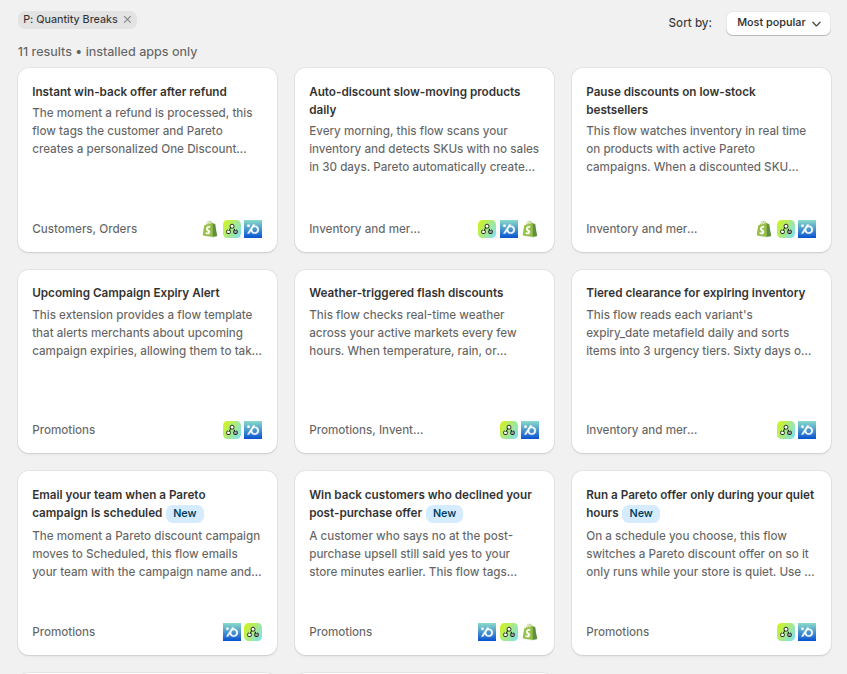
Why Automated Promotion Management Matters for High-Volume Shopify Merchants
Managing volume discounts during peak retail periods requires agility between your merchandising strategy and stock levels. Automated promotion management transforms static discount rules into responsive workflows that protect margins and preserve customer trust.
- Automated Inventory Protection: When inventory runs low or a variant sells out at a specific fulfillment location, automated flows can instantly pull that variant out of all active Pareto offers. This prevents overselling and eliminates backorder fulfillment headaches.
- Proactive Campaign Lifecycle Alerts: Stay ahead of promotional milestones without manual calendar checks. Automated expiry alerts ensure your team has ample runway to extend high-performing volume discounts or queue up replacement campaigns.
- Targeted Customer Segmentation & VIP Retention: By capturing the exact discount tier used (
tier_applied) and order value at checkout, you can automatically tag high-spending customers, update loyalty tiers, or enroll buyers into targeted post-purchase email flows. - Smarter Triggered Merchandising: React to store conditions automatically by running clearance offers on slow-moving inventory, pausing promotions during quiet hours, or adjusting offers based on external triggers like updated pricing feeds.
High-Impact Shopify Flow Automation Recipes for Pareto Discounts
You can combine Pareto triggers with native Shopify actions and third-party integrations to solve common operational bottlenecks. Here are practical automation workflows you can implement immediately:
Tag High-Value Volume Shoppers:
- Trigger: Order with Pareto discount placed
- Condition: If
tier_applied= “tier_3” (VIP tier) - Action: Add customer tag
VIP_Discount_UserorPremium_Shopperfor future loyalty campaigns.
Track Campaign Performance in Google Sheets:
- Trigger: Campaign status changed
- Action: Append a row in Google Sheets logging
campaign_name,status,ends_at, and timestamp data for centralized team reporting.
Real-Time High-Discount Order Alerts:
- Trigger: Order with Pareto discount placed
- Condition: If order total > $500
- Action: Send a notification to your team’s
#salesSlack channel for high-priority handling.
Auto-Pause Paid Ad Sets on Promotion Expiry:
- Trigger: Campaign status changed
- Condition: If
status= “deactivated” ORstatus= “deleted” - Action: Send an HTTP request to your advertising platform (e.g., Facebook API) to pause related ad sets and prevent wasted ad spend.
How to Set Up Pareto Shopify Flow Workflows in Shopify Admin
Setting up automated workflows requires no code and can be completed directly within your Shopify admin dashboard.
Prerequisites
Before configuring your workflows, confirm you have:
- A store on a Shopify Plus, Advanced, or higher plan.
- The free Shopify Flow app installed from the Shopify App Store.
- The Pareto Quantity Breaks app installed and active.
- Staff account permissions to manage apps and edit workflows.
Step-by-Step Setup: Upcoming Campaign Expiry Alert Template
This pre-built workflow checks daily at 9:00 AM (store timezone) for campaigns ending in the next 24 hours and sends a consolidated email summary.
- Access Shopify Flow: In your Shopify admin, go to Apps > Shopify Flow and click Create workflow.
- Select the Pareto Template: Click Browse templates, search for “Pareto Campaign Expiry” or browse under the Marketing category, and select Upcoming Campaign Expiry Alert. Click Create workflow.
- Configure Email Recipients: Click the Send email action block. Enter the destination email addresses in the To field (separated by commas for multiple team members). By default, it uses the store owner’s email.
- Customize Notification Content (Optional): Edit the subject line or customize the message body using dynamic template variables such as
{{discount_title}},{{ends_at}},{{status}}, and{{campaign_list}}. - Adjust Timing and Activate: Review the default scheduled trigger time (9:00 AM in your store’s timezone). When ready, toggle the workflow from Draft to Active by clicking Turn on workflow in the top-right corner.
Tip: You can test the setup immediately by clicking the ••• menu inside the workflow editor and selecting Run workflow now.
Start Automating Your Store Promotions Today
Peak season demands speed and operational precision. With Pareto’s Shopify Flow integration, you can safeguard inventory, align internal teams, and automate critical promotion tasks before the peak shopping rush begins.
Ready to streamline your campaign workflows?
Automate Your Store Promotions with Pareto & Shopify Flow
Protect inventory, get automated campaign expiry alerts, and tag VIP discount shoppers without manual work.
Need help choosing a template? Reply to our team or start a live chat anytime.