
Turn Completed Checkouts into Extra Revenue: Introducing Post-Purchase Upsells 🚀
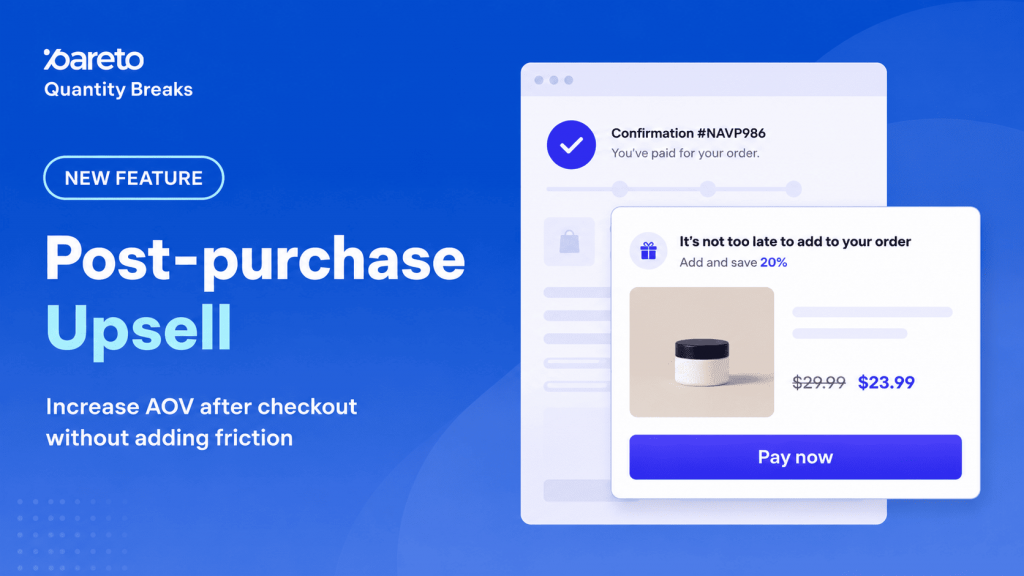
You’ve done the hard work. You optimized your site, drove traffic, and convinced a shopper to pull out their credit card. The payment is successful, the order is placed, and… you send them straight to a standard “Thank You” page.
If that sounds like your current setup, you are leaving major revenue on the table.
Did you know that the exact moment right after checkout is one of the highest-intent moments in the entire buying journey? The customer has already committed to your brand. Their trust is at an all-time high. Why stop there?
Today, we are thrilled to launch Post-Purchase Upsell for Pareto Quantity Breaks—a powerful new feature designed to help you capture extra revenue and skyrocket your Average Order Value (AOV) without adding friction to the shopping experience.
How It Works: The Power of the One-Click Upsell
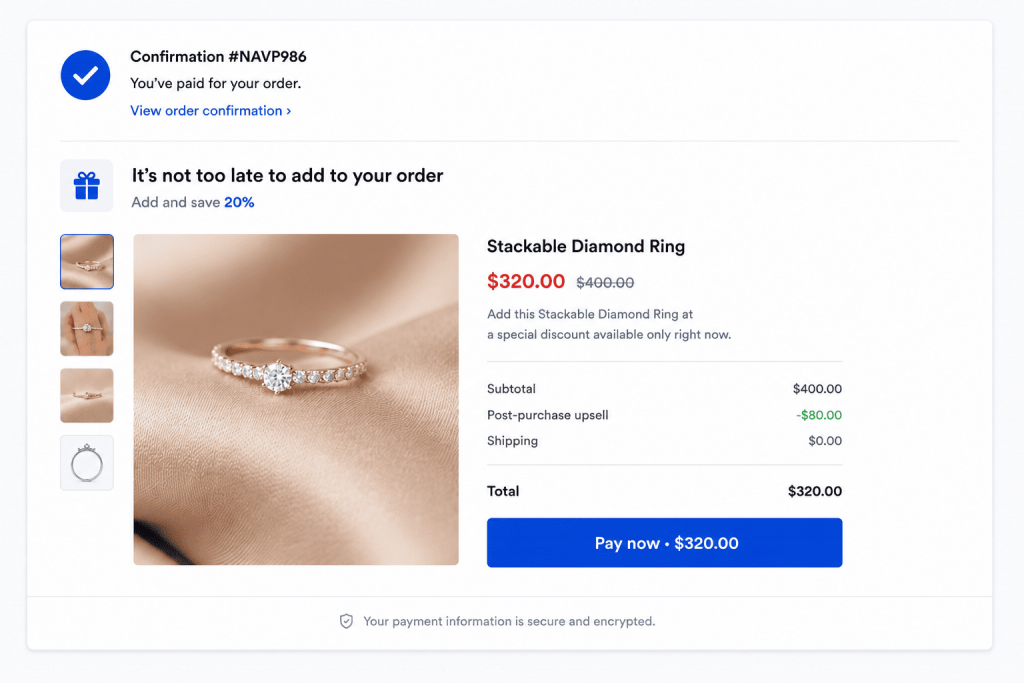
With Post-Purchase Upsell, you can display an exclusive, time-sensitive offer immediately after checkout.
🛒 Customer completes checkout
       ↓
🎁 Pareto shows a relevant post-purchase offer
       ↓
⚡ Customer accepts with ONE CLICK (No re-entering payment info!)
       ↓
📈 Your AOV instantly increases
The best part? It is 100% risk-free. If the customer isn’t interested, they simply decline and proceed to their original thank you page. Their initial order is already locked in, meaning you never risk losing the original sale.
Learn More: Shopify One-Click Upsell: Boost Sales with Smart Upselling Strategies
Why Shopify Merchants Love It
Frictionless One-Click Acceptance: Customers don’t need to re-enter their credit card details or go through checkout again. Shopify securely adds the new item to their existing order with a single click.
Laser-Targeted Triggers: You control exactly who sees what. Trigger specific offers based on cart total, quantity, product titles, product tags, or even customer tags.
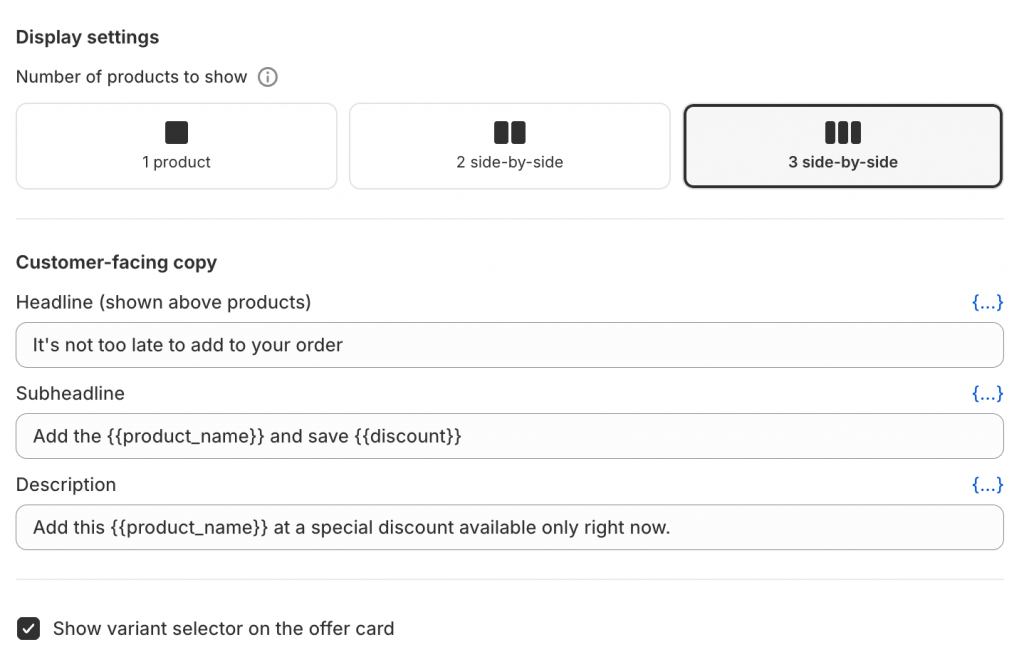
Fully Customizable Display: Customize your headlines, subheadlines, descriptions, and offer discounts (fixed or percentage-based) to perfectly match your brand’s voice.
Multi-Product Pools: Choose to display 1, 2, or 3 side-by-side product recommendations to give your customers the perfect options.
Step-by-Step: How to Launch Your First Campaign
Ready to turn on this new revenue stream? Setting it up takes less than 5 minutes.
Step 1: Set Pareto as your Default App
Before diving into the app, you need to let Shopify know Pareto is handling your post-purchase offers.
- Go to your Shopify admin -> Settings -> Checkout.
- Scroll down to the Post-purchase app section and select Pareto.
Note: Shopify only allows one post-purchase app active at a time.
Step 2: Create Your Campaign
- Open Pareto Quantity Breaks from your Shopify apps menu and select Post-purchase upsell.
- Click Create campaign and give it a name.
- Define your Match Logic (ALL or ANY) and set conditions based on cart total, specific products, or customer tags to ensure your offer is hyper-relevant.
Step 3: Design the Offer Flow
- Click Set up offer to select your product pool.
- Choose your discount type (Percentage or Fixed amount).
- Craft your customer-facing copy (Headline, subheadline, and description) to create urgency.
- Toggle the variant selector on or off depending on whether your product has different sizes or colors.
Step 4: Schedule and Activate!
Set an optional start and end date if you’re running a seasonal promotion, or leave it blank to run continuously. Click Save to keep it as a draft, and hit Activate to go live!
Important Things to Keep in Mind (Shopify Limitations)
To make sure your campaigns run smoothly, keep these native Shopify rules in mind:
- Payment Gateways: Offers will currently display for customers using Shopify Payments, Shop Pay, PayPal Express, and direct credit card processors.
- Currency: Offers currently only work with your store’s primary currency. Orders made in secondary local currencies will be automatically skipped.
The Post-Purchase Upsell feature is now live and available inside your Pareto dashboard.
If you have any questions about setting up your first campaign, or if you want our team to review your offer strategy, just email us or hit us up on Live Chat. We’re here to help you grow!
👉 Try Pareto Post Purchase Upsell
Turn completed checkouts into larger orders with Pareto Quantity Breaks
Try Pareto