
Pareto Order Limit vs Avada Order Limits: Which Shopify App Is Right for You?
If you sell on Shopify, you already know how fast inventory can disappear when a product goes viral, a sale drops, or scalpers start sweeping your catalog. That’s when order limits matter most. Two apps that come up constantly in this conversation are Pareto Order Limit vs Avada Order Limits. Both enforce purchase rules at the product, cart, and checkout levels. But they’re built for different types of merchants, and the wrong choice can leave gaps in your enforcement strategy.
This guide breaks down what each app actually does, where they differ, and how to decide which one fits your store. No fluff, just what you need to know.
Why Shopify Merchants Need Order Limit Apps
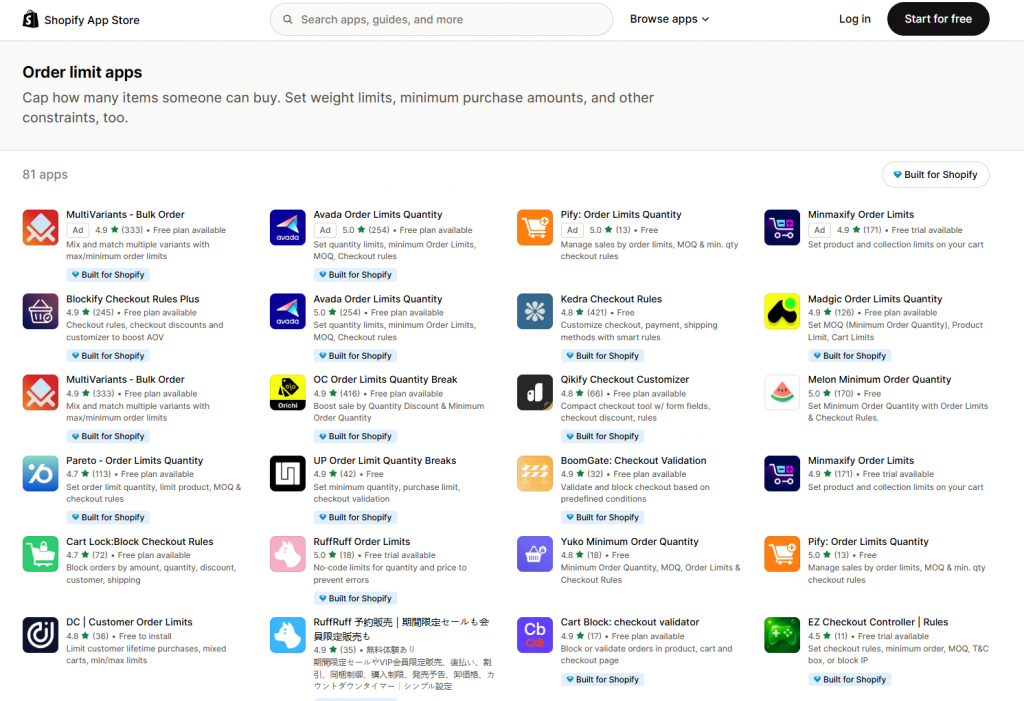
Shopify doesn’t give you built-in controls for minimum order quantities, per-customer caps, or checkout-level purchase blocks. Out of the box, anyone can buy as much as they want.
That’s a problem if you’re dealing with:
- Scalpers buying up limited-edition products to resell
- Wholesale buyers bypassing DTC pricing by ordering in bulk
- Customers stacking orders to dodge a one-per-customer policy
- Legal or market-based restrictions that cap how much one buyer can purchase
Order limit apps solve this. They add enforcement rules so your policies actually hold, at the product page, in the cart, and at checkout.
How Order Limit Enforcement Works on Shopify
Before comparing apps, it helps to understand the two layers where enforcement can happen.
Front-end deterrence
This is what customers see before checkout: warning messages on the product page or in the cart, disabled “Add to Cart” buttons, or popups that appear when limits are hit. It’s visible and easy to understand, but it can be bypassed. A motivated buyer can skip the cart and go straight to the checkout URL.
Checkout validation (the real enforcer)
This is server-side enforcement. When a shopper reaches checkout, the app checks whether the order meets your rules. If it doesn’t, the purchase is blocked, no matter how they got there.
Shopify allows apps to add checkout validation rules under Settings → Checkout → Checkout rules. This is the layer that stops bypass attempts. Both Pareto and Avada support it, but with some differences in how they configure and surface it.
One important platform limit to know: Shopify currently caps stores at five checkout validation rules across all installed apps. If you’re stacking multiple apps that each use checkout validation, you can hit this ceiling. Keep that in mind when evaluating your full app stack.
Pareto Order Limit vs Avada Order Limits: Feature Comparison
Here’s a clear look at where the two apps line up and where they diverge.
Where Pareto Stands Out
Pareto is for merchants who need more than basic quantity caps. Think of it as a policy engine with extra firepower.
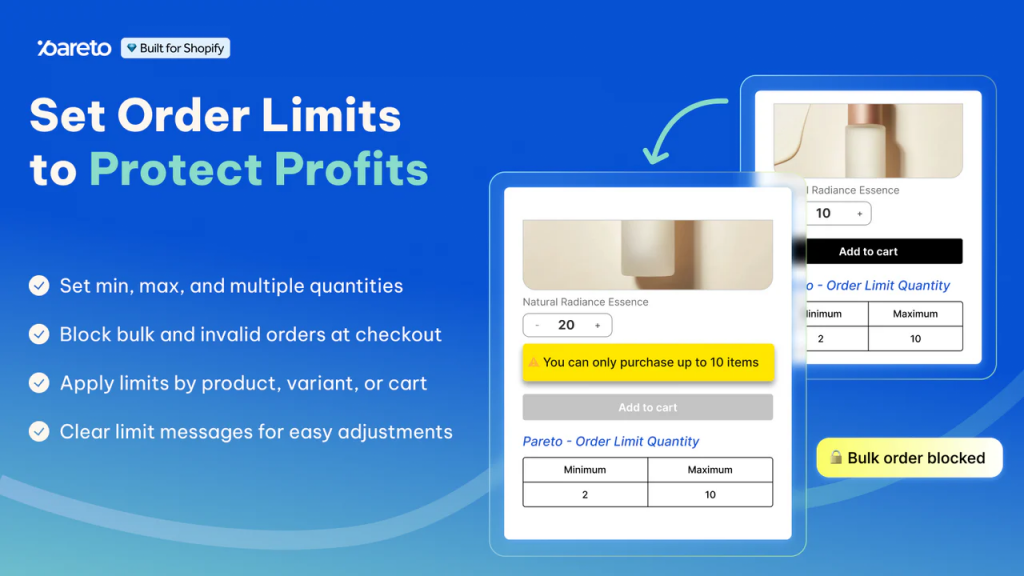
Multiple limit types. Set limits by quantity, order value, or weight — whichever fits your business. Apply them to a specific product, variant, collection, or the entire cart.
Market and country targeting. Set different rules for different regions. Need stricter limits in one country or a special MOQ for a specific market? Pareto handles it natively.
Deeper customer targeting. Apply rules by customer tag, B2B or B2C status, or market segment. You get much finer control over who a rule applies to.
Lifetime order limits and scheduling. Stop repeat buyers from getting around a per-order cap. You can also schedule rules to activate automatically — useful for limited drops or flash sales.
Strict checkout validation. Pareto enforces rules directly at checkout, blocking orders even through express payment methods like Shop Pay. No workarounds.
Low stock counter. Display real-time stock levels to create urgency — no code required.
Auto-translate messages. Limit messages at checkout automatically translate based on the customer’s language, so international shoppers always see the right message.
Where Avada Stands Out
Avada wins on simplicity. If your needs are straightforward, it’s faster to set up and easier to manage.
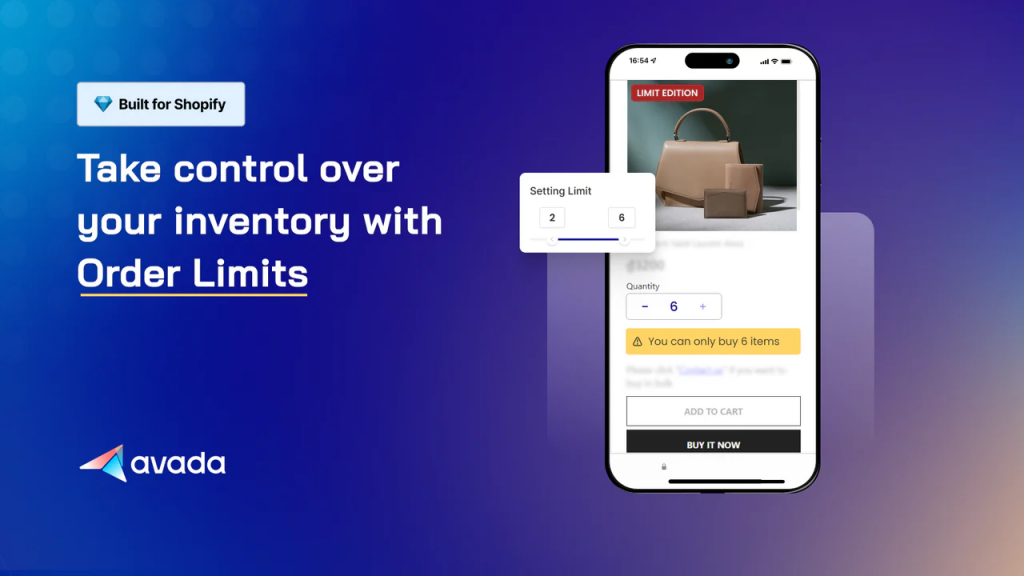
Quick setup. The rule-building interface is clean and covers the most common use cases. Most merchants get limits running in minutes.
Multi-language support. Avada supports multiple languages in both the app UI and customer-facing messages — a real advantage if you serve international shoppers.
Well-documented repurchase limits. You can set repurchase windows by day, month, year, or lifetime. The docs clearly explain that customers need to be logged in for this to work accurately, which saves you from surprises.
Impressions-based free plan. You get 50 free impressions per month. It’s a good way to test how often your rules actually trigger before paying.
Strong reviews. Avada holds a 5.0 rating across 254 reviews. The most common feedback: easy setup and fast, hands-on support — including merchants who had rules configured for them within 24 hours.
| Feature | Pareto Order Limit | Avada Order Limits |
| Min/max quantity limits | ✅ Yes | ✅ Yes |
| Value and weight-based limits | ✅ Yes | ✅ Yes |
| Product / variant / collection rules | ✅ Yes | ✅ Yes |
| Sell in multiples (e.g., packs of 6) | ✅ Yes | ✅ Yes |
| Time-based rule scheduling | ✅ Yes | ✅ Yes |
| Per-customer repurchase limits | ✅ Yes | ✅ Yes |
| Checkout validation enforcement | ✅ Yes | ✅ Yes |
| Shopify Flow integration | ✅ Yes | ✅ Yes |
| Market / country targeting | ✅ Yes | ❌ Not documented |
| Block product combinations | ✅ Yes | ❓ Unclear |
| Require product dependency | ✅ Yes | ❌ Not documented |
| Store-wide order cap per day | ✅ Yes | ❌ Not documented |
| IP-based customer targeting | ✅ Yes | ❌ Not documented |
| Abuse analytics dashboard | ✅ Detailed | ◻️ Lightweight |
| Low stock counter | ✅ Yes | ❓ Unclear |
| Multi-language support | ◻️ Auto-translate | ✅ Yes |
| Free plan | ✅ Yes | ✅ Yes (50 impressions) |
Pricing: Pareto Order Limit vs Avada Order Limits
Both apps offer a free plan and paid tiers. Here’s what’s currently shown in the Shopify App Store.
| Plan | Pareto Order Limit | Avada Order Limits |
| Free | Yes (feature-limited) | Yes (50 impressions/month) |
| Entry paid | $8.99 / month (Basic) | $9.99 / month (Basic) |
| Mid-tier | $19.99 / month (Advanced) | $19.99 / month (Shopify) |
| Top tier | $29.99 / month (Plus) | $24.99 / month (Advanced) |
Important note: Pricing documentation across help centers, older pages, and the Shopify App Store doesn’t always match. Some third-party sources show different tier names and prices than what’s currently listed in the App Store. Always confirm the current price directly in the App Store at the time you install. Treat any price shown outside the official listing as potentially outdated.
Which App Should You Choose?
The honest answer depends on what you’re trying to enforce.
Choose Pareto if:
- You sell across multiple markets or countries and need different rules per region
- You need to block specific product combinations or require bundle dependencies
- You want to target limits by IP, login status, email list, or customer segment
- You want detailed analytics on abuse attempts, blocked orders, and top restricted products
- You plan to build Shopify Flow automations that trigger on limit violations and bypasses
- You manage a high-demand product launch and need store-wide daily order caps
Choose Avada if:
- You need limits set up fast with minimal configuration
- You serve international customers and need multilingual messaging
- Your use case is straightforward: quantity caps, customer tag rules, or time-based activation
- You want to pilot limits with a free plan before committing to a paid tier
- You prefer a highly-rated app with a large review base and responsive support
If your requirements are simple, Avada gets you there faster. If you need fine-grained control, Pareto gives you more levers to pull.
Pareto Order Limit vs Avada Order Limits FAQs
How do I set a minimum order value (cart total) before checkout on Shopify?
Shopify doesn’t have a built-in minimum order value setting. You need an app to enforce it. Both Pareto and Avada support value-based cart rules. You set a minimum cart total, and if a customer tries to check out below that amount, they get blocked or shown a warning. Pareto lets you apply this rule by market, customer segment, or product group. Avada keeps it simpler — set the rule, pick who it applies to, and you’re done.
Does Pareto integrate with Shopify Flow or other apps?
Yes. Pareto connects directly with Shopify Flow and lets you trigger automated actions when a limit is hit or bypassed. Common uses include tagging customers who violated a rule, alerting your team, or routing buyers into a wholesale inquiry workflow. The documented triggers include “Cart limit violated” and “Order limit violation bypassed” — so you can act on both the attempt and the workaround.
How does Avada work with Shopify checkout rules validation?
Avada enforces limits at multiple points. Customers first see warnings on the product page or in the cart. If they bypass those and go straight to checkout, Avada’s checkout validation rule fires as a final block. The error appears at checkout and prevents the order from going through. Avada calls this the “final safeguard.” Note that how warnings display earlier in the funnel can vary by theme — some themes need a manual code snippet to show messages correctly.
Which app has the better free plan for low-traffic stores: Pareto or Avada?
For low-traffic stores, Pareto is the stronger free plan. Unlike Avada’s free plan, which caps you at 50 impressions per month, Pareto’s free plan gives you access to core features without a usage meter counting down in the background. For a low-traffic store, that means your rules stay active and enforced without worrying about hitting a limit just because a few customers triggered a warning.
If your store is small but your enforcement needs are real — a strict one-per-customer rule, a minimum order value, or a product-level cap — Pareto lets you set that up and leave it running on the free plan without surprise restrictions.
Final Thoughts
Both Pareto Order Limit and Avada Order Limits are solid apps that solve a real problem Shopify doesn’t solve on its own. They both handle the core use cases well: min/max quantities, checkout validation, per-customer repurchase tracking, and Shopify Flow integration.
The difference comes down to depth. Pareto is built for merchants who need an enforcement system with analytics and operational automation. Avada is built for merchants who need clean, fast limit rules without a steep learning curve.
Before you install either one, check the current pricing in the Shopify App Store and test against your actual theme. A limit app that blocks the wrong things, or nothing at all because of a theme conflict, isn’t protecting anyone. Install the one that matches your actual enforcement needs, not the one with the longer feature list.