
Say Hello to Effortless Rules: Pareto Order Limits Meets Shopify Sidekick!
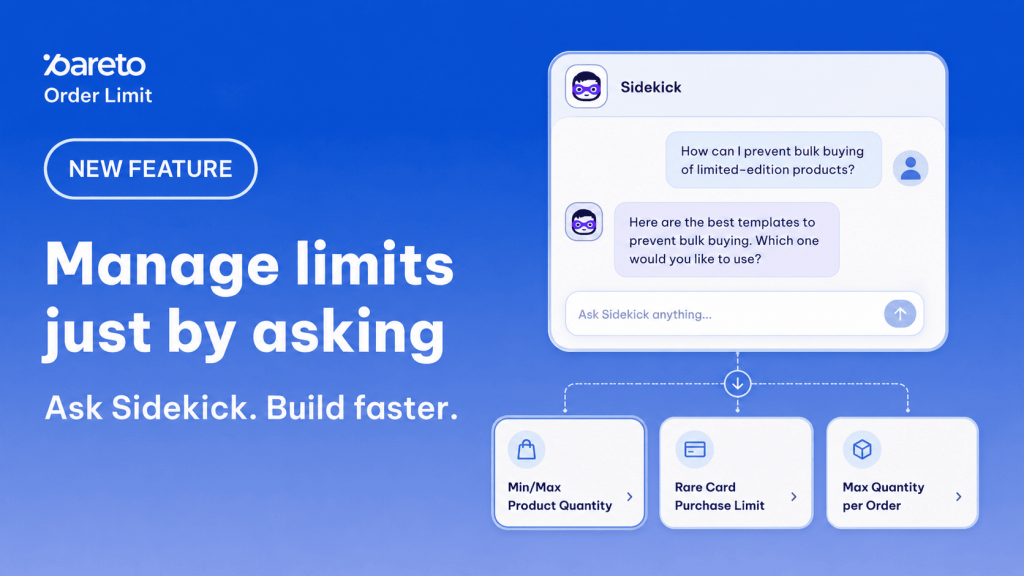
Managing order limits – whether for flash sales, anti-bulk buying, or B2B volume rules – used to mean clicking through app menus, cross-referencing overlapping rules, and double-checking schedules.
Not anymore.
We’re thrilled to announce that Pareto Order Limits now integrates natively with Shopify Sidekick! You can now look up, create, and manage your store’s purchase limits simply by chatting with your Shopify AI assistant in plain English.
💡 What Makes This a Game-Changer?
Instead of hunting through settings or wondering why a specific product is getting blocked at checkout, you can just ask Sidekick.
Here is a glimpse of what you can do right from your Shopify Admin:
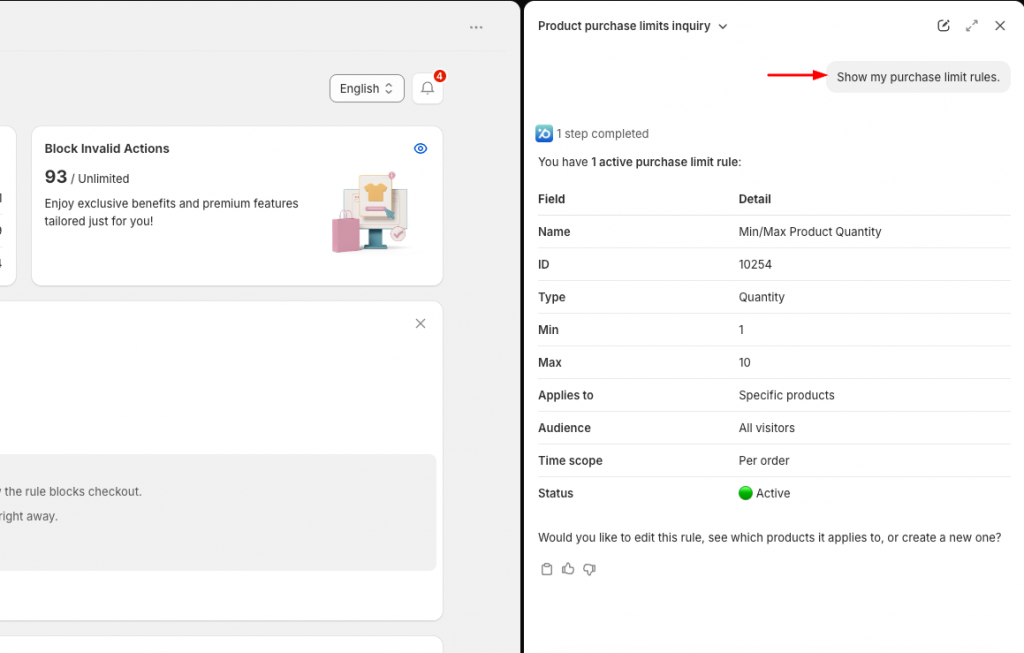
Instant Rule Lookups & Conflict Checks
No more manual auditing. Ask Sidekick: “What limits apply to this product?”
Sidekick analyzes rules across all levels (product, variant, collection, B2B, DTC, etc.) and instantly flags any overlapping or conflicting restrictions before they disrupt your customer’s checkout experience.
Smart Template Recommendations
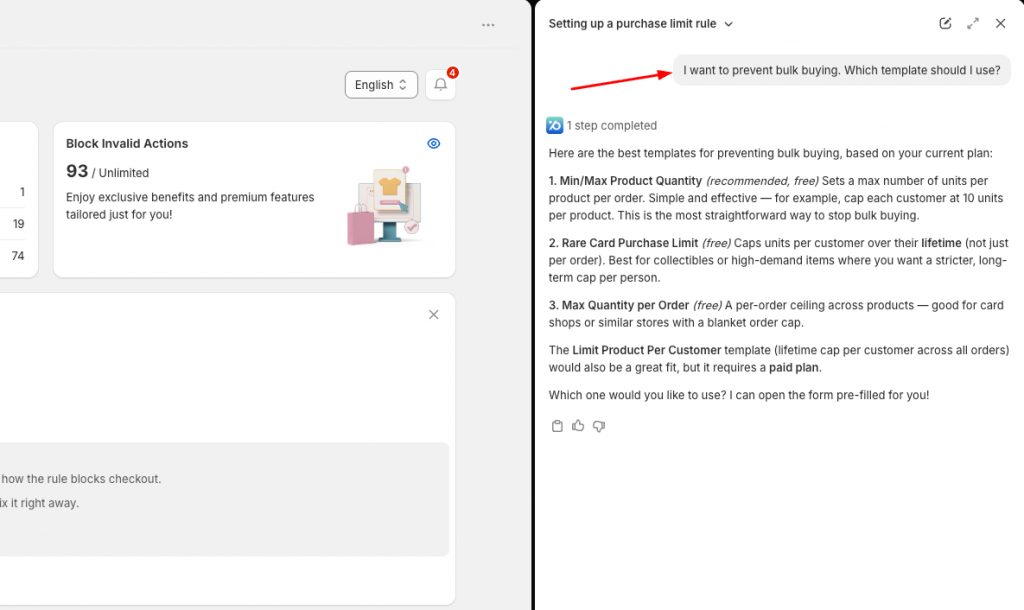
Tell Sidekick your goal: “I want to prevent bulk buying on my new drop. What rule should I use?”
It suggests the top 1–3 Pareto templates tailored to your store profile and explains exactly how they work.
Hands-Free Rule Creation & Edits
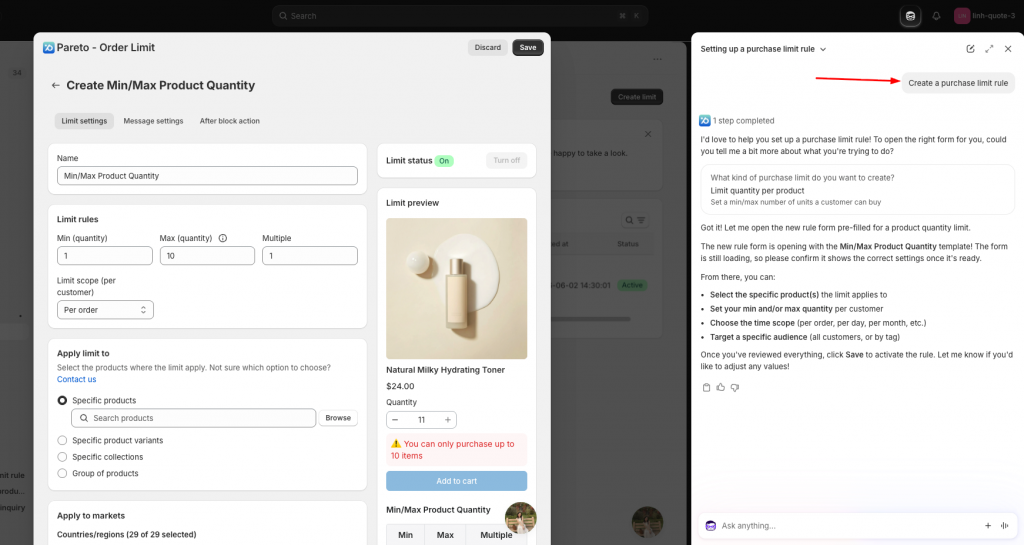
Ask Sidekick to perform actions for you: “Create a rule with a minimum order quantity of 10 for the Wholesale collection.”
Sidekick prepares a pre-filled form so you can review and save it in a single click. You can also turn rules on/off, edit settings, or duplicate existing rules effortlessly.
Fast App Setting Adjustments
Update store-wide settings directly via chat: “Block checkout when limits are exceeded” or “Send order limit alerts to Slack.”
Complete Control, Zero Unwanted Mistakes
We know how critical order rules are to your store’s operations. That’s why Sidekick will never make changes to your store without your explicit approval.
- Lookups are strictly read-only.
- Actions require confirmation: Sidekick shows you every proposed change or pre-filled form first. Nothing is saved or applied until you review and confirm it.
Managing your store’s purchase limits is now as simple as starting a conversation.
👉 Want a walkthrough? Reply directly to this post or reach out to our team in live chat – we’d be delighted to help you set up and get the most out of Pareto + Shopify Sidekick!
👉 Ask SideKick everything
Just describe what you want in everyday language, Sidekick and Pareto will handle the rest.
Try Pareto on Shopify