
Pareto Order Limit’s New Feature: Checkout Timer & Inventory Lock
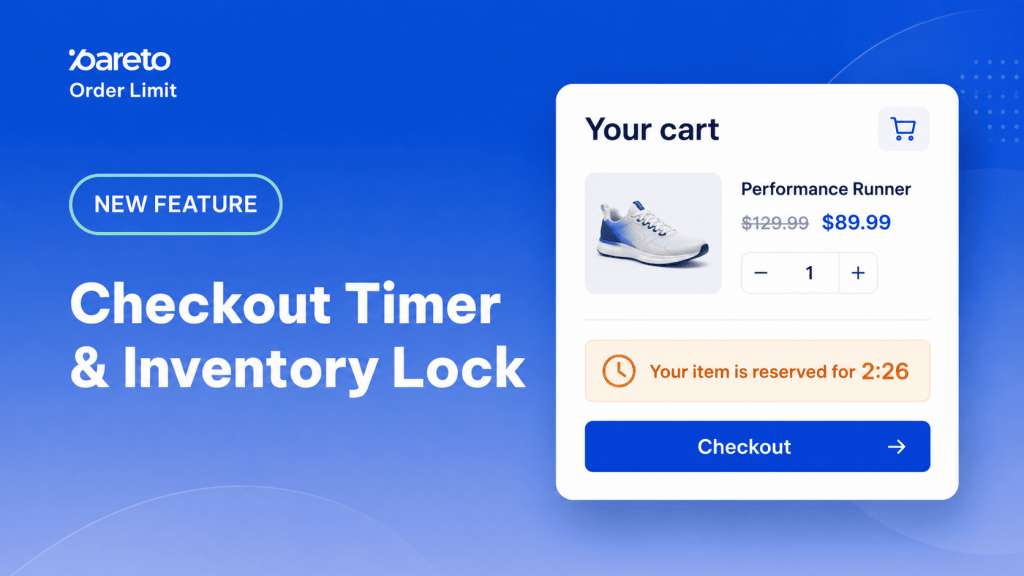
We’ve all been there: you launch a highly anticipated flash sale, traffic spikes, and excitement is through the roof. But behind the scenes, a nightmare is brewing. Dozens of shoppers hit the checkout at the exact same millisecond for the same limited item. Because Shopify only deducts inventory after an order is officially placed, multiple customers end up buying the exact same last unit.
The result? Overselling, forced order cancellations, frustrated customers, and a mountain of support tickets for your team.
Not anymore. Say hello to Checkout Timer & Inventory Lock – the ultimate feature by Pareto Order Limit designed to keep your high-demand drops fair, smooth, and entirely under control.
How It Works: True Inventory Peace of Mind
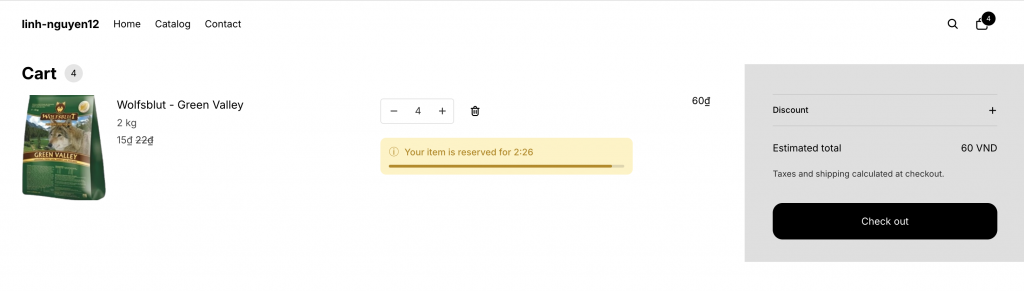
Think of it like booking a concert ticket or a flight. When a shopper adds a limited item to their cart or starts checking out, Pareto virtually “holds” that unit for them and kicks off a visible countdown timer.
- If they finish payment in time: The sale goes through flawlessly.
- If the timer runs out: The item is automatically removed from their cart and released back into your store for the next eager shopper to buy.
🔒 Under the Hood: Pareto manages its own real-time reservation counter without messing with your actual Shopify inventory levels. Shopify remains your ultimate source of truth for fulfillment, and your “Only X left” counters will still perfectly track your actual stock.
Why Your Store Needs This Today
Zero Overselling: Prevent selling stock you don’t actually have.
Flash Sale Fairness: Give genuine buyers a fair, bot-resistant chance to secure limited drops.
Slash Support Tickets: Drastically reduce the need for manual order cancellations and angry customer emails.
Drive Urgency legitimately: Create a clear, high-converting “complete your order” moment with a live countdown.
Automated Restocking: Unpaid items return to your available pool completely hands-free.
Step-by-Step: How to Set It Up
Ready to protect your next launch? Setting it up takes less than two minutes.
- Go to your Pareto Admin > Create Limit > Advanced Limit.
- Select the Checkout Timer & Inventory Lock template.
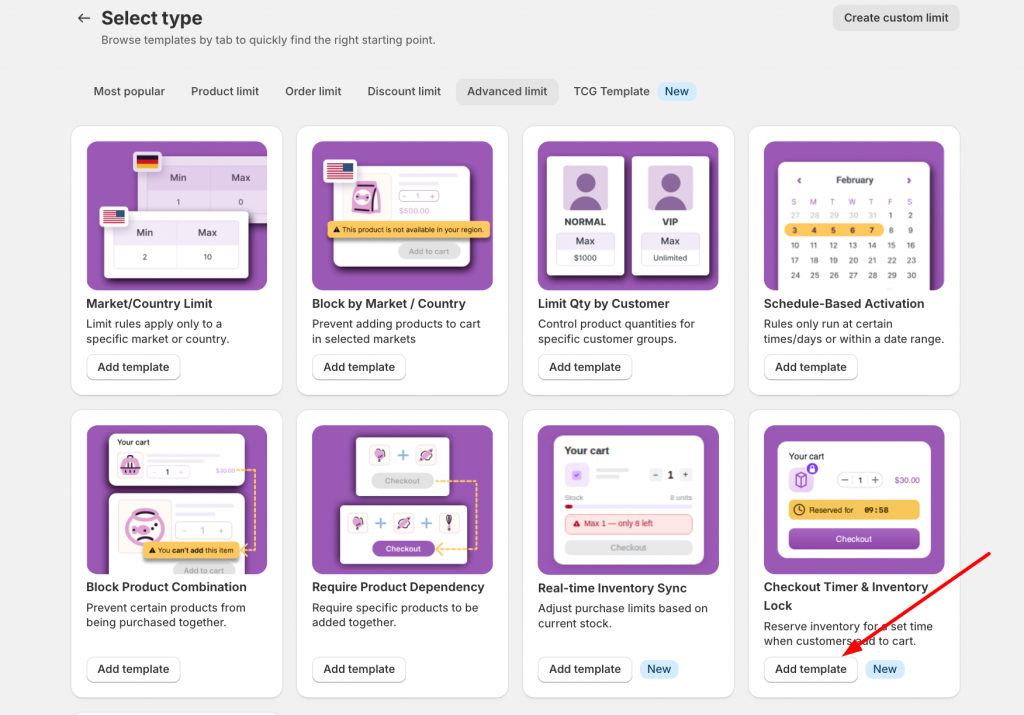
The setup form is split into two intuitive tabs:
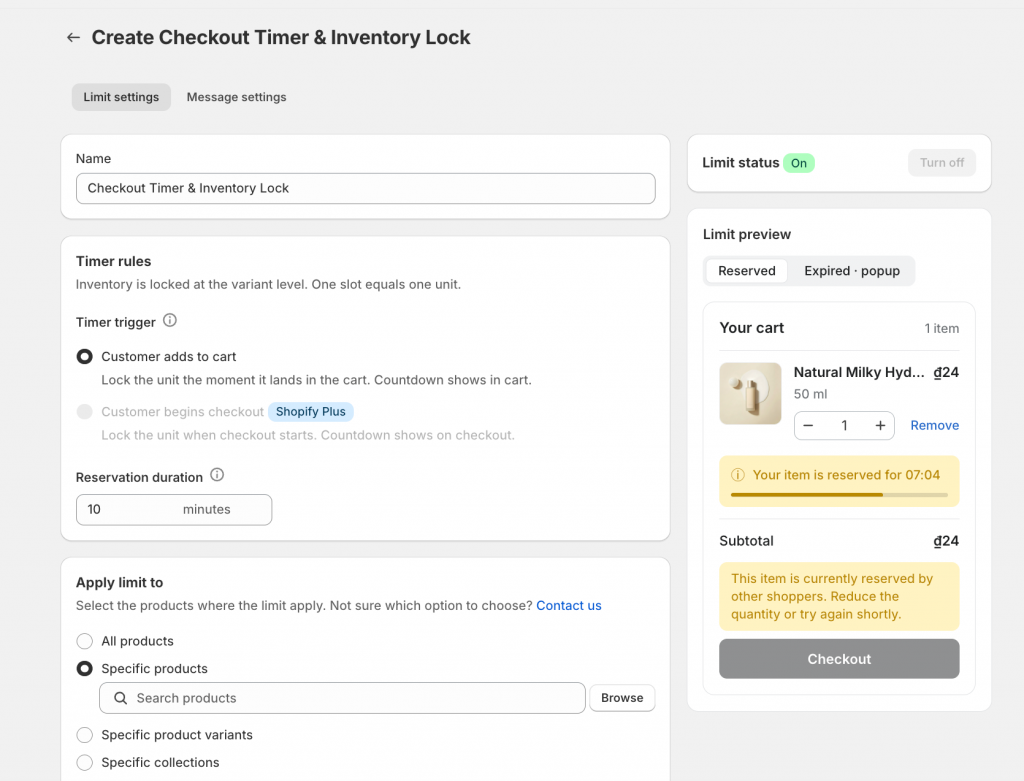
1. Timer Settings
Apply Limit To: Choose exactly which items need protection (All products, Specific products, Variants, Collections, or Product groups).
Timer Trigger: Choose when the lock starts—either when a customer adds to cart or when they begin checkout (Note: Begin checkout trigger is exclusive to Shopify Plus stores).
Reservation Duration: Set exactly how many minutes a shopper has to complete their purchase.
Targeting & Scheduling: Match the campaign to specific markets, customer segments, or set it on a strict time schedule.
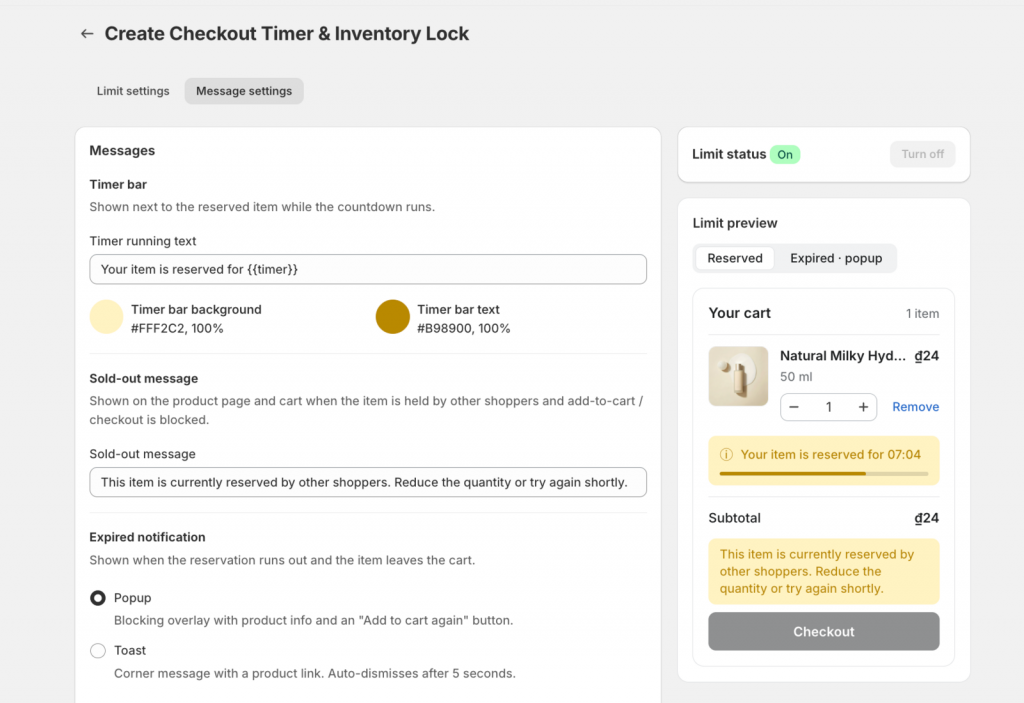
2. Message Settings
Timer Styling: Fully customize the text, background color, and text color of your countdown bar (e.g., “Your item is reserved for {{timer}}”).
Expired Notifications: If time runs out, choose how to notify the shopper:
- Popup: Displays the product with a customizable “Add to cart again” button.
- Toast: Shows a sleek, short message with a direct link back to the product page.
No-Slot & Blocked Messages: Customize the microcopy shoppers see if they try to grab an item that is already fully reserved or sold out.
Once you’re happy with the settings, hit Save and flip the status toggle to On!
(Bonus: The entire setup admin is fully localized and available in English, Deutsch, Français, Español, Português, and Chinese!)
👉 See detailed setup guideline
Protect Your Next Launch
The Checkout Timer & Inventory Lock feature is officially available on all Pareto Order Limit paid plans. If limited-stock campaigns, product drops, or flash sales are a core part of your revenue strategy, upgrading to a paid plan will give you the control you need and the stress-free launches you deserve.
Need a hand setting it up?
We know product launches are stressful enough. If you aren’t sure how to configure the timer for your specific campaign, simply reply to our support email or ping us via live chat. Our team is right here to walk you through it step-by-step!
👉 Protect Your Next Launch
If limited-stock campaigns are important for your store, upgrading your plan can help you run them with more control and less stress.
Try Pareto on Shopify