
Shopify Order Limit Analytics: Track Every Blocked Cart
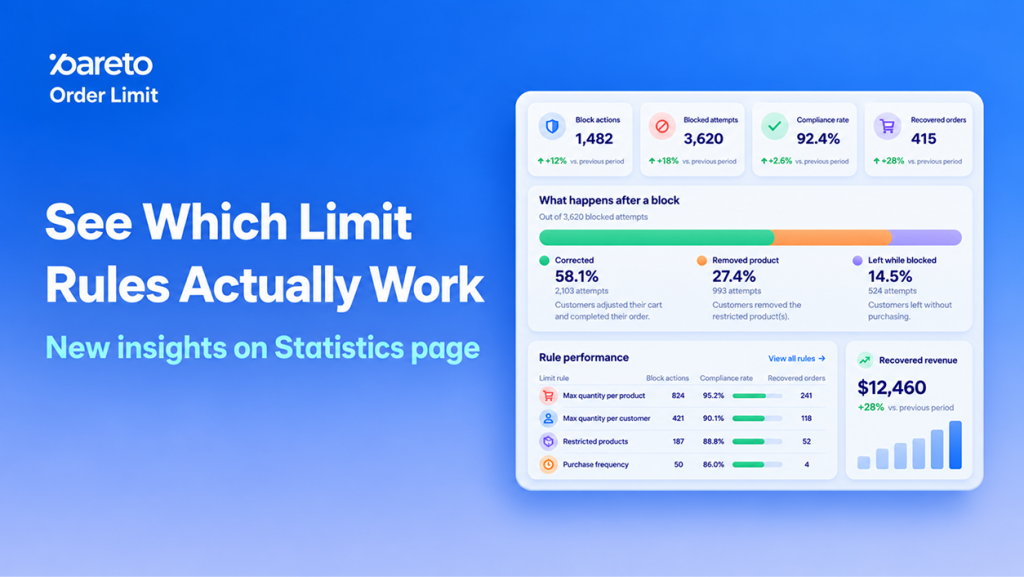
Every limit rule is a trade-off. Set it tight and you stop resellers, but you may also turn away a genuine customer who wanted two more units. Set it loose and stock disappears into bulk carts. Until now, the only signal you had was a block count, and a block count can’t tell a lost sale from a stopped reseller.
Pareto Order Limits now ships a Statistics page that fills that gap. It adds Shopify order limit analytics to your dashboard: it follows each blocked shopper to the end of their visit, scores every rule, and points you to the ones costing you orders.
Shopify Order Limit Analytics Now Follow Shoppers Past the Block
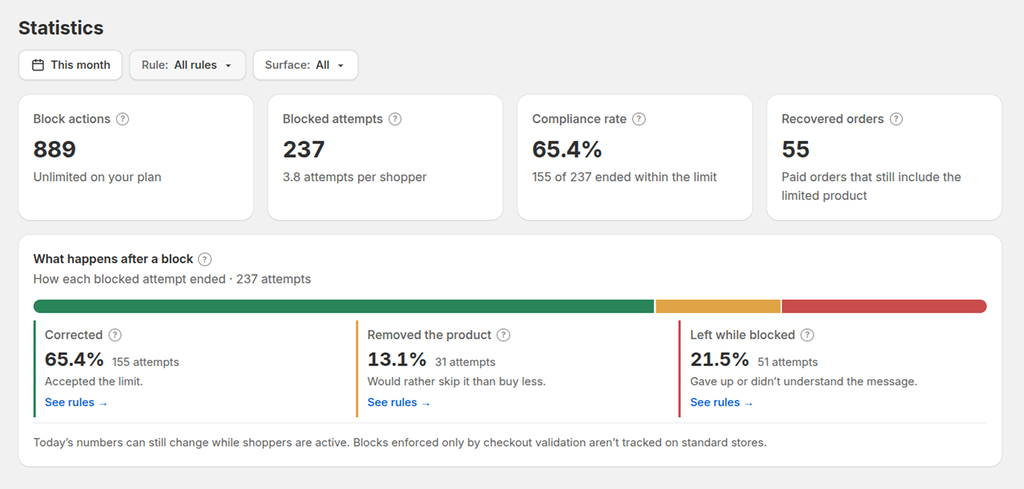
The top of the page gives you four numbers to read before anything else:
- Block actions: a running tally of every blocked click, whether on Add to cart or at checkout, with retries counted each time. Your plan usage is measured on this figure.
- Blocked attempts: unique shopper-and-rule pairs. A visitor who hits the same limit five times still counts once here.
- Compliance rate: the percentage of blocked shoppers who brought their cart within the limit and still kept the item.
- Recovered orders: orders that were blocked at some point, then paid with the limited item still in the cart.
You can narrow every view by date range, by a single rule, or by where the block happened (product page, cart or checkout).
Why Purchase Limit Rule Performance Affects Conversion
Two rules can block the same number of shoppers and have opposite effects on revenue. One nudges buyers to a sensible quantity; the other sends them to a competitor. Outcome data is what tells them apart.
Friction you can measure
A falling compliance rate is an early warning that a limit feels unfair or confusing to real buyers.
Sales you kept
Recovered orders put a number on purchases that went through after a shopper adjusted their cart.
Abuse you can spot
Shoppers hammering the same rule again and again is a pattern worth a closer look: a vague message, or someone probing your limit.
Edits that pay off
Rule statuses rank what to change first, so a busy week doesn’t turn into rule-by-rule guesswork.
Three Outcomes After a Blocked Add-to-Cart or Checkout
A single bar breaks down how each blocked attempt finished:
- Corrected: the shopper lowered (or raised) the quantity to meet the rule and the item stayed in the cart. This is the result you want.
- Removed the product: rather than accept the limit, the shopper dropped the item entirely.
- Left while blocked: the shopper never fixed the quantity and the session ended there, usually a lost sale.\
Each outcome is clickable. Select one and the rule table below reorders itself, putting the rules with the most of that outcome first.
Rule Performance Table: Find the Limit Rules That Hurt Conversion
Two rules can block the same number of shoppers and have opposite effects on revenue. The new Rule performance table puts each rule’s outcomes side by side and gives it a status badge, so the difference is obvious at a glance:
- Working as intended: shoppers understand the limit and most keep buying. Leave it alone.
- High friction: a large share of shoppers abandon after the block. Adjust this one first.
- Needs review: some shoppers drop the item or walk away. Worth a closer look at the limit or message.
- Low volume: not enough blocked shoppers yet to judge. Check back once traffic picks up.
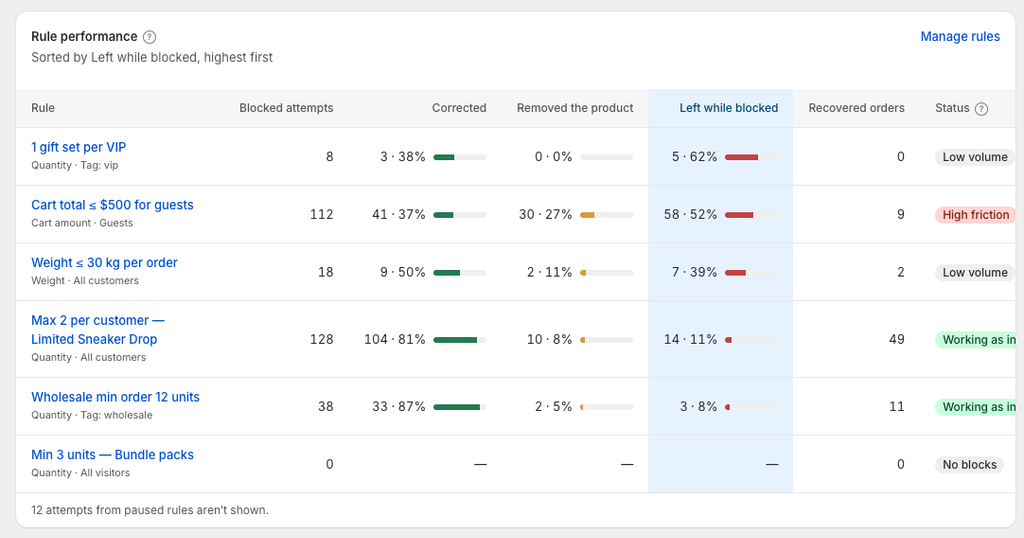
Instead of guessing from block counts, you open the rules flagged for attention and fix those.
How to Review Your Order Limit Rules in the Statistics Page
Quick review (4 steps)
- In Pareto Order Limits, open Statistics.
- Choose a date range. Use the Rule and Surface filters to zoom in if needed.
- Click Left while blocked so the rules losing the most shoppers rise to the top of the table.
- Open any High friction or Needs review rule with Edit and adjust the limit or rewrite its message.
Want every metric explained? The Statistics page also covers guest vs logged-in shoppers, where blocks happen, daily trends, top blocked products and repeated attempts. Read the full Statistics page guide for definitions and how each status is calculated.
Review Your Order Limit Rules Before BFCM
The Statistics page is live now in Pareto Order Limits. Peak-season traffic magnifies every rule, good or bad, so the weeks before Black Friday are the right time to relax limits that scare buyers off and keep the ones protecting your stock.