
Today’s Deals Page Launch | Pareto Quantity Break
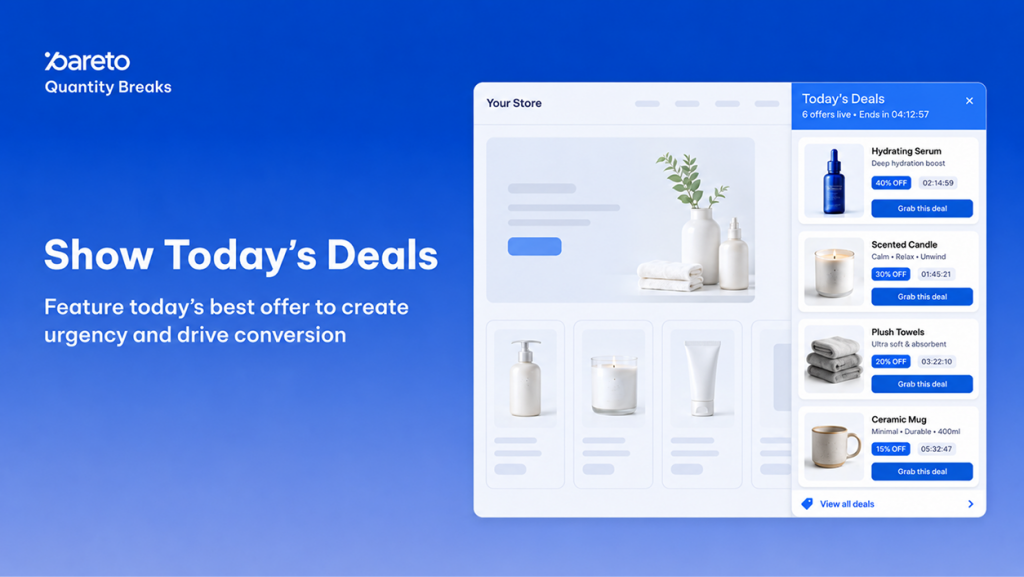
Discounts only convert if shoppers can actually find them. When volume tiers and bundle savings are scattered across separate product pages, visitors often miss your best offers and checkout with single items.
Today’s Deals solves this discovery problem by aggregating all your active discount campaigns into a unified storefront display layer. Your existing discount rules remain untouched – Today’s Deals automatically reads your live campaigns and surfaces them in high-visibility placements to accelerate buyer decisions, spark urgency, and lift average order value (AOV).
Multi-Placement Display Suite: 4 Dynamic Ways to Surface Active Discounts
Located under Boost Conversion > Today’s Deals in your Pareto admin, this display layer automatically collects your active volume rules and renders them across four coordinated placements that you can run individually or simultaneously.
1. Flexible Storefront Placements
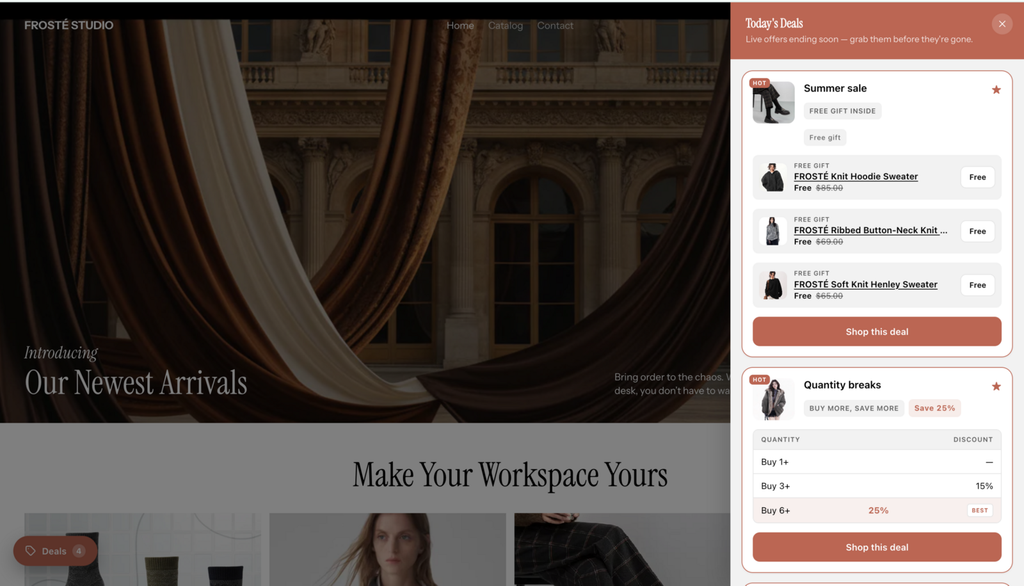
Floating Drawer: A persistent side tab that opens a full-height panel with full deal cards. Configurable for 1–10 deals, custom tab copy, and corner positioning with offset sliders.
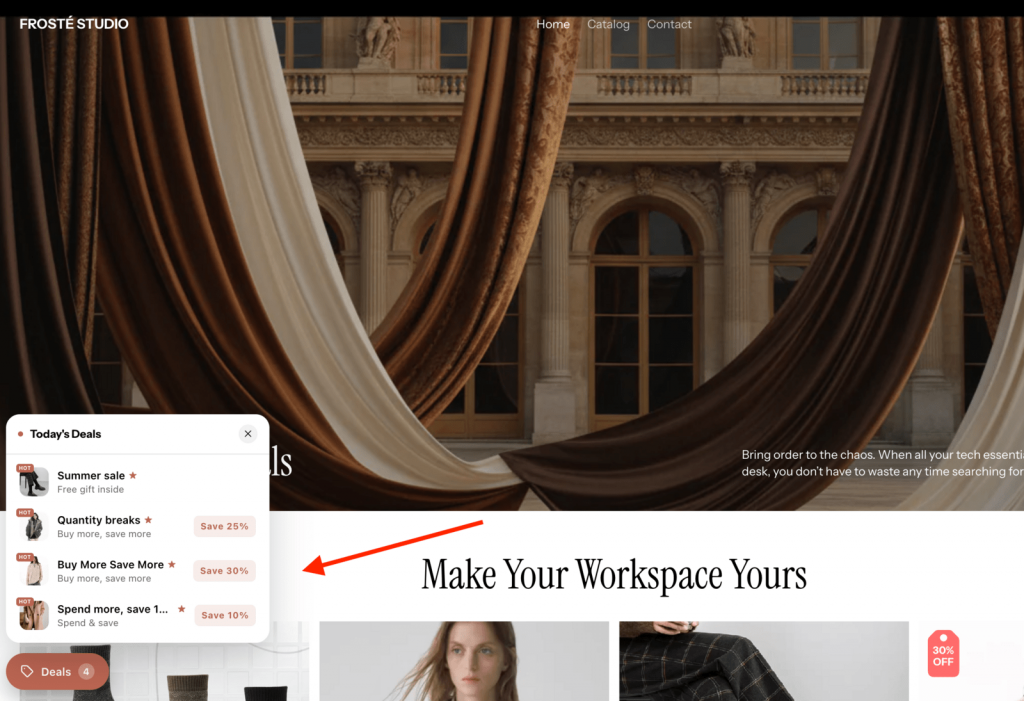
Floating Button: A sticky pill button anchored to any screen corner that triggers a compact popover with thumbnail row cards, savings badges, and an optional footer link to your deals hub or collections.
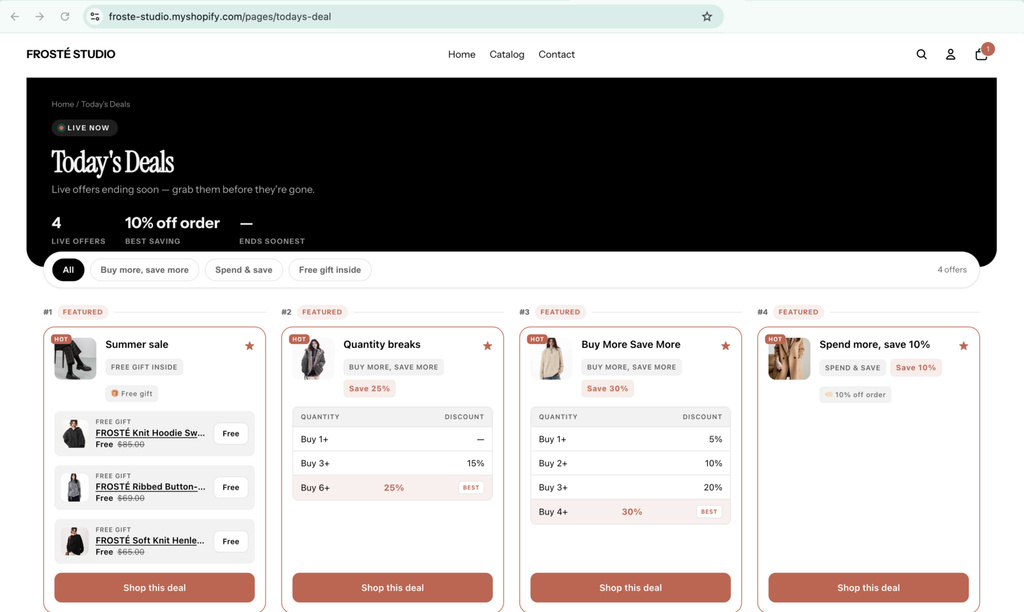
Deals Hub Page: A dedicated sales destination (e.g., /pages/deals) complete with a hero header, 2–4 column grid or list layouts, breadcrumbs, and auto-generated filter tags based on your active campaign types (e.g., “Bundle & save”, “Buy more, save more”).
Inline Section: An embeddable app block for home, product, or collection pages featuring either compact carousel mini cards or full-card grid and list views.
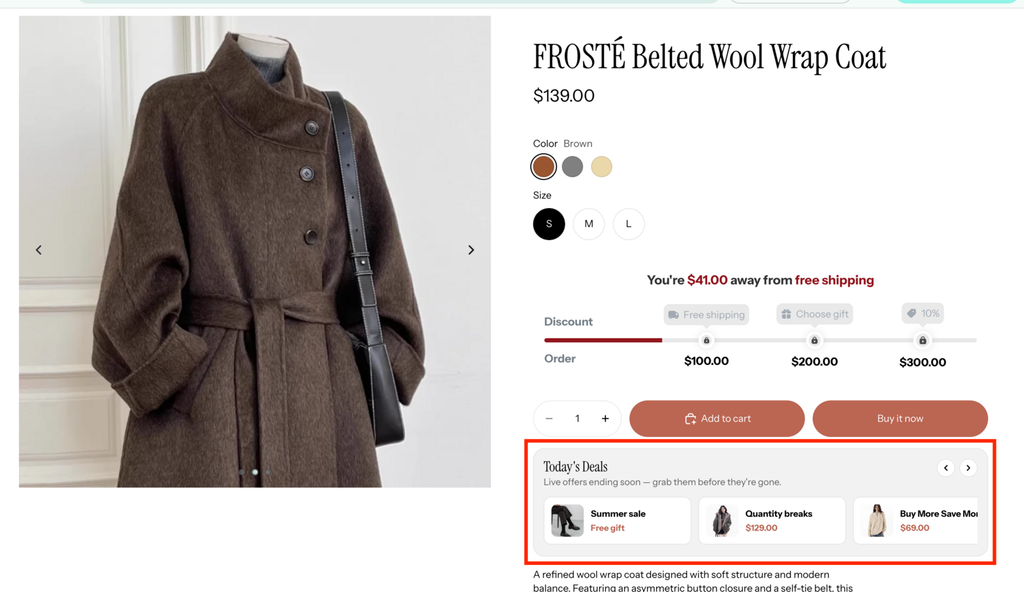
2. Campaign Prioritization & Merchandising Rules
- Star & Feature Deals: Pin high-priority campaigns to the top with a “HOT” badge or “Featured” mark, accompanied by drag-and-drop manual ordering.
- Automated Sorting: Organize remaining offers automatically by Ending soon (default), Biggest saving, Newest, or Most claimed.
- Intelligent Sync: Auto-hides ended campaigns, reveals scheduled campaigns only during their active dates, and strictly respects customer targeting rules so shoppers only see deals they qualify for.
3. Native Brand Styling & Real-Time Urgency Elements
- Theme Inheritance: Matches your store’s typography and color scheme automatically by default, or disable it to adjust 11 distinct color settings and corner radiuses (0–24px) with Light and Dark presets.
- Synchronized Urgency: Add countdown timers, tier ladders, progress bars, and social proof counters directly onto deal cards. Timers stay synchronized across product pages and deals displays within the same browsing session.
- Dynamic Copy & Translation: Personalize copy using variables such as
{{total_save}},{{discount}}, and{{time_left}}, with support for manual edits and built-in AI auto-translation.
Conversion & AOV Impact: Why Unified Deal Discovery Drives Revenue
Consolidating promotions into dedicated discovery touchpoints directly removes friction from the purchasing path and improves bottom-line store metrics.
- Faster Product Discovery, Higher Basket Sizes: Shoppers can inspect your full range of volume incentives from any page rather than digging through individual product pages, prompting larger multi-item orders.
- Zero Operational Overhead: Because Today’s Deals functions as an automated display layer, you never need to build duplicate discount codes, edit theme liquid code, or manually update promotional pages when sales start or expire.
Quick Storefront Setup: Activating Today’s Deals in 3 Steps
Today’s Deals is available to all merchants on the Basic plan and above and requires no custom code to configure.
- Turn On the Master Switch: In the Pareto admin, navigate to Boost Conversion > Today’s Deals and toggle Widget status on. Confirm that the Pareto app embed is active in your Shopify theme settings.
- Add Placements to Your Theme: Click into your chosen display tab, select Add block to theme, and place the section or block in your Shopify theme editor. (For the Deals Hub, create a standard page under Online Store > Pages, add the Deals hub block, and paste the page URL into the Pareto tab).
- Refine Merchandising & Style: Star your priority campaigns, select your preferred sort rule, and customize card elements to match your brand identity.
Tip: Store owners using Shopify Sidekick can configure displays conversationally with prompts like "Add a floating deals drawer to my store" or "Help me set up Today's Deals in my Pareto app".
Showcase Your Best Offers in One Click
Give your volume discounts the visibility they need to convert browsing traffic into high-value orders.
Surface Every Deal in One Click with Pareto
Today’s Deals aggregates your active discount campaigns into high-visibility storefront placements – no duplicate codes, no theme edits, more average order value.
Need help choosing the best placement for your theme? Start a live chat in the app dashboard anytime.