
Don’t Let Great Deals Go Unnoticed! Introducing Image Discount Badges & Countdown Timers
You might already be running a killer promotion, but here is the cold truth: shoppers won’t care about a deal they never see.
When customers browse a collection page, they decide what to click in just a few seconds. If your discount is tucked away inside the product page, many potential buyers will scroll right past before they even know an offer exists. In fact, hidden deals can lead to an agonizing 67-90% abandonment rate!
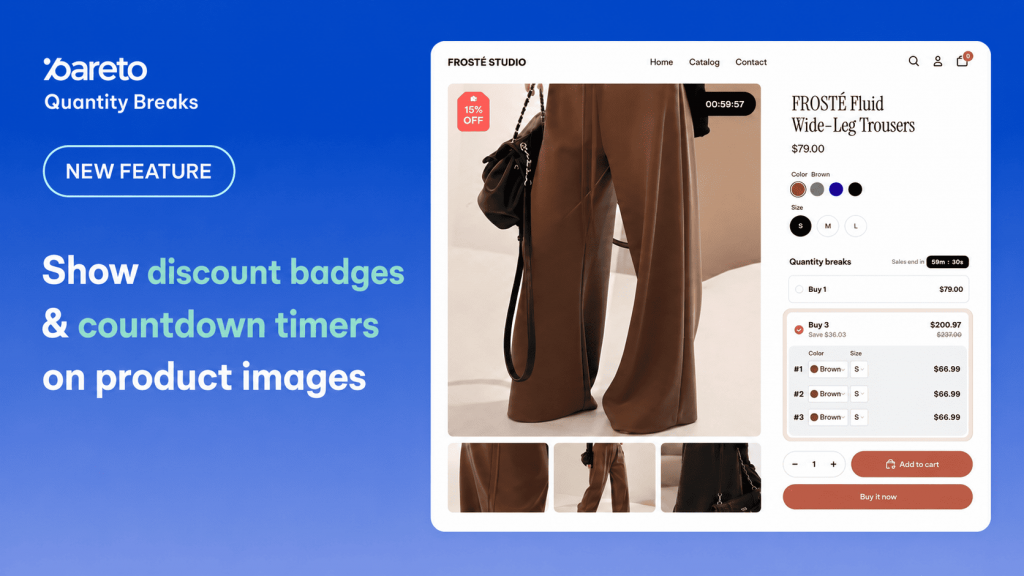
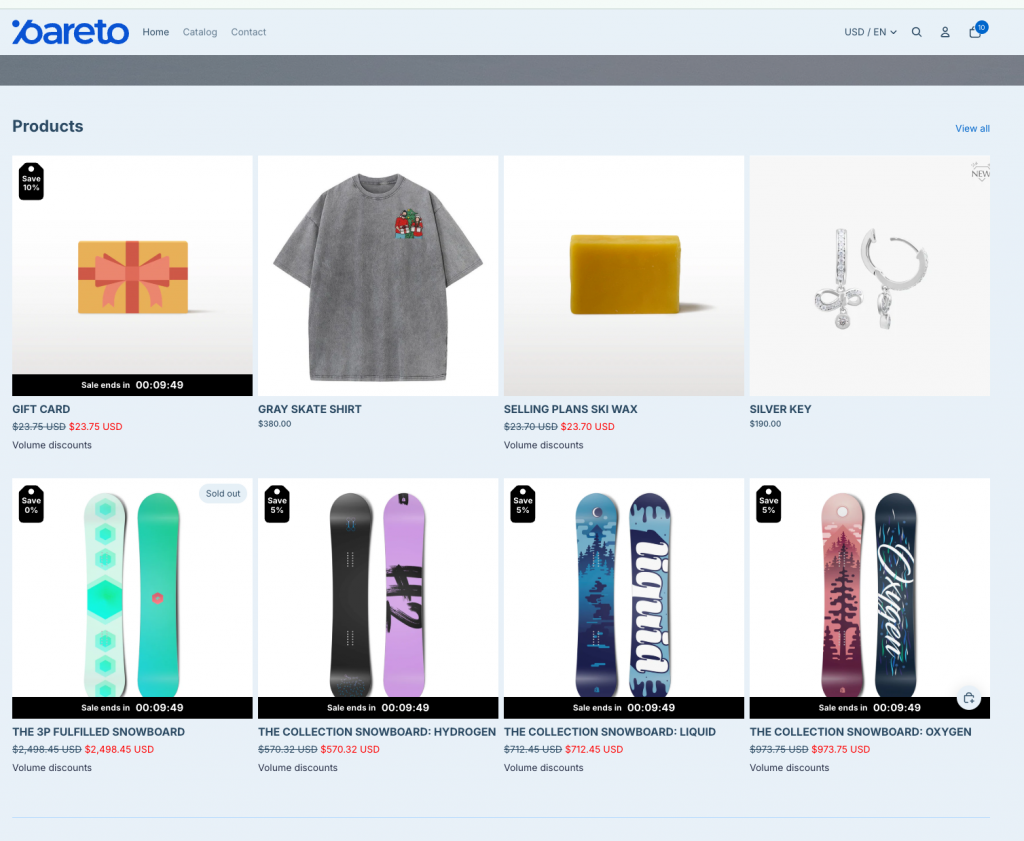
That is why we are thrilled to announce our latest update for Pareto Quantity Breaks & Discounts: Discount Badges and Countdown Timers directly on Product Images!
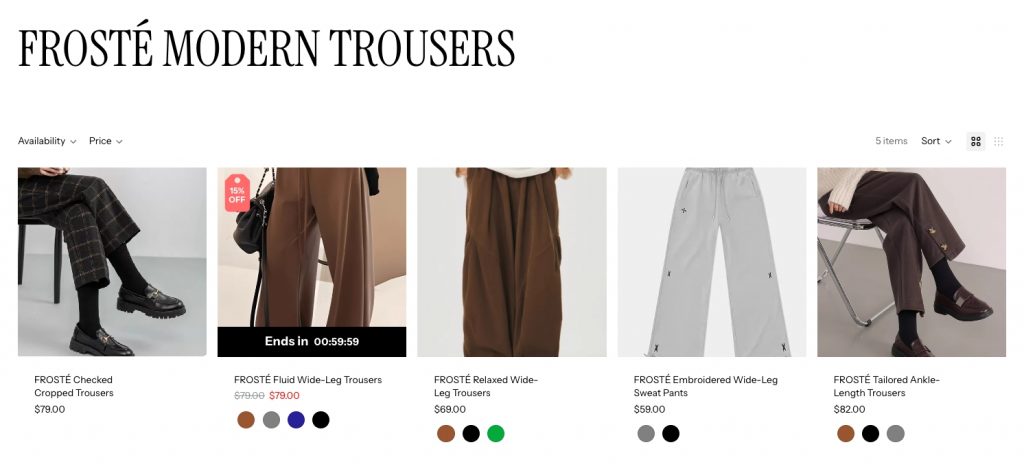
Now, your deals can show up front and center while shoppers browse, giving them an instant reason to stop, click, and buy.
What’s New?
1. Customizable Discount Badges on Product Images
Catch shoppers’ attention immediately with eye-catching badges overlaid directly on your product photos.
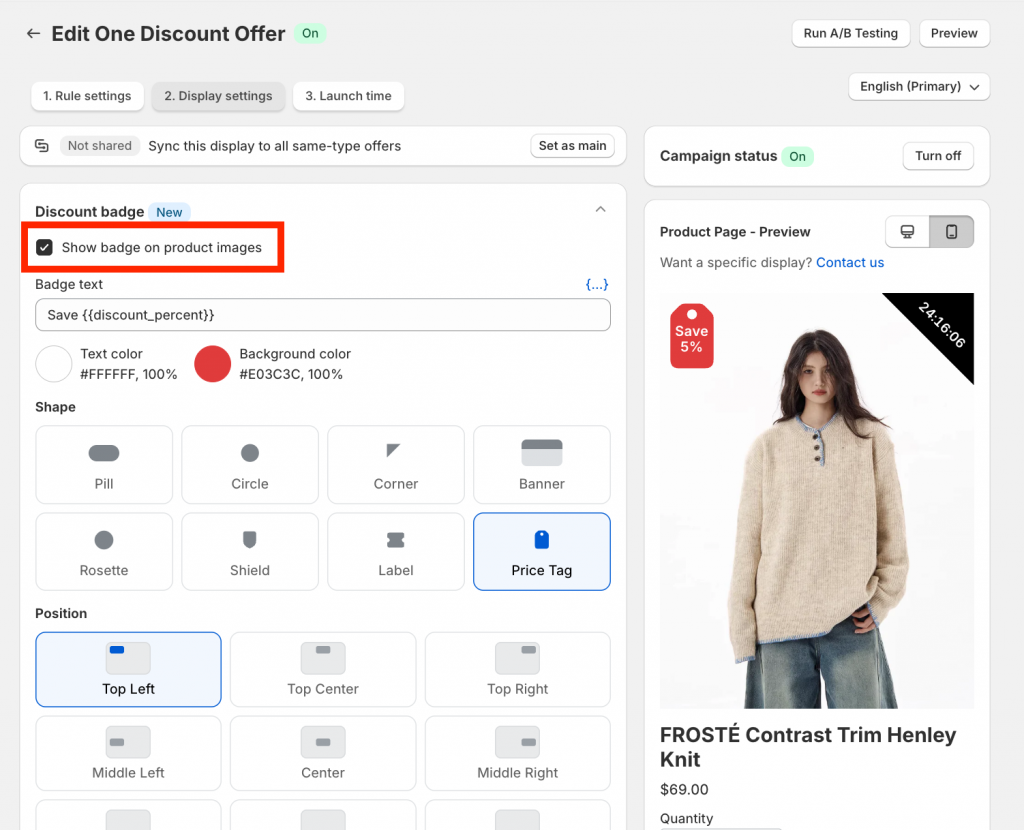
- Flexible Shapes & Sizes: Choose from 8 distinct shapes (Pill, Circle, Rosette, Shield, Label, Price Tag, Corner, or Banner) and scale them from 44px to 132px.
- Precise Placement: Position your badges anywhere using a 3×3 grid or dedicated edge-toggles.
- Dynamic Smart Variables: Personalize badge text using live campaign data like
{{max_discount_percent}},{{total_save}},{{campaign_name}}, and more!
2. High-Urgency Image Countdown Timers
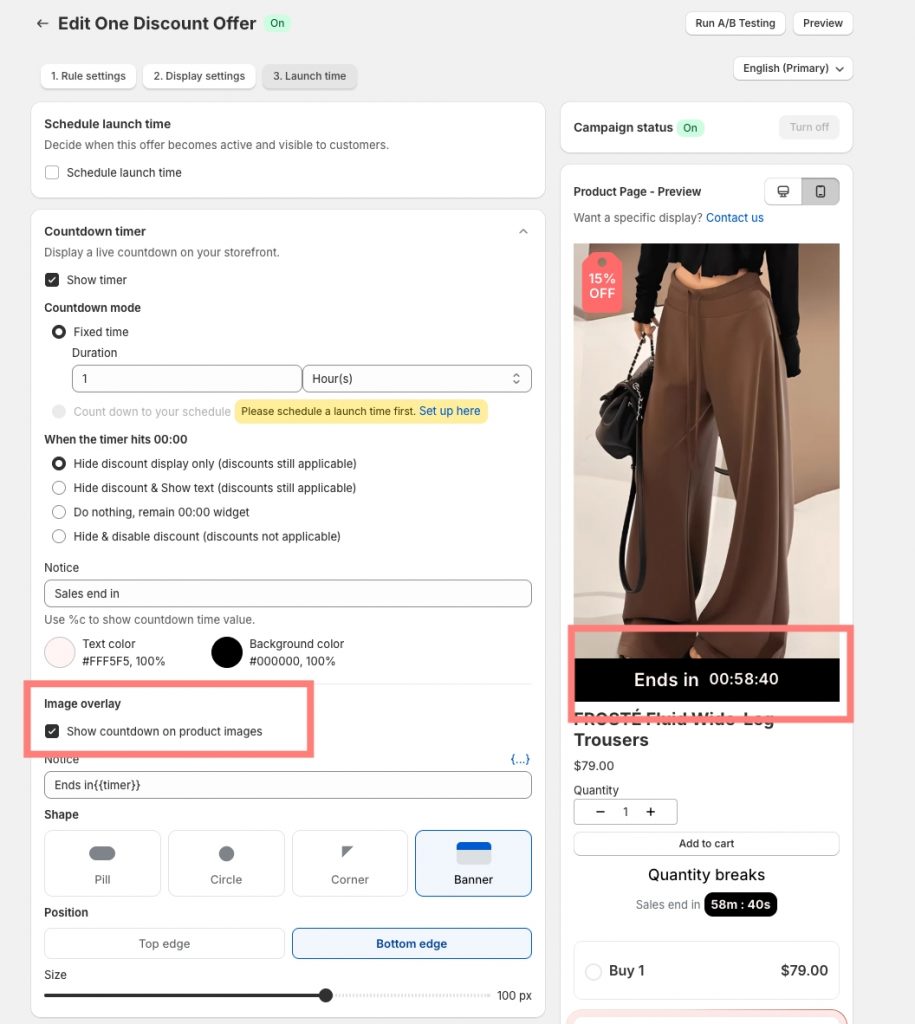
Add FOMO (Fear Of Missing Out) directly onto the product image so shoppers know time is running out before they even read the price.
- 4 Timer Overlay Styles: Display full banner notices with ticking clocks or sleek digit-only shapes (Pill, Circle, Corner).
- Perfect Sync: Image countdowns sync seamlessly with the main product page timer to ensure accuracy across your store.
3. Independent Collection & Product Page Controls
First impressions happen on collection pages! Pareto allows you to configure overlays separately for product pages and collection pages, giving you complete design control over every step of the buyer journey.
Why You’ll Love It
Boost Click-Through Rates: Make discounted items pop on collection pages before shoppers even reach the product page.
Supercharge Flash Sales: Drive instant urgency for limited-time offers, seasonal campaigns, and clearance stock.
Clutter-Free Communication: Help customers spot active offers instantly without needing long explanations.
Quick Start Guide: How to Set It Up
Getting started takes less than two minutes:
Step 1: Enable App Embed: Make sure the Pareto app embed is toggled ON in your Shopify Theme Settings.
Step 2: Product Page Overlays (Per Offer):
- Go to your active offer in Pareto > Step 2: Display Settings > Turn on Show badge on product images.
- Go to Step 3: Launch Time > Expand Countdown timer > Turn on Show countdown on product images.
Step 3: Collection Page Overlays (Global):
- Navigate to Collection Settings > Enable Show discount on collection page.
- Configure your global badge and countdown settings for collection pages (Note: Available on Professional plans and above).
Pro-Tip: Overlays only appear on products with active offers. If a product has multiple active deals, Pareto automatically displays the offer that ends the soonest!
Ready to Make Your Offers Stand Out?
A small visual cue can make a massive difference to your conversion rate. Head over to your Pareto Dashboard today and turn on your image overlays!
Need help picking the right badge style or setting up custom placement? Contact our support team via live chat or reach out to our developers – we are always here to help.
👉 Make your offer stand out
Helps shoppers notice the deal faster and gives them a stronger reason to click.
Try Pareto