
AI-Powered Discounts Are Here: Pareto Quantity Breaks Now Integrates with Shopify Sidekick!
Hey Shopify Merchants! 👋
We have some incredibly exciting news to share today. If you’ve ever felt like setting up, managing, or analyzing your discount campaigns takes up too much of your precious time, this update is for you.
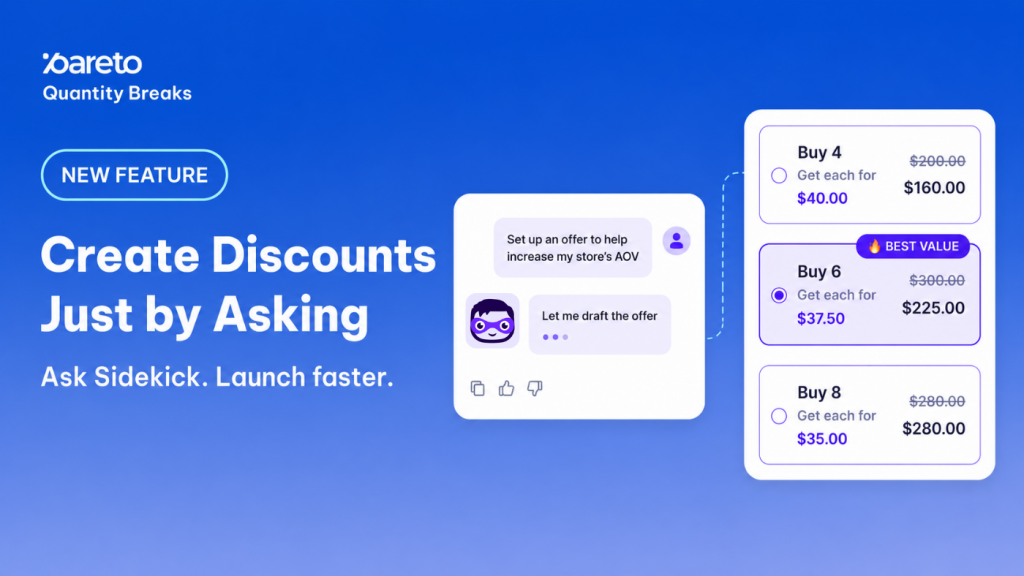
We are thrilled to announce that Pareto Quantity Breaks now works seamlessly with Shopify Sidekick, the AI assistant built right into your Shopify admin.
Moving from a high-level business goal to a live, revenue-driving campaign has never been faster – or smarter.
The Power of AI, the Precision of Pareto
Instead of starting every single volume discount or tiered offer from scratch, you can now simply talk to Sidekick in plain English. Because Sidekick understands your specific store context and inventory data, it bridges the gap between your strategic ideas and real-world actions.
Need some inspiration? Here is what you can ask Sidekick today:
- “Create a 15% discount for all products.”
- “Create a discount for products with high stock so I can reduce inventory.”
- “Set up a discount to help increase my store’s AOV.”
- “How can I improve the conversion rate of my discount campaign?”
How It Works: Keep the Human in the Loop
We believe AI should do the heavy lifting, but you should always have the final say. That’s why we designed this integration with a “human-in-the-loop” approach. Sidekick will navigate and draft, but it will never publish anything without your explicit approval.
- Open Shopify Sidekick in your Shopify admin.
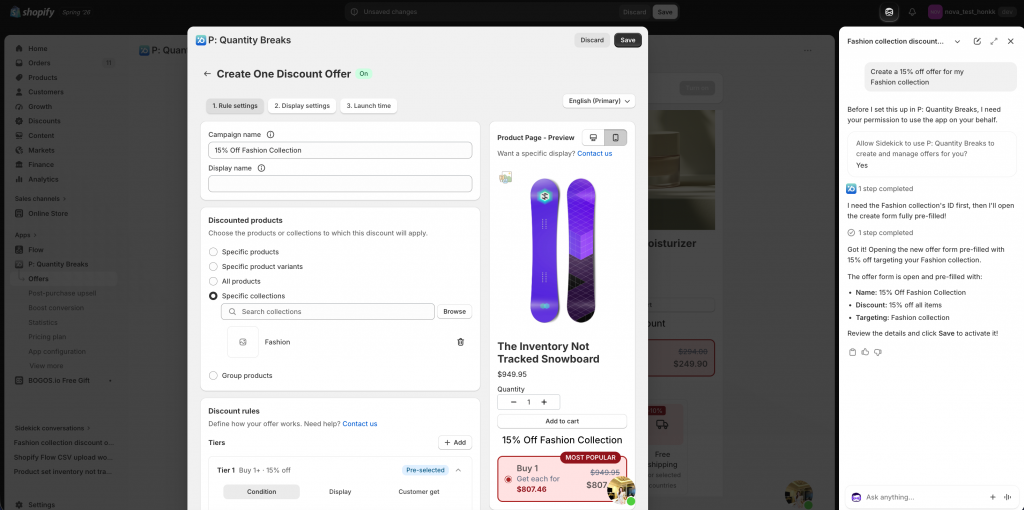
- Tell Sidekick what kind of discount you want to create or adjust (e.g., “Create a 15% off offer for my Fashion collection”).
- Watch the magic happen: Sidekick automatically opens the correct screen in the Pareto app and fills out the draft for you.
- Review and Save: Check the details, make any manual tweaks if needed, and click Save inside Pareto to push the campaign live.
Why doesn’t Sidekick save automatically? Safety first! This ensures no accidental discounts go live to your customers before you’ve given them a final look.
Key Capabilities: What Can Sidekick Do?
This Phase 1 rollout is packed with features to streamline your daily operations:
- Lightning-Fast Creation: Sidekick defaults to building efficient “One discount” offers first, getting your campaigns up and running in seconds.
- Effortless Editing: Need to adjust an active campaign? Just tell Sidekick, “Change Rule A to 20% off,” and it will update the draft for your review.
- Step-by-Step Import/Export: Sidekick will walk you through backing up your rules or importing new ones without you needing to hunt down the right buttons.
- Instant Performance Insights: Ask Sidekick which offers are driving the most revenue. It reads Pareto’s exposed stats – including post-purchase offers – to give you a holistic view of what’s working.
Quick Tips to Get Started
Before you dive in, make sure you’re set up for success:
- Ensure Pareto – Quantity Breaks and Discounts is active on your store.
- Verify that Shopify Sidekick is enabled on your Shopify plan.
- Pro-Tip: Keep both the Shopify Sidekick chat pane and the Pareto app open at the same time so Sidekick can seamlessly navigate the app for you.
This update is all about helping you move from a brilliant marketing idea to a live campaign with fewer steps, less manual configuration, and total control.
👉 Ask Sidekick everything in Pareto
Open your Shopify admin and ask Sidekick to draft your next Pareto discount today.
Try Pareto