
🎉 New Feature in Pareto Quantity Breaks: Stack Discounts Per Cart Line Item
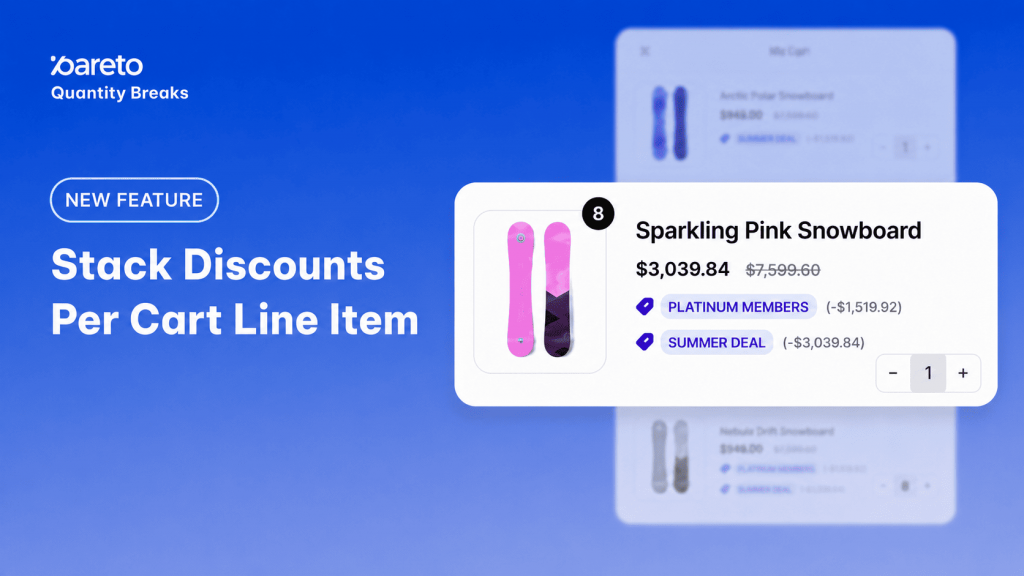
As an e-commerce merchant, you know that the right promotion can turn a casual browser into a high-value customer. You might want a shopper to unlock a quantity break, apply a one-time discount, and grab a frequently bought-together offer – all on a single product.
But historically, Shopify has had a frustrating limitation: only one product discount can apply to each cart line. If a customer qualified for multiple deals on the same item, Shopify’s system would simply pick the single highest discount, leaving the rest of your planned promotion on the table.
Not anymore.
We are thrilled to introduce Stack Discounts Per Cart Line Item – a powerful new Pareto feature built exclusively for Shopify Plus merchants.
Why This is a Game-Changer for Your Store
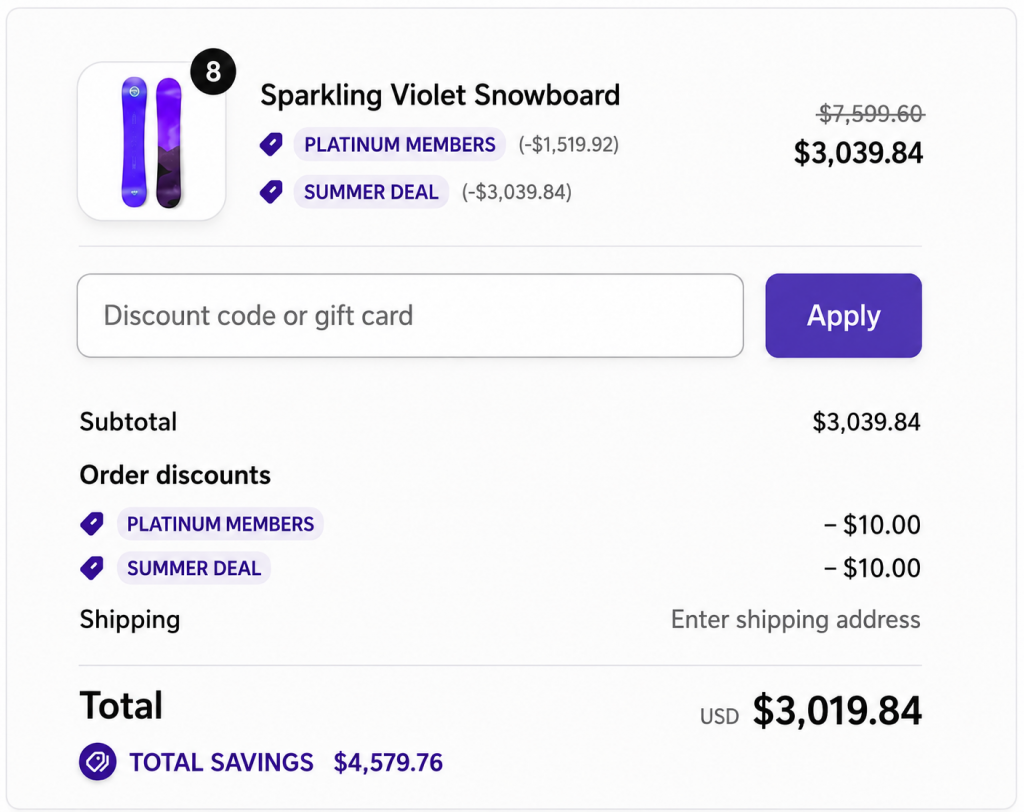
With Cart Line Stacking, you no longer have to choose between competing promotions. You can now combine multiple product discounts on the same item in the cart, giving you the ultimate flexibility to design high-converting, high-value campaigns.
Here is what this means for your brand:
- Create Irresistible, Tiered Incentives: Encourage massive cart sizes by letting customers stack quantity breaks with special one-time offers or bundles on the exact same product.
- Stack Across Apps (Not Just Pareto!): You aren’t limited to Pareto-created discounts. You can easily stack Pareto offers with native Shopify discounts or promotions generated by other apps.
- A Unified Omnichannel Experience: Your stacked offers work flawlessly across your Online Store, Shopify POS, and the Shop App. Your customers get a consistent, rewarding checkout experience whether they buy online or in-person.
- Complete Control: You decide exactly which offers are allowed to play together using our simple, tag-based system.
How It Works: The Magic of “Stack Tags”
We’ve made setting this up incredibly simple. Behind the scenes, Pareto uses Stack Tags to group your promotions. Any offers sharing the same stack tag will automatically combine at checkout.
Step-by-Step Setup:
- Open an offer in Pareto and navigate to Advanced settings.
- Turn on “Stack with other offers.”
- Select the specific products or variants you want to include, and assign a stack tag (e.g.,
VIP-Promo-2026). - Save. Now, any other Pareto offer using that exact same tag will automatically combine with it.
👉 See detailed setup guidelines
Want to stack with a non-Pareto discount?
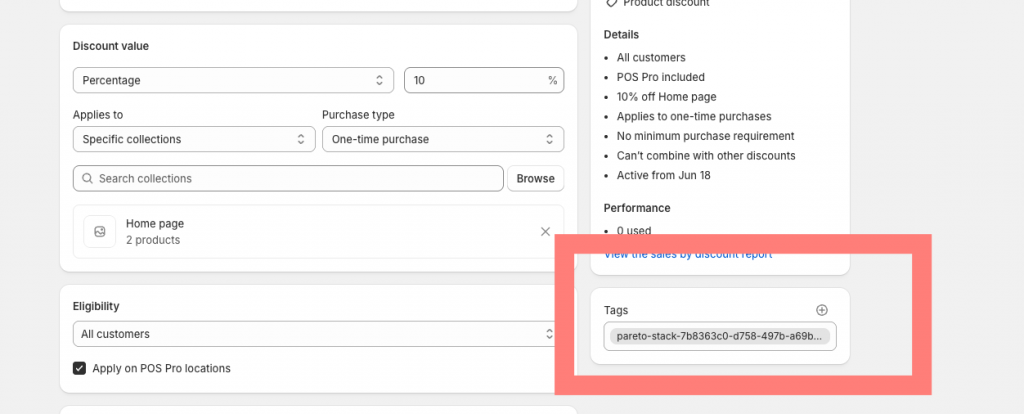
No problem. Just copy your stack tag from Pareto, head over to your native Shopify Discounts admin (or your other discount app), paste the tag there, and save!
Key Things to Keep in Mind
To get the absolute best performance out of this new feature, keep these quick tips in mind:
- Plan Eligibility: This feature is exclusive to Shopify Plus stores. Your Shopify store must also be on at least the Basic plan to access Advanced settings.
- The 25-Discount Cap: Each stacked discount counts toward Shopify’s hard platform limit of 25 discount functions. For the most reliable, lightning-fast checkout performance, we recommend stacking up to 10 discounts at a time.
- Check Your Tags: Because stacking relies entirely on matching tags, changing a tag on one offer will remove it from the group. Double-check your active groups after making edits!
Note: Bought Together bundles do not yet support the Advanced settings stacking option, but support for this is coming very soon!
Ready to Skyrocket Your Average Order Value (AOV)?
The holiday seasons and promotional calendar wait for no one. If you are planning an upcoming campaign and want expert advice on which offers will stack best to drive the highest-value carts, we are here for you!
👉 Need help setting it up? Simply reply to our latest newsletter or start a live chat inside the app. The Pareto team is always happy to help you build the perfect promotion.
👉 Drive higher-value carts with Pareto
Apply multiple product discounts to the same item in the cart, giving you more freedom to create flexible, high-value promotions.
Try Pareto