
Introducing A/B Testing for Pareto Quantity Breaks
You’ve already put time and effort into crafting the perfect wholesale or volume discount structure. Your tiers make financial sense, your margins are protected, and you’re ready to see your Average Order Value (AOV) climb.
But here’s the cold truth in e-commerce: A great discount offer only works if shoppers actually notice it.
If your Quantity Breaks widget blends into the background, fails to earn the click, or confuses visitors, you are leaving additional sales and profit on the table. In e-commerce design, minor visual tweaks – like changing a list to a grid or adding a high-contrast badge – can trigger massive lifts in conversion rate.
Until today, finding the “perfect” widget look meant guessing, changing layouts manually, and trying to eyeball performance over weeks. Not anymore.
Stop Guessing, Start Split-Testing: A/B Test Your Offer Display
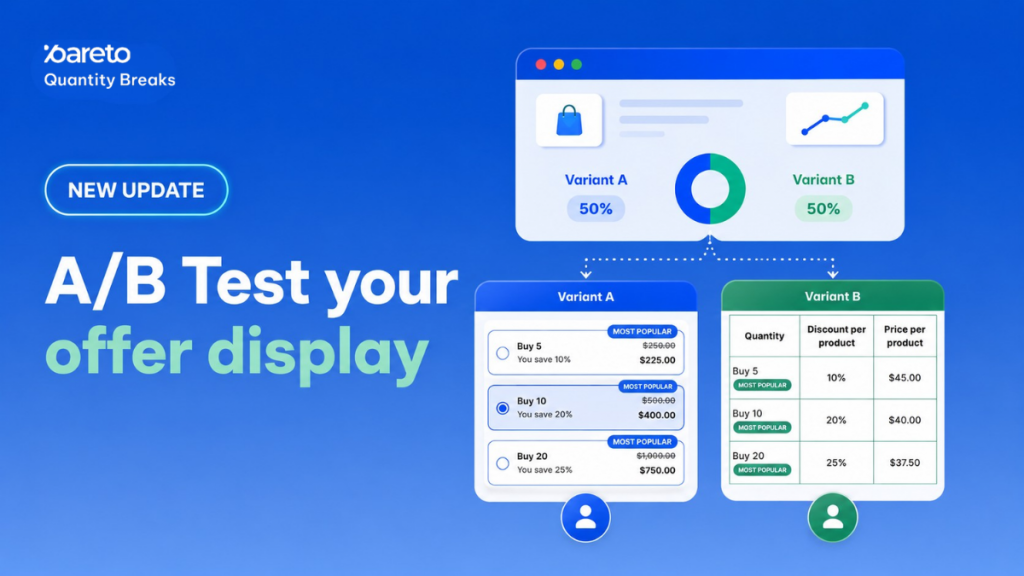
We are thrilled to introduce our newest feature: A/B Test Your Offer Display. Now, you can build two completely distinct display versions of the exact same offer, split your store traffic cleanly between them, and let real shopper behavior tell you which layout wins.
The best part? No duplicate offers, no complex technical setup, and absolutely zero coding required.
How It Works: Split the Display Layer, Keep the Discount Logic
This feature runs entirely on the display layer of your Quantity Breaks campaign. This means you can freely test different layouts, colors, labels, messaging, or styling without changing your backend discount logic or affecting which products qualify.
When you activate a test, Pareto automatically generates Variant A and Variant B, evenly dividing your online store traffic between them:
- Variant A: This is your baseline display – the layout your shoppers see today.
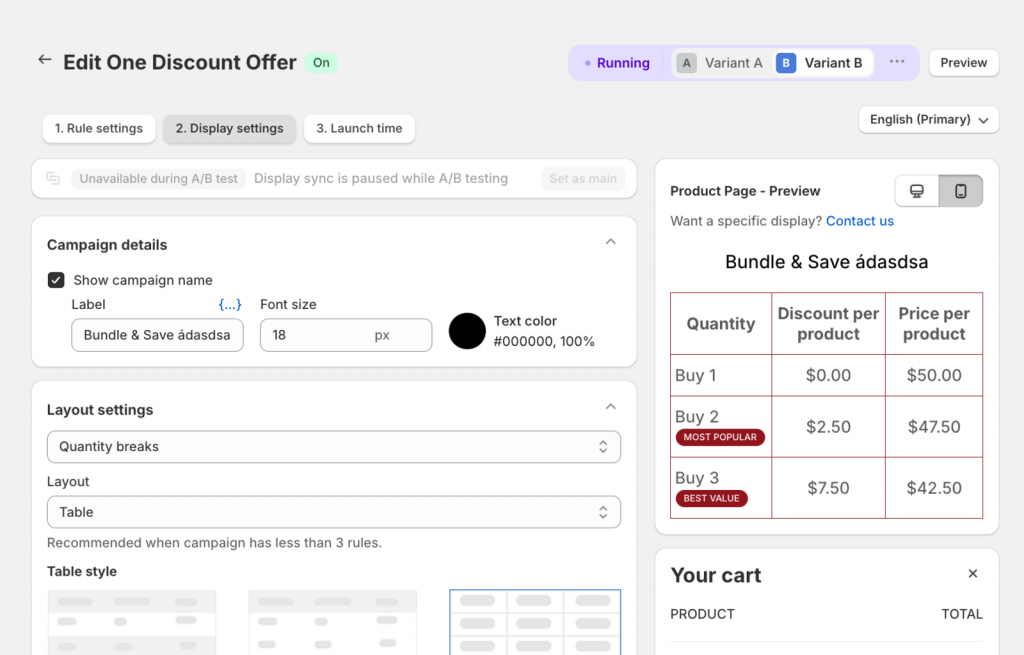
- Variant B: This is your alternative display variant. You can edit and save its settings completely independently. Any changes you make to Variant B apply only to Variant B and will never carry over or disrupt Variant A.
For example, you could show Variant A as a traditional stacked list with a “Best value” badge, while showing Variant B as a compact grid with no badge. Pareto sends half your visitors to each, and you keep whichever one drives more sales!
What Elements Can You Test?
Every store audience responds differently to visual cues. With this update, you can test a wide combination of standard display options:
| Testing Variable | Experiment Example |
|---|---|
| Widget Layout | A classic stacked list vs. a compact matrix grid. |
| Tier Labels | Straightforward savings text like "Buy 3 save 10%" vs. high-intent copy like "Most popular". |
| Badges & Accents | Showing or completely hiding a prominent "Best value" badge or a holiday accent line. |
| Price display | Showing or hiding the explicit discounted price on the product page table. |
Set Up Your First Test in Under 60 Seconds
We have engineered this workflow to eliminate standard multi-variant friction. You don’t need to rebuild your campaigns or create messy duplicate discount codes.
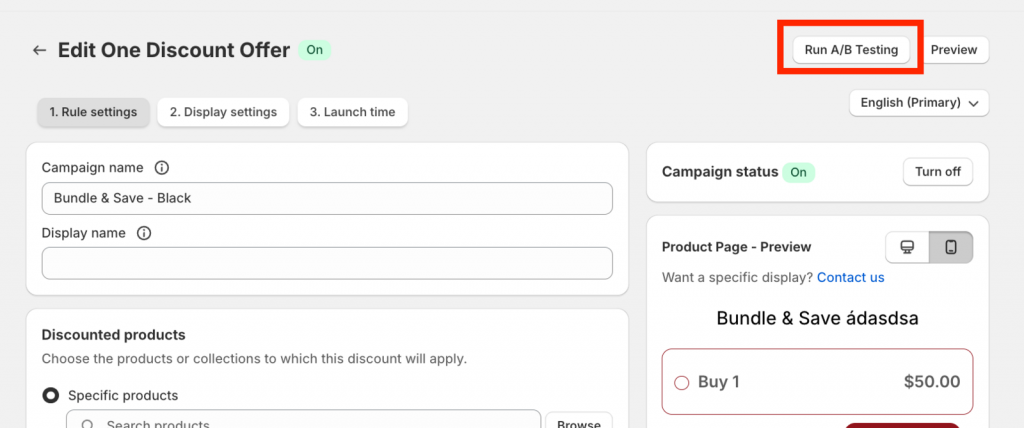
- Open the specific offer you want to test in Pareto.
- Go to the Display settings section.
- Turn on the A/B testing toggle.
- Click Save and configure your variants.
Stop relying on design intuition or template defaults. Launch an A/B test inside Pareto today, isolate your highest-performing layout, and scale your cart value continuously.
If you need a hand setting up your layout variants or optimizing your widget strategy, just reply to this email or start a live chat inside the app. The Pareto team is always happy to help you grow your sales!
👉 Try Try A/B Test Feature
Instead of guessing which design works best, let your customers decide!
Try Pareto on Shopify