
Limit Purchases by Shipping Address on Shopify with Pareto Order Limit
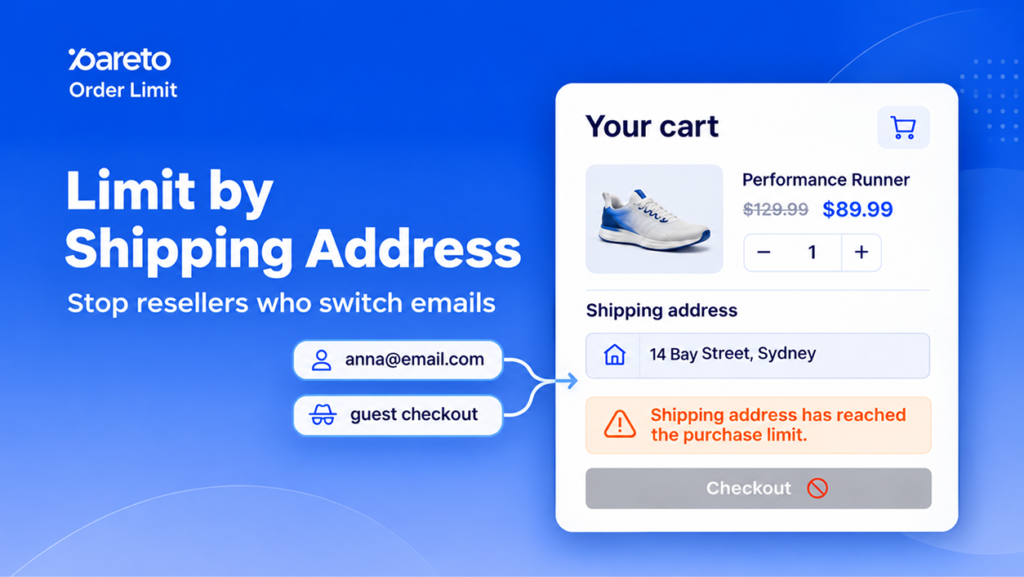
Your limit says one per customer. Then a reseller comes back with a new email address, or checks out as a guest, and the limit sees a brand-new shopper. The orders still ship to the same place, and your limited drop or restock ends up on a resale site.
Pareto Order Limits can now limit purchases by shipping address. Pareto counts every order sent to the same address, whatever email or account placed it. You can also limit or block products for orders shipping to selected countries, states or provinces, based on the real address the shopper enters at checkout.
Pareto Now Limits Purchases by Shipping Address, Not Just by Email
Two new templates and two new settings let you tie a limit to where an order ships, not who places it.
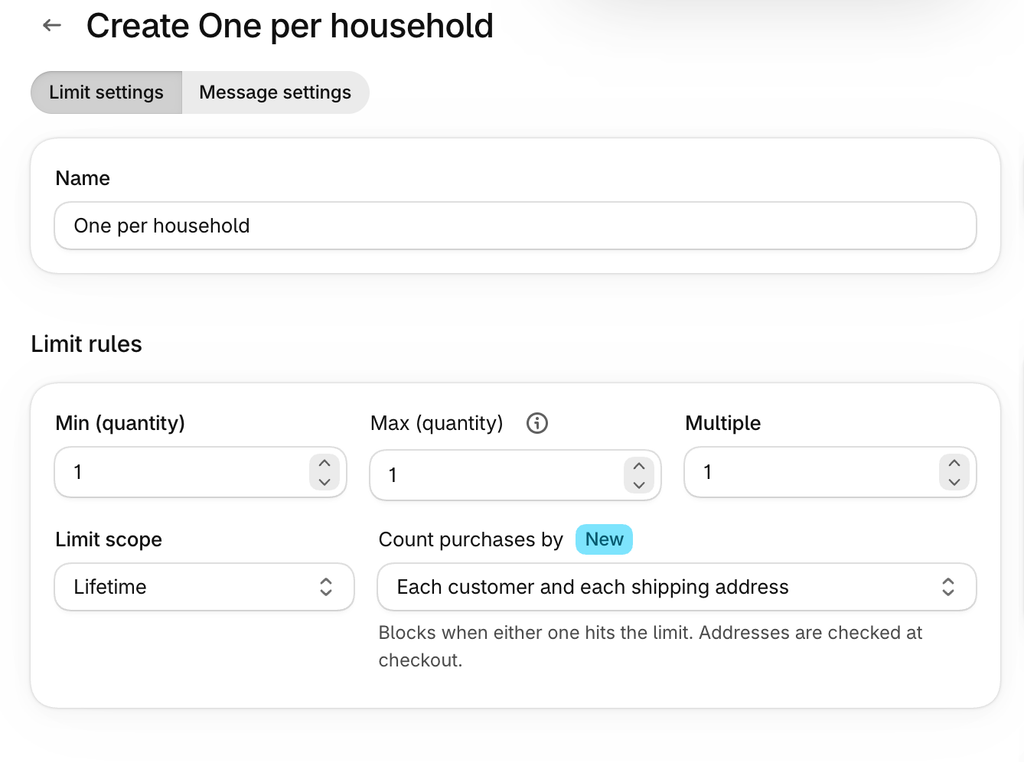
- One per household template: stop resellers from buying more than one per address, even with different emails.
- Shipping Address Limit template: limit or block products for orders shipping to selected states or countries.
- Count purchases by: a new setting that counts purchases per customer, per shipping address, or both.
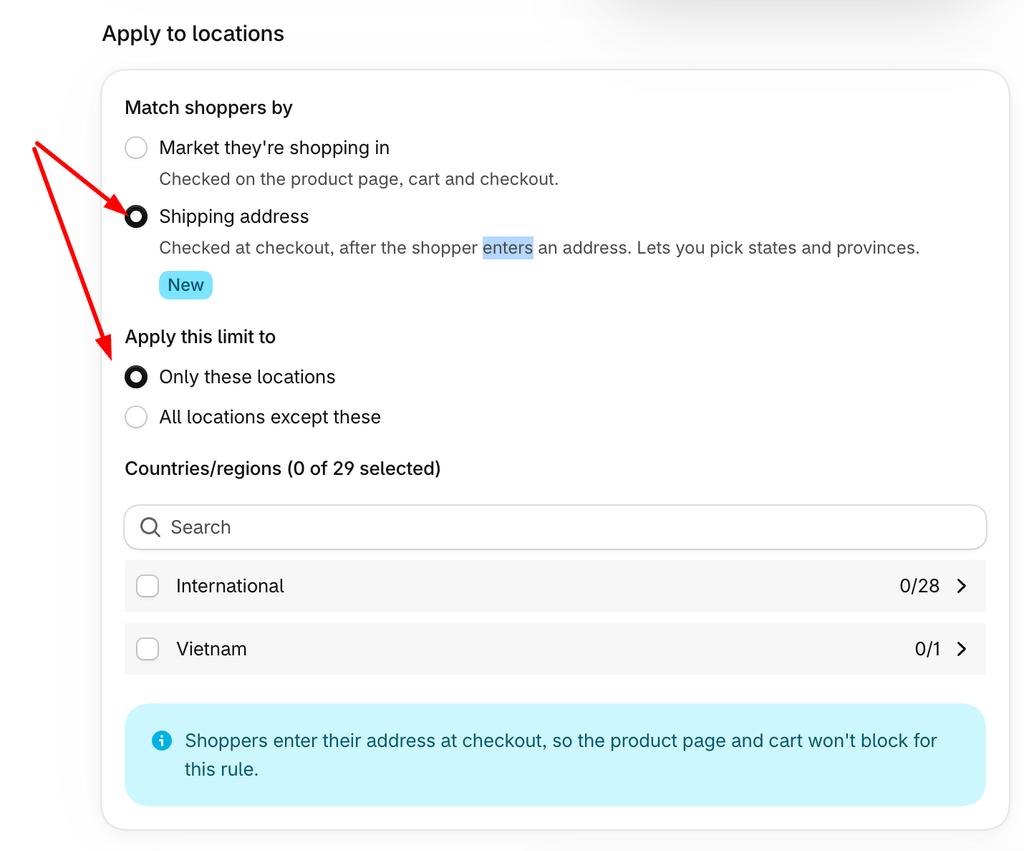
- Match shoppers by Shipping address: target locations by the address entered at checkout, down to state or province.
- Availability: the templates and settings are available on paid plans, including Pareto Usage and Pareto Yearly.
Why a Per-Address Purchase Limit Stops Resellers on Shopify
- Closes the new-email loophole: a per-customer limit resets every time a reseller signs up again. A per-address limit does not.
- Catches guest checkouts: guest orders have no customer account to count against, but they still have a shipping address.
- Protects limited stock for real customers: when one household cannot clear a drop, more shoppers get a chance to buy.
- Handles messy address entry: Pareto normalizes addresses before matching, so small spelling changes do not create a “new” address.
How Pareto Counts Purchases per Shipping Address
In the new Count purchases by setting, you choose who a Quantity limit applies to:
- Each customer: counts each customer’s purchases. Checked on the product page, cart and checkout.
- Each shipping address: counts all orders shipped to the same address, regardless of account or email. This catches guest checkouts and extra emails.
- Each customer and each shipping address: blocks a customer who reaches the limit for the same shipping address.
- All customers combined: counts everyone in the Target customer group together.
Smart address matching
Abbreviations match their full forms, so “St” and “Street” count as the same address, and “Apt” and “#” count as the same address. A different apartment number counts as a different address, so neighbors in the same building are not blocked by each other’s orders.
Past orders count too
When you count by shipping address, Pareto also counts past orders within the timeframe you pick (Per day, Per month, Per year or Lifetime). A banner shows in the app while Pareto counts them.
Limit or Block Sales by State or Country on Shopify
Some products cannot ship everywhere. If you need to limit or block items like vapes, knives or supplements in certain states, set Match shoppers by to Shipping address in the Apply to locations step.
- Only these locations: the limit applies only to orders shipping to the countries and states you select.
- All locations except these: the limit applies everywhere except the locations you exclude.
- State-level control: click All states next to a country to choose specific states or provinces.
- Market they’re shopping in: still available and works as before, checked on the product page, cart and checkout.
Step-by-Step: Limit Purchases by Shipping Address in Pareto
Quick setup (6 steps)
- Go to Limit purchase -> Create limit.
- Pick a template: One per household or Shipping Address Limit. You can also build a custom Quantity limit and turn the settings on yourself.
- Set the limit rule: enter the minimum and maximum purchase quantity for the selected products, then choose an option under Count purchases by.
- Select the timeframe: Per order, Per day, Per month, Per year or Lifetime.
- In Apply to locations, choose Match shoppers by and Apply this limit to, then pick your countries and states.
- Set your Target customer and Schedule, then write the message shoppers see when an address reaches the limit in Display settings.
For screenshots of each step, see the limit purchases by shipping address setup guide.
Start Limiting Purchases by Shipping Address Today
A purchase limit is only as strong as what it counts. Emails and accounts are easy to replace, while the place an order ships to is much harder to change. By counting purchases where they ship, Pareto Order Limits closes the gaps resellers rely on, so your limited stock reaches more real customers and restricted products only ship where you allow them.
Shipping address limits are live now in Pareto Order Limits. Not sure which setup fits your store? Message us through live chat and we will help you choose.
👉 Stop Resellers at the Shipping Address
Set one-per-household limits and block sales by state with ready-made templates.
Install Pareto Order Limits