
Pareto AOV Apps Are Safe: Not Affected by the October 2026 Shopify Checkout Hijacking
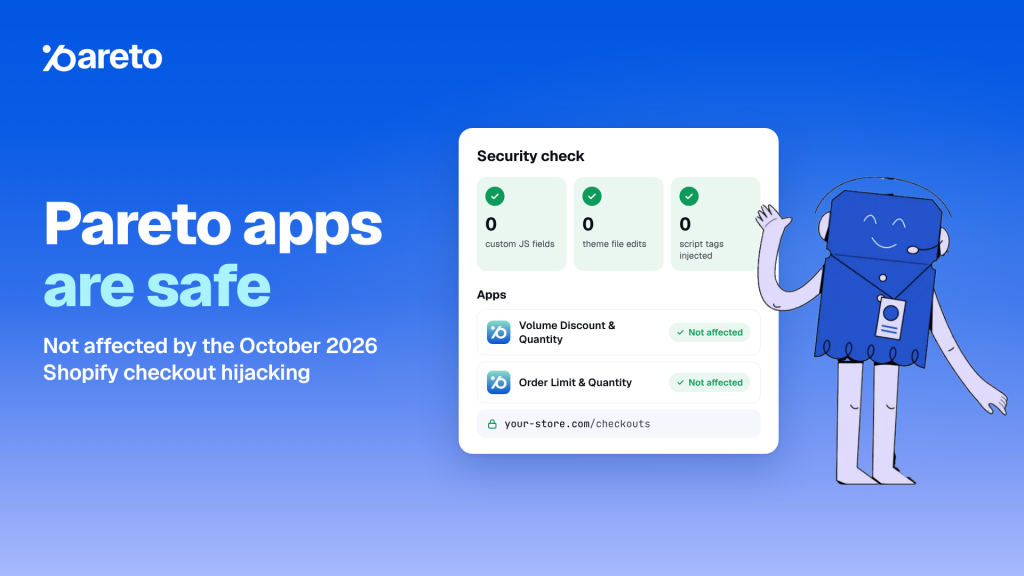
Between October 10 and 21, 2026, a wave of attacks used a handful of third-party Shopify apps to send shoppers to fake checkout pages. If you run Pareto AOV, here is the short version: neither Pareto app was affected, and the reason is structural, not luck.
Quick answer: Pareto Quantity Breaks and Pareto Order Limits are not on any list of affected apps. The attack abused app settings that let custom JavaScript reach the storefront. Pareto has no field for custom JavaScript, cannot edit theme files or inject script tags, and never touches Shopify’s checkout page.
Below you’ll find what happened, exactly why Pareto is built differently, and a 5-minute checklist you can run on your own store today, whatever apps you use.
What happened in the Shopify checkout hijacking attack?
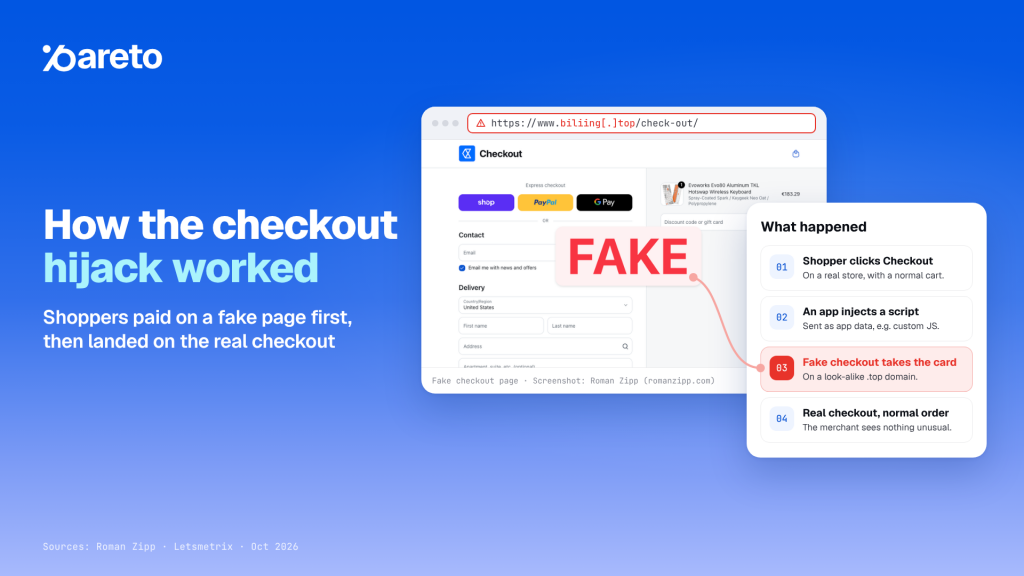
Starting October 10, 2026, shoppers on some Shopify stores who clicked Checkout were quietly sent to a fake checkout page on a look-alike .top domain. The page captured card and billing details, then forwarded the shopper to the store’s real checkout, so the order looked completely normal to the merchant.
Three details explain why it was hard to spot:
- The code wasn’t in the theme. It arrived as app data: an app’s server returned attacker JavaScript through a setting that lets merchants paste custom JS or HTML (Roman Zipp’s analysis).
- It ran once per browser session. A merchant re-testing in the same tab saw the normal checkout.
- Orders looked normal. Because shoppers ended up on the genuine checkout, nothing unusual showed in the order list.
Shopify’s own checkout was not breached. The fake pages lived on outside domains, and the malicious code came through individual app developers’ systems (Letsmetrix timeline).
The apps confirmed by their own developers as part of the October wave are Hulk Product Options, Selleasy and Swym Wishlist Plus. Each developer has published its own statement and remediation steps.
Shopify has since responded on two fronts. On October 20 it added a storefront prompt that asks customers to confirm before they are sent to a website outside the store (Shopify Changelog). The same day it asked app partners to adopt a set of security measures, including expiring access tokens (Securing your app, together).
Phishing domains reported so far
These domains are defanged on purpose. Do not visit them.
| Domain | Where it was reported |
|---|---|
| biliing[.]top | Hulk Product Options and Selleasy cases |
| checkout-confirm[.]top | Hulk Product Options case |
| order-confirm[.]top, account-confirm[.]top, billing-confirm[.]top | Listed by Roman Zipp |
| checkout-guard[.]top | Swym guidance and an October 19 merchant report |
| checkout-secure[.]top | Listed by Ethercycle |
Why Pareto apps are safe by design
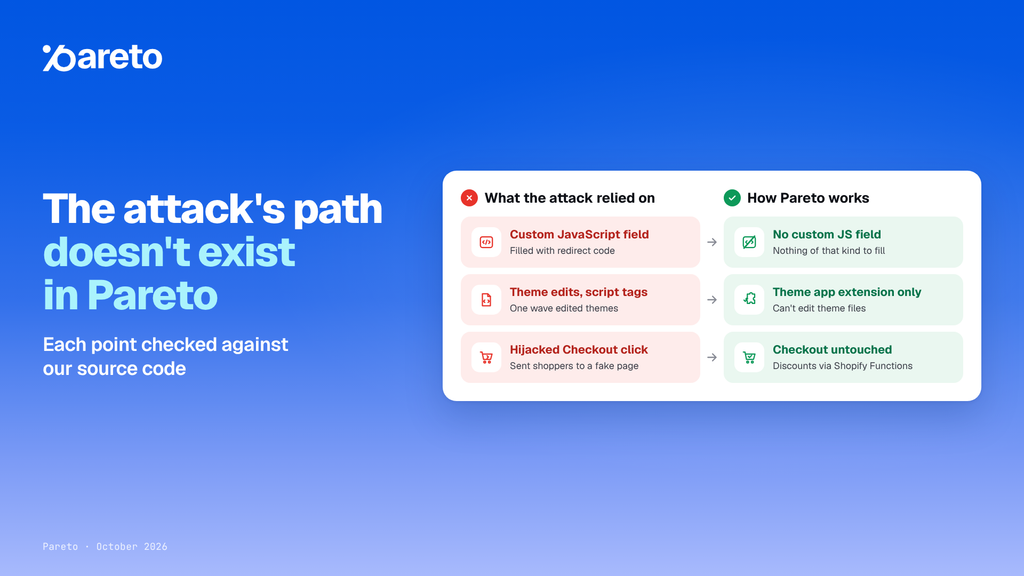
Pareto is safe because the path this attack used doesn’t exist in our apps. We checked each point below against our source code before publishing.
| What the attack relied on | How Pareto works |
|---|---|
| A settings field where custom JavaScript could be entered and sent to the storefront | Pareto has no field for entering custom JavaScript |
| App code that can change theme files or add script tags | Pareto cannot edit theme files or inject script tags; it displays only through Shopify’s official theme app extension |
| Intercepting the click that leads to checkout | Pareto does not touch Shopify’s checkout page; discounts apply through native Shopify Functions |
1. No custom JavaScript field
This is the biggest difference. In the Hulk Product Options and Selleasy cases, attackers abused a setting that accepted custom JavaScript and filled it with redirect code. Pareto offers no such field, so there is nothing of that kind to fill.
2. No theme file edits, no script tags
Pareto has no permission to modify your theme files or insert script tags into your store. Widgets appear only through Shopify’s own theme app extension, which you switch on or off under Online Store > Themes > Customize > App embeds.
This also closes the route used in Swym’s second wave, where attackers used the app’s own Shopify access to edit themes.
3. Shopify’s checkout stays Shopify’s
Pareto does not interfere with Shopify’s checkout page. Quantity breaks, bundles and other discounts are calculated by Shopify Functions, Shopify’s native discount engine.
4. Protected, short-lived access tokens
- Your Shopify access token is encrypted with AES-256 when stored.
- Pareto uses expiring access tokens that refresh automatically, the standard Shopify asked all app partners to adopt on October 20, 2026.
5. Server software patched promptly
On October 21, 2026, PHP released an emergency update for two remote code execution vulnerabilities (CVE-2026-109618 and CVE-2026-109619), and Shopify asked app partners to apply it. Pareto has already applied this update, so these vulnerabilities do not affect your store. We apply security updates to our server software as soon as they are released.
6. Certified security at company level
Pareto is built by Omega, which holds ISO/IEC 27001:2022 certification and a SOC 2 Type II report. Across our infrastructure, according to the Omega Trust Center:
- Data is encrypted with AES-256 at rest and TLS 1.3 in transit.
- Vulnerabilities are monitored continuously, and regular penetration testing is performed.
Omega serves 39,000+ merchants worldwide and commits to a 99.9% monthly uptime SLA.
7. Your data, handled minimally
- We collect only the data needed to run the app.
- We never sell or share merchant data.
- Data is deleted within 30 days of a deletion request, and all data is deleted immediately when you uninstall the app.
- A sub-processor list and a Data Processing Agreement are available.
8. Built for Shopify
Both Pareto apps carry the Built for Shopify badge, Shopify’s highest standard for app performance, design and integration. Pareto Quantity Breaks is rated 4.9/5 from 267 reviews and Pareto Order Limits 4.9/5 from 143 reviews, and Pareto has been on the Shopify App Store since 2016 (developer page).
Check it yourself: every commitment above is documented in the Omega Trust Center.
How to check if your Shopify store is affected
To check your store, run a test checkout in two fresh incognito windows and confirm the page never leaves your domain or Shopify checkout. Then review your app embeds and enable two-step authentication. The full check takes about five minutes, works whatever apps you use, and changes nothing in your store.
- Test checkout in a private window. Open an incognito window, go from a product page to the cart, then click Checkout. The address bar should stay on your own domain or Shopify checkout. Repeat in a new incognito window, because the malicious script ran only once per session.
- Review your app embeds. Go to Online Store > Themes > Customize > App embeds and switch off any embed you don’t recognize.
- List apps that accept custom code. Note every installed app whose settings let you enter custom JavaScript or HTML. These deserve the closest watch.
- Lock down your accounts. Change your password and turn on two-step authentication for Shopify and for each app vendor account you log in to.
If you find a redirect
- Contain it: turn on password protection for your online store.
- Disable the suspect app or its app embed.
- Keep evidence: take screenshots and note the time, the page URL and the fake checkout address. Never enter real card details on a suspicious page.
- Report it to Shopify Support and to the app’s developer.
What has Shopify changed since the attack?
Shopify has responded on three fronts:
- A redirect warning for shoppers. Since October 20, storefronts ask customers to confirm before sending them to a website outside the store (Shopify Changelog).
- New requirements for app partners. The same day, Shopify asked every app developer to act that week, including moving to expiring access tokens, sanitizing all rendered data and enabling two-step authentication (Securing your app, together).
- Tighter platform rules ahead. Shopify plans stricter boundaries for storefront app code, IP restrictions on app keys and higher App Store security requirements.
Our commitment to you
Security isn’t a one-off statement. Pareto will keep tracking and applying the new security requirements Shopify announced on October 20, 2026, and every platform change Shopify rolls out after them.
If you have any concern about your store or about Pareto, talk to a person:
- Support team: reach us from inside the Pareto app in your Shopify admin.
- Contact form:omegatheme.com/contact-us
- Security documents (DPA, sub-processor list, audit evidence): available on request for enterprise customers through our Trust Team via the Trust Center.