
Pareto Cart Recommendation: Boost AOV with Smart Tier Upsells
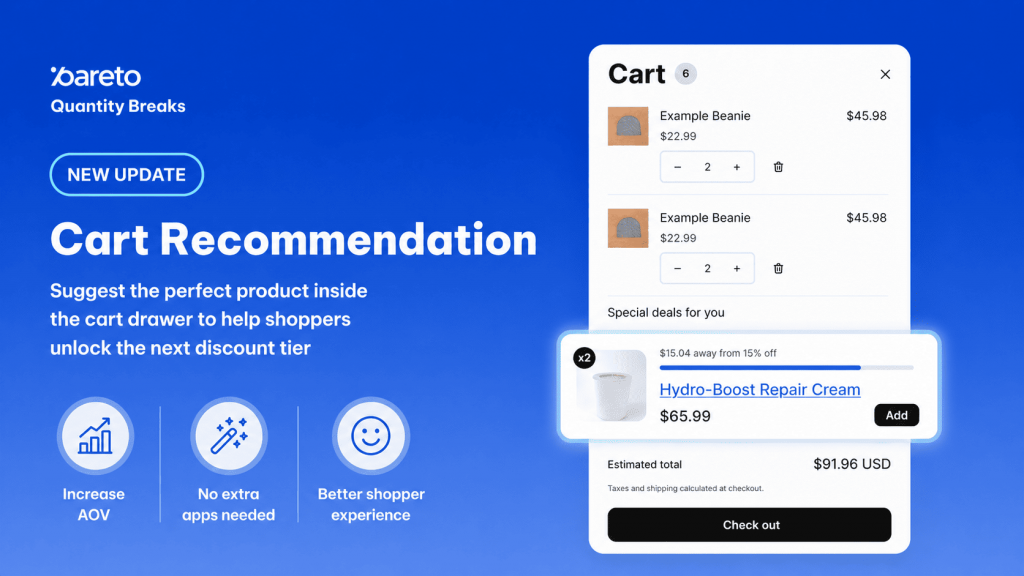
Your shoppers are often just one product away from unlocking a better discount, but without a clear nudge, they may never realize it. At Pareto, we want to ensure you never miss a chance to grow your orders while helping your customers save more.
Introducing Cart Recommendation: the smart way to turn standard carts into high-value revenue drivers.
What is Cart Recommendation?
Cart Recommendation is a campaign-aware product suggestion widget that lives directly inside your cart drawer. Unlike generic cross-sell tools, this widget reads what is currently in a shopper’s cart and suggests specific products most likely to help them reach their next discount tier.
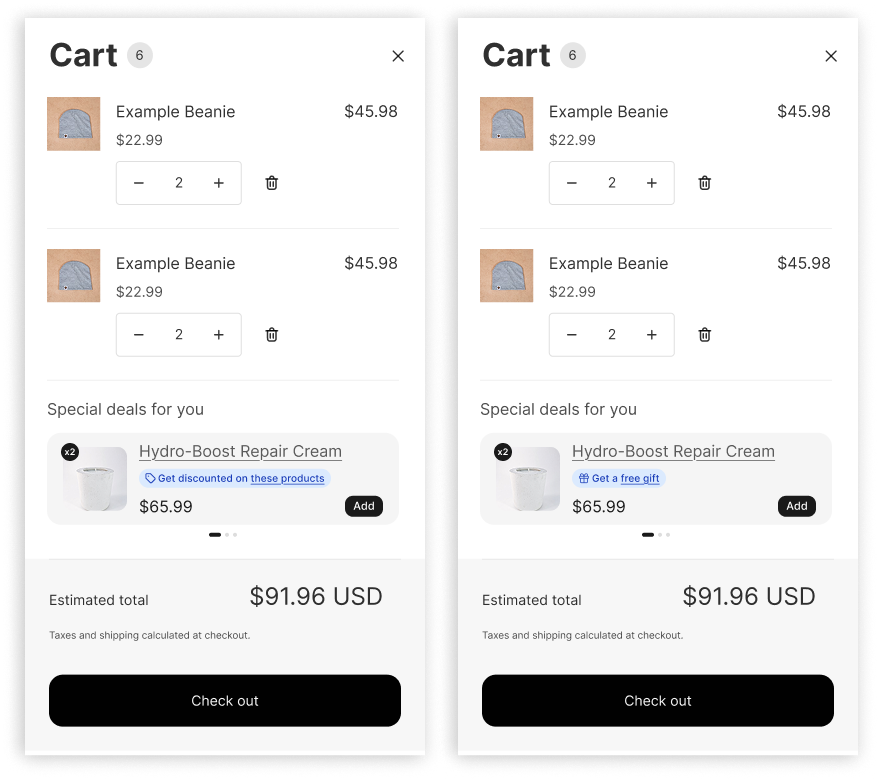
Smart Logic for Every Campaign Type
The recommendation engine adapts its logic based on the specific campaigns you are running:
| Campaign type | What gets recommended |
|---|---|
| Quantity Breaks, One Discount, Buy X Get Y (quantity-based) | Products that push the cart toward the next tier. No discount yet, suggest tier 1. Tier 1 reached, suggest tier 2. |
| Order Discount (value-based) | A product whose price is closest to the remaining amount needed to unlock the next tier. |
| Product Bundle, Bought Together | The missing product(s) needed to complete the bundle. If the cart has none of the bundle items, the full bundle is suggested. |
If multiple campaigns are active, the widget intelligently cycles through recommendations so shoppers always see something actionable.
Why You’ll Love It
- Increase AOV Naturally: Surface relevant items right before checkout to encourage one more addition to the cart.
- Frictionless Experience: Shoppers can reach the next tier without ever leaving the cart page.
- Simplify Your Tech Stack: Eliminate the need for a separate, expensive cross-sell app.
- Universal Compatibility: The widget works across all Shopify themes and most third-party cart drawer apps.
How to Set It Up in Minutes
Ready to start boosting your conversions? Follow these steps to get live:
- Activate a Campaign: Ensure you have at least one live campaign; for best results, keep 3 to 4 campaigns active (available on Basic plan and higher).
- Enable the Widget: Navigate to Boost Conversion > Cart Recommendation and click Customize.
- Toggle it On: Switch on the Show product recommendations in cart setting.
- Install the Snippet: Copy the code
<div class="pareto-cart_rcm"></div>and paste it into your cart drawer theme file where you want the widget to appear. - Choose Your Logic: Select AI Recommendation to let Pareto’s engine pick the best products, or set a Fixed number of products to show.
Customization & Advanced Controls
You have full control over how your recommendations look. You can customize section titles, button colors, and radius sizes to match your brand perfectly. Additionally, you can configure dynamic Offer Badges that use variables like {{discount}} and {{value_to_go}} to show customers exactly how close they are to a deal.
Note: The widget can be fed by up to 10 active campaigns at once. Free plan stores are limited to one active campaign at a time.
👉 Try Smart Recommendation
Use Cart recommendation to surface the right product inside the cart drawer, so shoppers reach the next discount tier without leaving the page.
Try Pareto on Shopify