
Shopify One-Click Upsell: Boost Sales with Smart Upselling Strategies
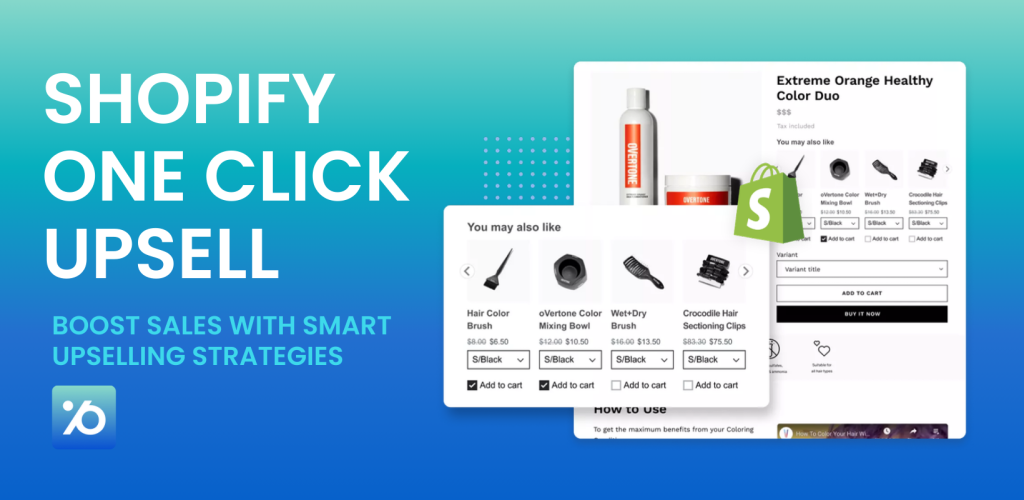
Want to squeeze more revenue from every customer? You’re in the right place. One-click upselling on Shopify can boost your average order value by up to 41% without spending a dime on new traffic. Here’s the thing: it’s way easier to sell more to someone who’s already buying than to find a brand-new customer. That’s why smart Shopify merchants use one-click upsells to turn small orders into big ones.
This guide shows you exactly how to set up one-click upsells that work. We’ll walk through everything from product page strategies to post-purchase offers, plus show you how to use the Pareto app to make it all happen without coding.
What Is A Shopify One-Click Upsell?
Shopify one-click upsell is a post-purchase feature that shows additional product offers right after customers complete checkout, but before they reach the thank you page. Since payment info is already saved, customers can add items with a single click without re-entering card details. No re-entering payment info, no extra checkout steps – just click and buy.
Think about it: someone just bought a phone case from your store. Right after they complete their purchase, you show them a screen protector for 20% off. They click “Add to Order” and boom – you just increased your sale by $15 with zero extra work.
That’s the power of one-click upselling. You catch customers when they’re already in buying mode and offer them something that makes sense.
Why One-Click Upsells Work So Well?
The numbers don’t lie. A study shows that 74% of shoppers are more likely to return to stores that give them a good upsell experience. When you offer relevant products at the right time, customers actually thank you for it. Merchants who nail their upsell strategy often see 30% or more of their total revenue come from upsells. That’s not a small change – that’s business-changing money.
Here’s what makes one-click upsells different from regular upsells:
- No payment friction – customers don’t re-enter card details
- Instant gratification – they get their add-on right away
- Smart timing – you offer when they’re already buying
- Relevant products – you suggest things that actually make sense
Benefits of Shopify One Click Upsell
Boost sales without extra traffic. Shopify one-click upsells let you:
- Instant boost in revenue: Upsells can increase average order value by up to 41%. A single $15 add-on can turn a $50 sale into $65 on the spot.
- Improves the shopping experience: Customers appreciate relevant offers that make their purchase more complete. It’s convenient, not pressure.
- Increases customer lifetime value: Shoppers who accept upsells are 74% more likely to return. A positive upsell moment builds long-term loyalty.
- Higher profit margins: You’ve already paid to acquire the customer. Upsells are extra revenue with minimal cost – almost pure profit.
- Works on autopilot: Once set up, upsells run 24/7 without additional effort. You earn more from the same traffic.
- Reduces cart abandonment: Well-placed offers add perceived value, encouraging customers to complete their purchase rather than abandon it.
How To Set Up Shopify One-Click Upsells
Our Pareto app makes setting up all these upsells incredibly easy. Instead of coding or juggling multiple apps, you get everything in one place.
Why Pareto Works So Well:
Pareto is “Built for Shopify” certified, which means it meets Shopify’s highest standards for quality and speed. It won’t slow down your store or cause conflicts with other apps or themes.
The app handles all the technical stuff automatically. When someone hits your volume discount threshold, the discount applies. When they see a bundle offer, they can add it with one click. Everything just works.
Bonus: This app combines volume discounts, bundles, cart promotions, one-click post-purchase upsells, and scheduled campaigns all in one unified dashboard.
Core Features That Matter:
- Volume Discounts: Set up “buy more, save more” pricing that applies automatically at checkout.
- Product Bundles: Create packages of related items with special pricing.
- Cart Promotions: Offer deals based on cart value or contents.
- Post-Purchase Offers: Show one-click upsells on thank-you pages.
- Scheduling: Set up campaigns to run automatically during sales periods.
The Setup Process:
Getting started with Pareto is straightforward:
✅ Step 1: Install Pareto from Shopify App Store
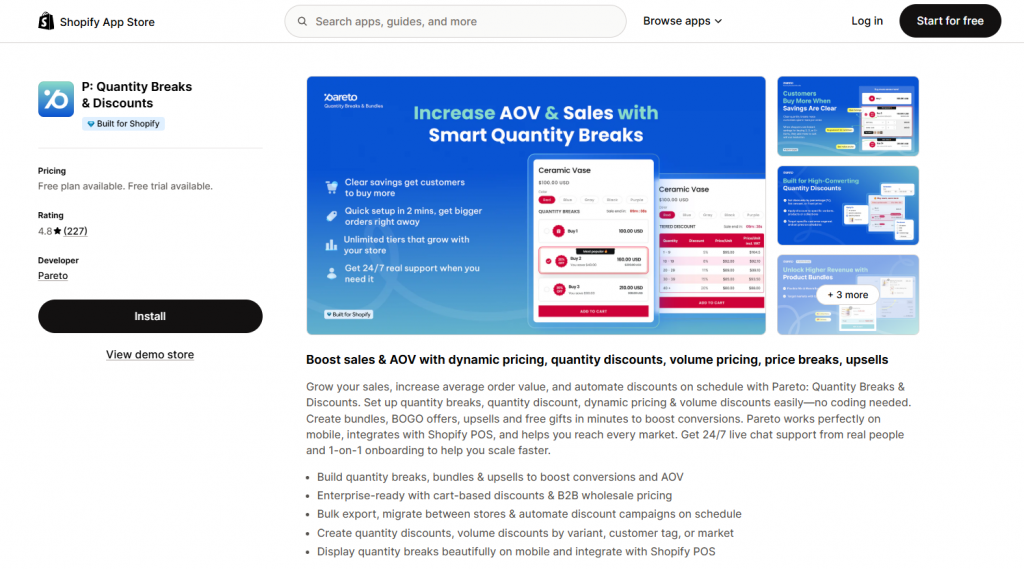
- Visit: P: Quantity Breaks & Discounts on Shopify
- Click Add app and follow the installation steps.
- Once installed, Pareto integrates directly into your Shopify admin.
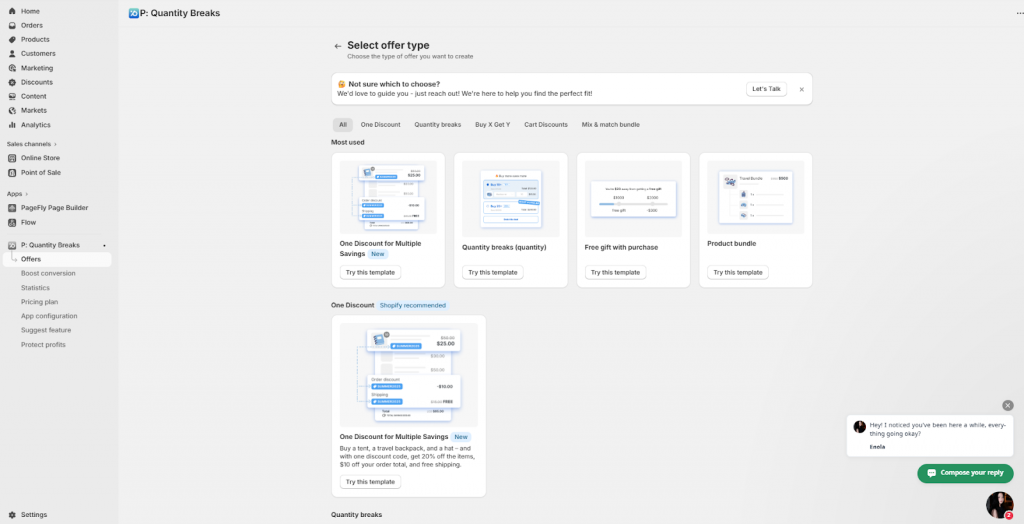
✅ Step 2: Choose Your Upsell Type
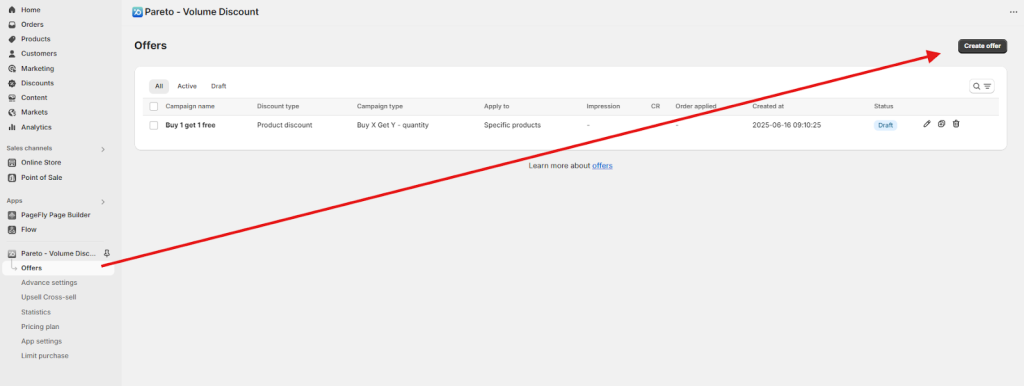
In the Pareto dashboard, click on “Offers” → “Add Offer”, and choose from:
- Cart Upsell (based on cart value or quantity)
- Buy X Get Y
- Mix & Match Bundle
- Volume Discount / Tiered Pricing
✅ Step 3: Set Rules and Conditions
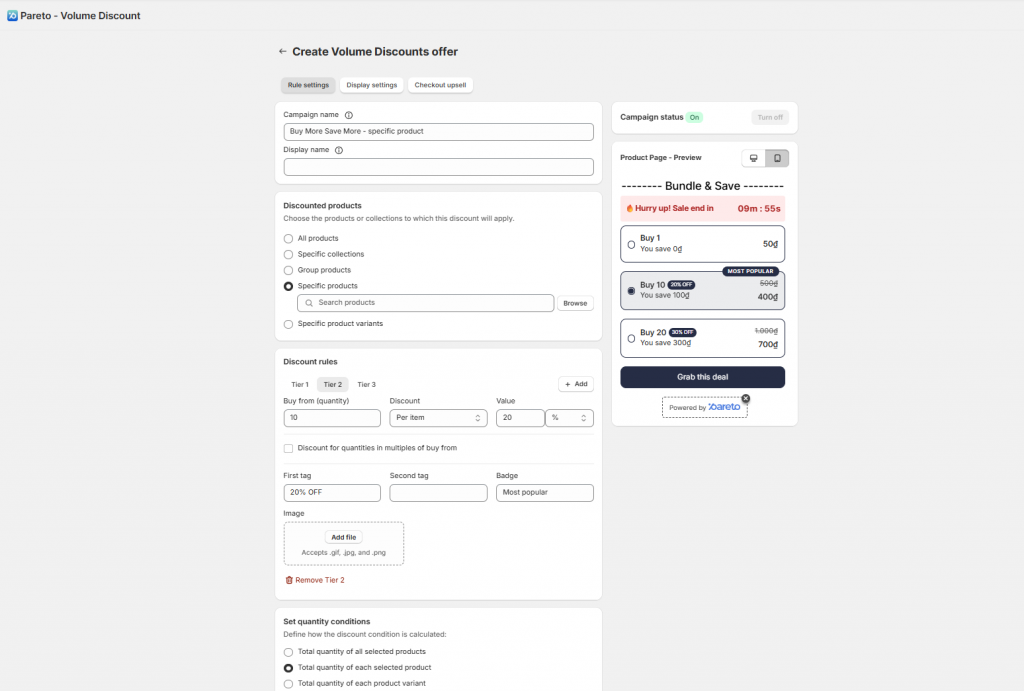
Depending on the offer type, define:
- Which products does the offer apply to
- Conditions like “Buy 1 to trigger this upsell”
- Discount method: fixed price, percentage off, free gift, etc.
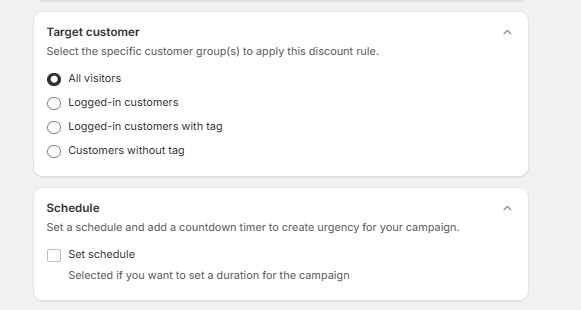
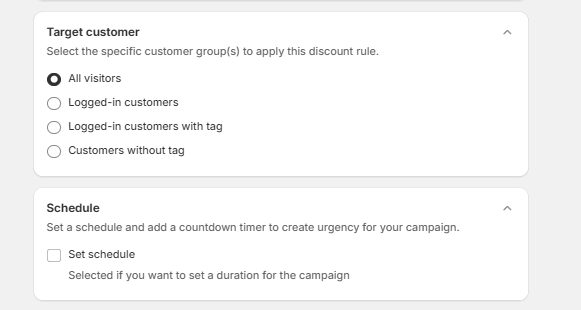
- Target audience (optional): e.g., only show to tagged customers or first-time buyers
✅ Step 4: Customize Display Settings
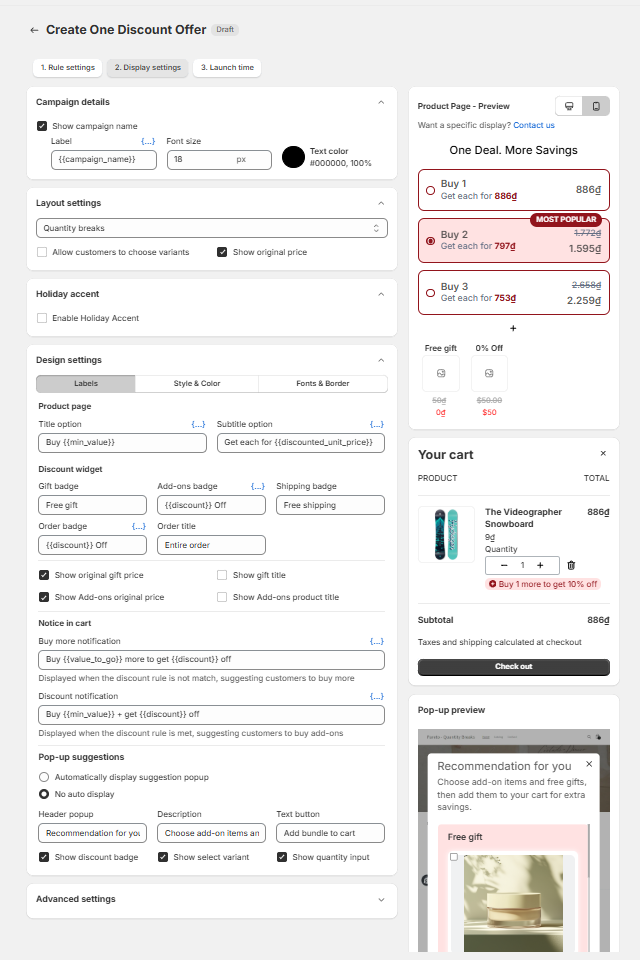
You can adjust button style, colors, fonts, countdown timers, and urgency messaging to match your store branding
✅ Step 5: Schedule the Campaign (Optional)
You can set:
- Start and end time (e.g., for flash sales or holiday offers)
- Pareto auto-activates/deactivates the campaign without you having to manually toggle it.
✅ Step 6: Activate and Test
- Click “Activate” the offer.
- Place a test order to verify:
- The offer shows on the right page (thank-you page, cart, etc.)
- Discounts are applied correctly
- An upsell item can be added with a single click
The whole process takes about 10 minutes for most offers. No coding required.
Other Effective Shopify Upsell Methods
One-click upsell isn’t the only way to increase average order value. Shopify merchants also use other upsell methods at different points in the buying journey – before checkout, during checkout, or after purchase. Here are three effective approaches that work alongside post-purchase upsells.
Thank You Page Upsells
After a customer completes a purchase, they’re directed to the thank you page — a screen that displays their order number, purchased items, and shipping info. But what many merchants overlook is that this page is actually a golden opportunity for another sale.
Customers often return to this page multiple times (typically via their order confirmation email). That means you can present upsell offers even after the sale is done, capturing additional revenue without disrupting the original transaction.
In-Cart Upsells
In-cart upsells are shown to the shopper before they check out — typically inside the cart page or slide-out drawer. These offers suggest complementary products based on what’s already in the cart, making the recommendation feel relevant and natural.
For example, someone buying a laptop might see a charger or a laptop sleeve recommended right in the cart. You can also offer add-ons like mystery gifts, shipping insurance, or express processing.
Checkout Upsells
For Shopify Plus users, checkout becomes another smart place to upsell. With the right tools, you can display relevant offers during the checkout process itself, just before the customer finalizes their purchase.
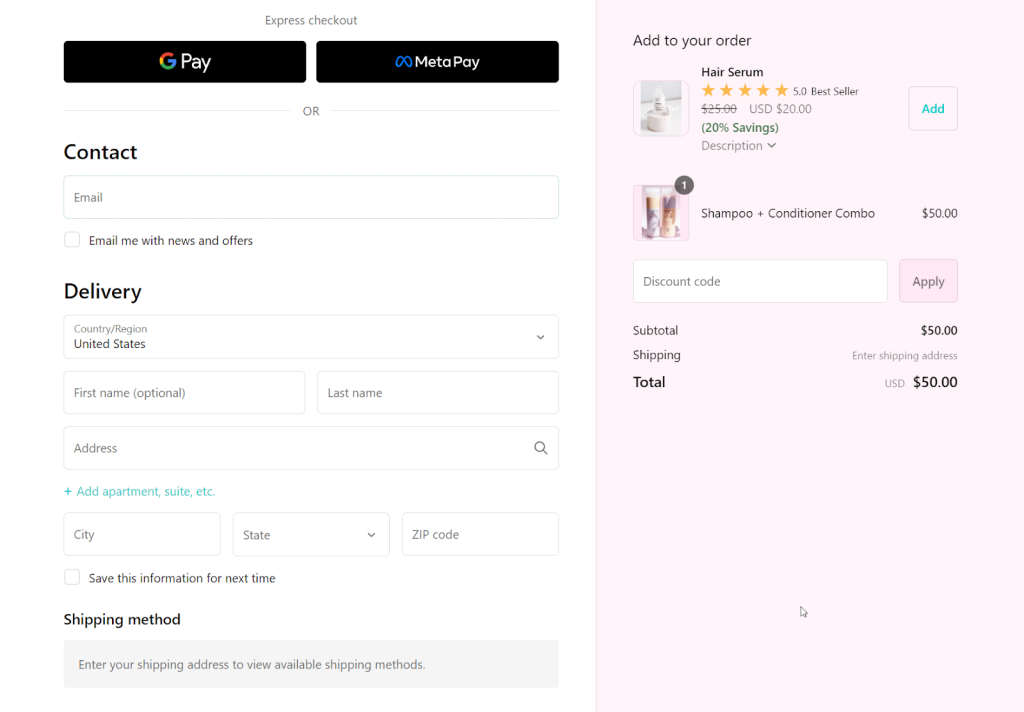
The most successful checkout upsells are highly contextual — they align with what the customer is already buying. If someone is buying running shoes, you might suggest cushioned insoles or sports socks at a small discount.
How To Make Shopify One Click Upsell Work Best?
Product pages are goldmines for upselling. Someone’s already interested in your product – now you just need to show them how they can get more value.
Bundle Offers
The best bundles solve a complete problem. Don’t just throw random products together. Think about what your customer really needs.
Say you sell coffee beans. Instead of just offering “beans + mug,” create a “Perfect Morning Bundle” with beans, a grinder, and filters. Price it so customers save 15% compared to buying separately.
Here’s how to create bundles that sell:
- Start with your best-selling product as the main item
- Add 1-2 complementary products that make sense
- Offer a discount that feels substantial (10-20% works well)
- Give the bundle a catchy name that highlights the benefit
- Show the savings clearly – “$89 value, now just $75”
Quantity Discounts
Volume discounts work because they make customers feel smart to buy more. The key is making the math obvious.
Instead of complex tiers, keep it simple:
- Buy 1: Regular price
- Buy 2: Save 10%
- Buy 3+: Save 20%
Display this right on the product page so customers see the savings immediately. Many stores use a small table or widget that shows “Save $X when you buy Y more.”
The “Frequently Bought Together” Strategy
The “Frequently Bought Together” strategy works especially well for stores with lots of related products. Look at your order data and find items that customers often buy together.
For example, if 60% of customers who buy yoga mats also buy yoga blocks, show those items together with a small discount for buying both.
The beauty of this approach is that it feels helpful, not pushy. You’re just showing customers what other people found useful.
Use Customer Data for Smart Personalization
Generic upsells can work, but personalized ones work better. Leverage data from purchase history, customer location, or behavior to craft targeted offers. For example, show pet food to returning buyers who purchased toys previously. Apps like Pareto Quantity Breaks can help analyze shopper behavior and suggest tailored products, just like Amazon does (where 30% of their revenue reportedly comes from personalized recommendations).
Create Real-Time Urgency
When customers feel a limited-time opportunity, they act faster. Adding countdown timers, low-stock messages, or exclusive “only available now” language creates that sense of urgency. Even something simple like “Claim this offer within the next 5 minutes” can prompt a decision that boosts conversion rates.
Shopify One Click Upsell FAQs
Are there additional fees for using one-click upsell apps?
Yes, most apps charge either a monthly subscription or a fee based on upsell revenue. Always review the app’s pricing before installation,
Can I use discount codes with one-click upsells?
Discount codes applied at Shopify Checkout do not affect the price of one-click post-purchase upsell or downsell offers.
Your Next Steps
One-click upsells aren’t just a nice-to-have feature – they’re essential for any serious Shopify store. The difference between stores that use upselling and those that don’t is often the difference between struggling and thriving. Help customers add more to their cart right after purchase and grow your average order value by up to 50%. The strategy is proven, the tools are ready – start your first upsell campaign today and turn every order into a bigger win.