
How To Show Shopify Product Recommendations On Your Store?
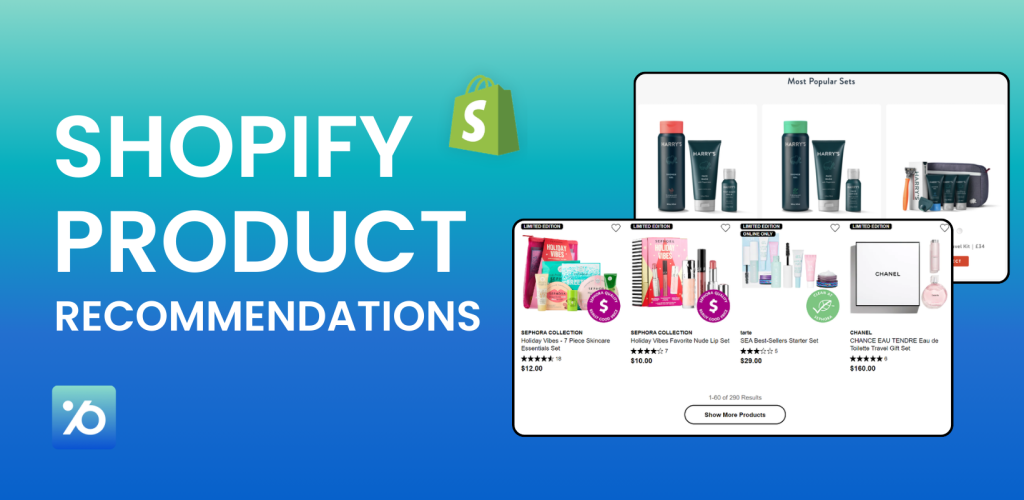
Ever wonder why Amazon keeps showing you products you actually want to buy? That’s the power of product recommendations. When done right, these simple suggestions can turn a $20 sale into a $50 one – no pushy tactics needed. Shopify product recommendations work the same way. They show customers items they might like based on what they’re already browsing. Think of it as a digital sales assistant that never sleeps.
Most store owners barely scratch the surface here. They either skip recommendations entirely or set them up once and forget about them. That’s money left on the table. This guide shows you exactly how to use Shopify recommended products to boost your sales – from the basics to advanced apps that can seriously grow your revenue.
What Are Shopify Product Recommendations?
Shopify product recommendations are suggestions that appear across your store pages – things like “You might also like,” “Customers who bought this also bought,” or “Recommended for you.”
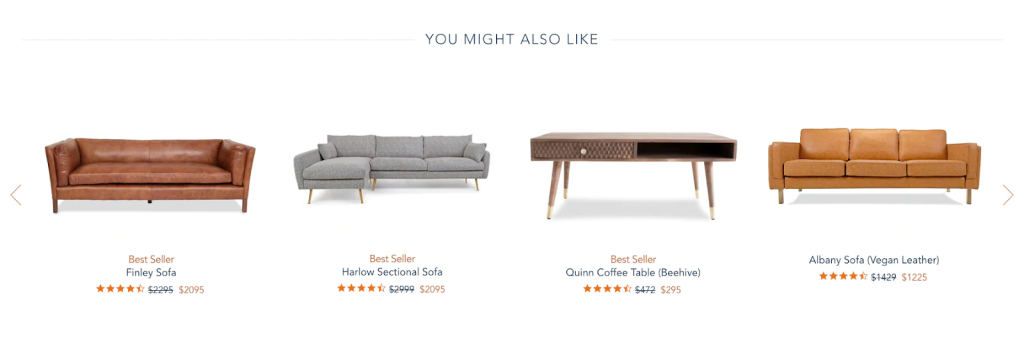
These aren’t random picks. Shopify’s system looks at what other customers bought, which items have similar descriptions, and what belongs to the same collections. So if someone’s browsing a coffee mug, it might suggest coffee beans or a matching plate. It makes sense to the shopper and bumps up your sales.
There are two main types:
- Related products – Similar items that could replace what someone’s viewing. Looking at a blue t-shirt? Related products might be the same shirt in other colors.
- Complementary products – Items that pair well with the main product. For that coffee mug, a coaster or bag of coffee beans fits perfectly.
Shopify generates related product suggestions automatically. Complementary products need a bit of setup on your end using Shopify’s free Search & Discovery app.
Why Product Recommendations Matter for Your Shopify Store
Product recommendations aren’t just nice to have – they’re revenue drivers. Here’s what they do for your store:
- Increase sales. Product recommendations drive about 31% of online store revenue (source: Barilliance). Amazon credits 35% of their sales to their recommendation system. When customers see relevant suggestions, they buy more.
- Boost order values. Instead of selling one item, you sell two or three. Someone buys a $30 shirt and adds a $15 belt from your recommendations – that’s 50% more revenue from the same customer.
- Make shopping easier. Good recommendations save customers from hunting around for matching items or accessories. You’ve already picked the right combinations for them.
- Bring customers back. When shoppers consistently find useful suggestions, they trust your judgment. They’re more likely to return and buy again.
- Get more from your traffic. You’re already paying to bring people in through ads or SEO. Recommendations squeeze more value from each visitor without extra marketing spend.
The numbers back it up. Stores using smart recommendations typically see 10–15% higher conversion rates – more sales from the same traffic you already have.
How Shopify Product Recommendations System Works
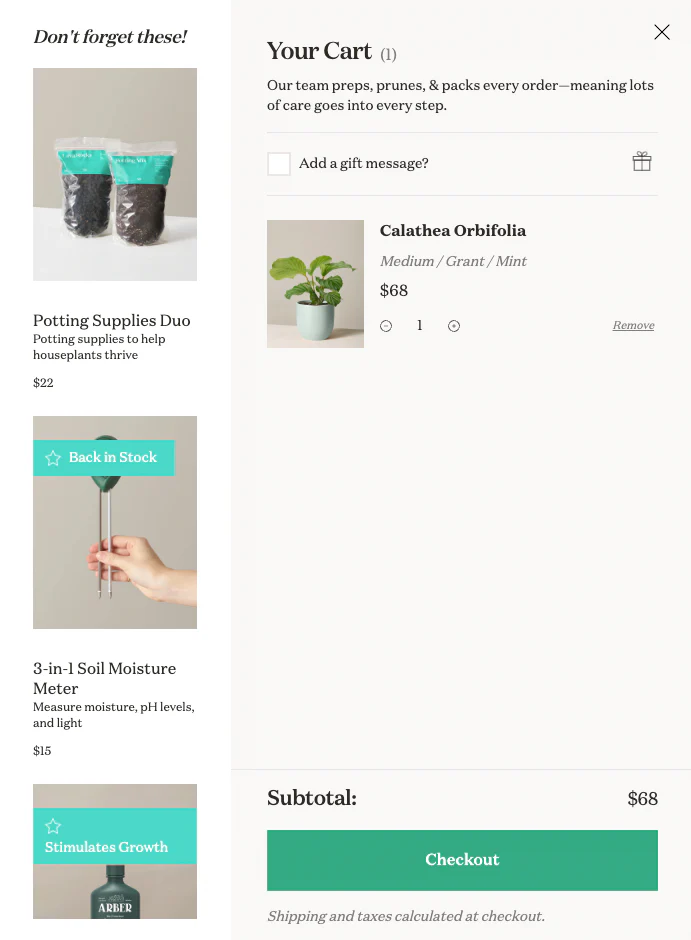
Shopify’s built-in system is pretty smart. It automatically suggests up to 10 related products for every item in your store. Here’s how it decides what to recommend:
- Past Purchase Data: If customers often buy products A and B together, Shopify will suggest product B when someone looks at product A. This is based on real buying patterns from your store.
- Product Information: Shopify reads your product descriptions and finds items with similar keywords. Two products with similar attributes get recommended together.
- Collection Matching: If there’s not enough data from the above methods, Shopify suggests other products from the same collection. So items in your “Summer Collection” might recommend each other. The system gets smarter over time. As more customers buy from your store, the recommendations become more accurate.
- What Products Can Be Recommended: Shopify only suggests products that are:
- In stock and available
- Priced above $0 (no free products)
- Not gift cards
- Active on your online store
- Not already in the customer’s cart
This ensures customers only see items they can actually buy.
How To Set Up Product Recommendations in Shopify?
Getting recommendations for your store is easier than you might think. Most modern Shopify themes already support them – you just need to turn them on.
Option 1: Use Shopify’s Built-In Recommendation System
Most modern Shopify themes include a Product Recommendations or Related Products section on product pages.
How to turn it on:
- Go to Online Store → Themes in your Shopify admin
- Click Customize on your current theme
- Open a Product page template
- Look for a section called Product recommendations or Related products
- Enable the section
- Choose how many products to display (4 is usually a good balance)
- Save your changes
That’s it. Your store will now automatically show recommended products based on Shopify’s algorithm.
How Shopify decides what to show
Shopify typically uses:
- Purchase history
- Products often bought together
- Similar product descriptions
- Shared collections
This works well as a starting point. However, you don’t have much control over strategy or incentives.
If you don’t see a recommendations section in your theme, it may not support it. In that case, you can switch to a newer theme or use an app to add the functionality.
Option 2: Improve Control with Shopify’s third party apps
Shopify’s automatic recommendations are a solid starting point, but most merchants outgrow them quickly. The built-in system picks products based on limited data – purchase history, similar descriptions, and collection matching. It doesn’t let you control pricing incentives, set up bundles, or tailor suggestions by customer segment.
That’s where apps come in. You have two main routes:
Free option
If you want more control over which products appear, Shopify offers a free app called Search & Discovery. This lets you manually define related and complementary products. What you can do:
- Add up to 10 complementary products
- Add up to 10 related products
- Choose whether to show only your selected items
- Or mix your picks with Shopify’s automatic suggestions
Here’s how to set up Shopify product recommendations with Shopify Search & Discovery:
- Install the app from the Shopify App Store
- Go to Product Recommendations in the app
- Click Add Recommendations
- Select a product you want to customize
- Add up to 10 complementary products and 10 related products
- Choose whether to show only your picks or mix them with automatic suggestions
- Save your changes
⚠️ The limitation? It only controls which products appear. There’s no way to attach discounts, create bundles, or set quantity breaks. So customers see the suggestion but have no extra incentive to act on it. For stores with a small catalog and straightforward needs, that’s fine. For stores trying to grow AOV, it falls short.
Paid options
As your store grows, you may want recommendations that do more than just suggest products. Paid apps allow you to:
- Add bundle pricing
- Offer volume discounts
- Create quantity breaks
- Show dynamic upsells in cart or checkout
- Use AI for deeper personalization
This approach helps turn recommendations into real revenue drivers instead of passive product lists.
Pareto Makes Shopify Product Recommendations Effortless
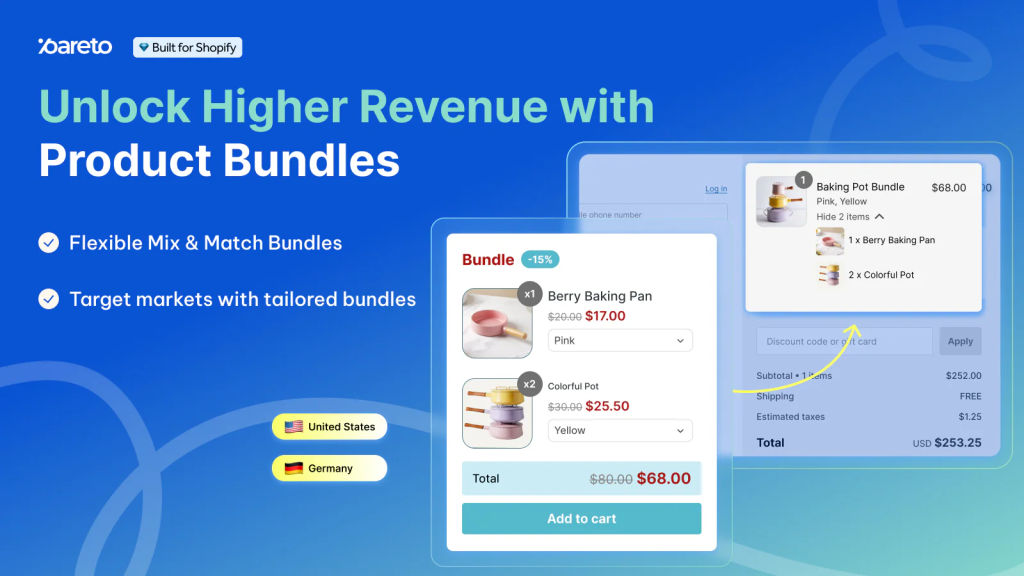
Here’s something most merchants discover after setting up product recommendations: customers browse the suggestions, sometimes click through, but don’t actually add extra items to the cart. The recommendations are showing the right products – that’s not the issue. What’s missing is a reason to buy more than one thing.
P: Quantity Breaks & Discounts (Pareto) solves this by connecting your product recommendations to pricing incentives. Instead of a standalone “You might also like,” customers see offers that make adding another item worth it.
Say you sell skincare. A customer is viewing a moisturizer, and your recommendations suggest a cleanser and a serum. Without Pareto, those are just suggestions. With Pareto, that same customer sees “Buy any 3 skincare items, get 15% off” – and suddenly the recommendation becomes a deal worth acting on.
On the practical side, a few things stand out for stores dealing with real daily operations:
- Set volume discounts by variant, customer tag, or market – handy if you’re running DTC and wholesale from the same store
- Discount logic carries over to Shopify POS, so your physical register applies the same deals without staff doing math on the fly
- Schedule promotions to launch and end automatically – no more setting alarms to manually flip discounts on or off
- Bulk export campaigns between stores if you manage multiple locations
- Everything displays cleanly on mobile, which matters when that’s where most of your shoppers are browsing
The free plan covers the basics, and paid tiers unlock more as you grow.
Product Recommendation Strategies That Actually Work for Shopify Stores
Turning on product recommendations is easy. Making them drive real revenue is where strategy matters.
If you want to increase average order value, improve conversions, and guide customers toward smarter purchases, you need more than a basic “You may also like” section. Below are the most effective product recommendation strategies for Shopify stores — explained in a simple, practical way.
Frequently Bought Together (On the Product Page)
This is one of the most powerful and proven strategies for increasing average order value.
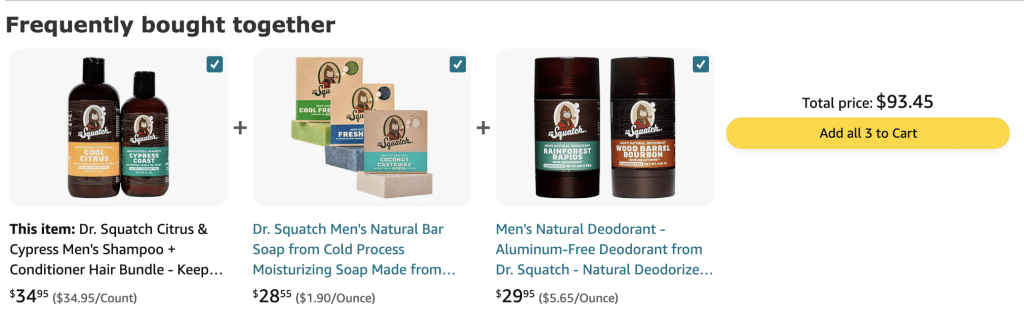
The idea is simple: show products that naturally go together.
Examples:
- Phone + case + screen protector
- Necklace + matching earrings
- Skincare serum + moisturizer
- Camera + memory card
When customers are already interested in a product, they’re more open to adding related items. That’s why this section performs best directly on the product page.
Why it works:
- It feels helpful, not pushy
- It reduces the effort of finding complementary items
- It increases cart size before checkout even begins
For best results, show 2–4 highly relevant products and allow customers to add them with one click.
💡Learn More: How to Add Frequently Bought Together on Shopify
“Complete the Look” for Fashion and Lifestyle Stores
If you sell fashion, jewelry, or home decor, this strategy can significantly boost sales.
Instead of focusing on function, “Complete the Look” focuses on style. You’re not just selling a product — you’re selling a coordinated experience.
For example:
- A dress paired with matching shoes and a handbag
- A gold necklace styled with earrings and a bracelet
- A sofa displayed with matching cushions and a rug
This works because customers often want inspiration. When you show them how items work together, you remove uncertainty and increase the chance they’ll buy multiple pieces.
Related Products (Similar Items)
Related products are designed to keep customers browsing.
Sometimes a shopper likes the idea of a product but isn’t fully convinced. Showing similar items gives them options instead of losing them.
This is especially effective when:
- Products have multiple styles or price ranges
- Customers are comparing alternatives
- You have a large catalog
While Frequently Bought Together increases order value, Related Products help improve conversion rate by making sure customers find something that fits their needs.
Cart Page Upsells
Once a customer adds something to their cart, their purchase intent is high. This is one of the best moments to suggest an additional item.
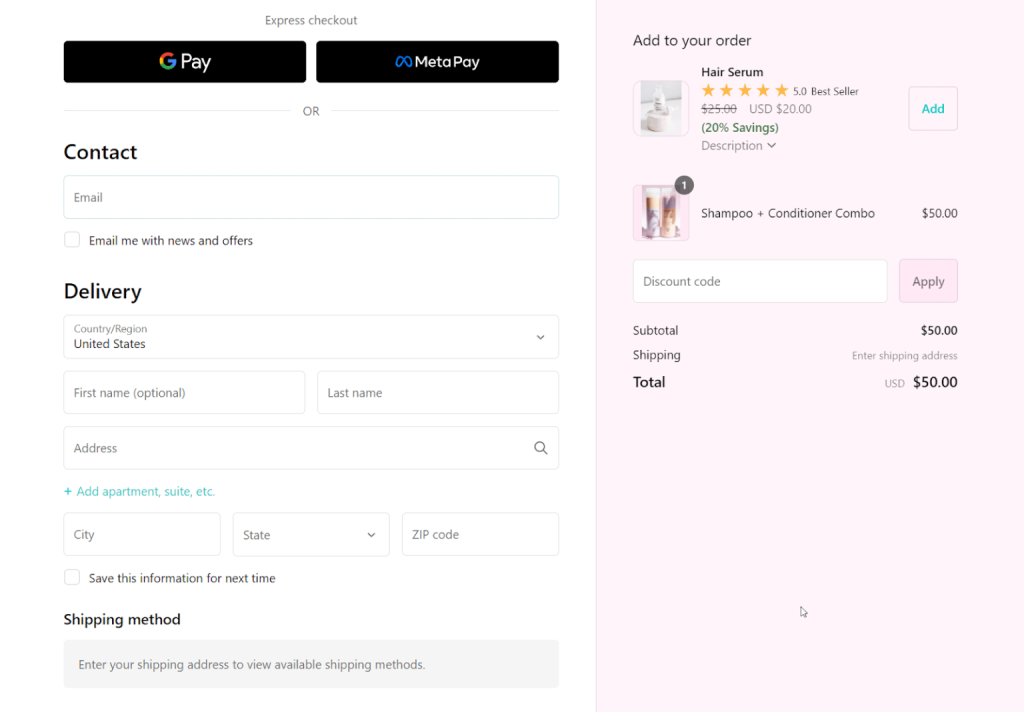
Cart upsells typically include:
- Small add-ons
- Gift wrapping
- Warranty or protection plans
- “Spend $X more to unlock free shipping” suggestions
Because the customer has already committed to buying, even a small extra recommendation can significantly increase revenue.
The key is simplicity. Show 1–3 highly relevant options and make them easy to add without leaving the cart.
One-Click Post-Purchase Upsells
This strategy happens after checkout — when the customer has already completed their order.
It’s powerful because it doesn’t risk lowering your main conversion rate.
You can offer:
- Accessories
- Refills
- Limited-time add-ons
Since payment details are already processed, customers can add the product to their order with a single click.
For many Shopify stores, one click post-purchase upsells generate additional revenue with very little friction.
Bundles and Quantity Discounts
If you sell consumables, accessories, or customizable products, bundles and quantity breaks are extremely effective.
Examples:
- Buy 2, save 10%
- Buy 3, save 15%
- Starter kits or curated product sets
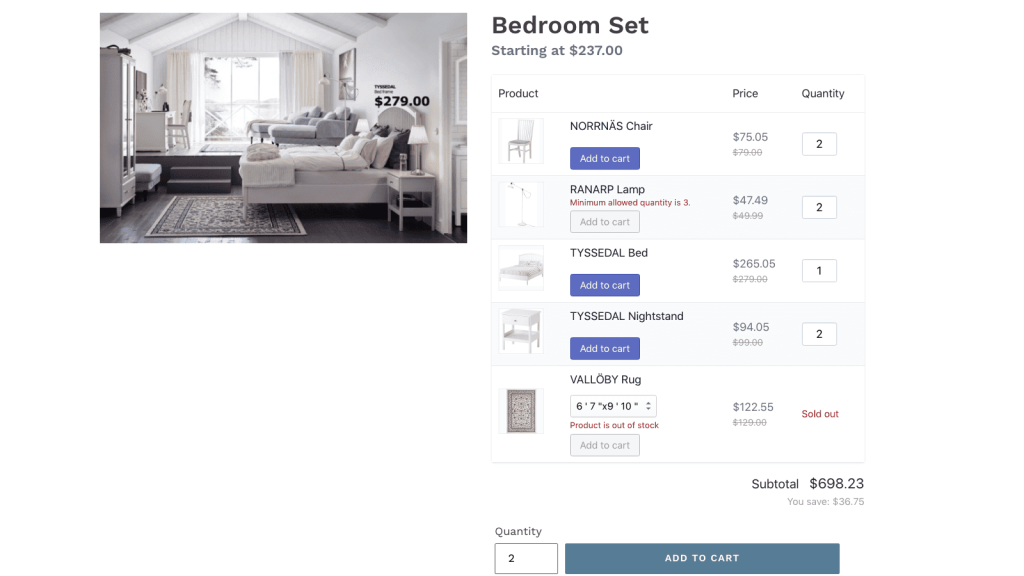
This strategy works because it shifts the focus from “Do I want this?” to “How much value can I get?”
When combined with product recommendations, bundles can dramatically increase average order value.
Future Trends in Product Recommendation Technology
Product recommendations are getting smarter, more personal, and more interactive. Instead of just showing “You may also like,” modern technology now adapts to each shopper in real time.
Here are the key trends shaping the future:
AI-Powered Personalization
AI can now analyze browsing behavior, clicks, time on page, and purchase history to understand what customers actually want.
Instead of showing the same popular products to everyone, AI recommends products based on:
- What a shopper is viewing right now
- Their past behavior
- Their budget and style preferences
In the future, AI may even create personalized product bundles or adjust website content automatically for each visitor.
Conversational Recommendations (AI Chat)
More online stores are adding AI chat assistants that work like virtual salespeople.
Shoppers can type something like: “I need a birthday gift under $100.”
The AI instantly suggests relevant products. This makes shopping faster and more natural.
AR Visual Try-On & 3D Preview
Augmented Reality (AR) allows customers to see how products look before buying.

With AR, shoppers can:
- Try on jewelry or glasses virtually
- Preview furniture in their own room
- See personalized or engraved products in 3D
When combined with AI recommendations, this creates a powerful shopping experience. For example, after trying on a bracelet, the store can suggest matching earrings automatically.
Real-Time Intent Detection
Future recommendation systems focus on understanding customer intent, not just past data.
For example, AI can detect if someone is:
- Shopping for a gift
- Looking for budget options
- Interested in premium styles
This helps stores recommend the right products at the right moment. Maybe, instead of fixed bundles, AI can create dynamic product combinations based on what’s in the cart. This increases average order value without overwhelming customers.
For business owners, this means higher conversions, fewer returns, and a better customer experience.
Shopify Product Recommendations FAQs
How do I show “You may also like” on my Shopify product page?
If your theme is an Online Store 2.0 theme, open the theme editor, add the “Product recommendations” section or block to your product template, and hit save. That’s it.
If your theme doesn’t support it natively, you’ve got a few options: switch to a theme that does, use a page builder or recommendation app to add it, or have a developer insert the product-recommendations section and Liquid code following Shopify’s documentation.
What’s the difference between related products and recommended products in Shopify?
Related products are items that share something in common with what the customer is viewing – same collection, same vendor, similar style or category.
Recommended products cast a wider net. They can include related items, but also behavior-driven suggestions like frequently bought together, cross-sells, or AI-powered picks based on browsing and purchase patterns.
How do I change the text “You may also like” in my Shopify theme?
You can change the text “You may also like” in your Shopify theme by: Go to Online Store → Themes → Customize → Theme settings → Languages. Search “You may also like,” edit it, save.
If the phrase doesn’t show up there, it’s likely hard-coded in a section file. Open the relevant file (usually product-recommendations.liquid) and replace the heading text directly in the markup.
Can I add personalized product recommendations on Shopify?
Shopify’s built-in recommendations are basic – they use purchase history and product data but don’t personalize per visitor.
For real personalization – recommendations tailored to each visitor’s browsing history, purchase patterns, and segments – you’ll need a dedicated recommendation app. These apps track behavior in real time and serve personalized widgets through scripts or app blocks.
The Bottom Line
Shopify product recommendations are one of the easiest ways to grow sales without spending more on marketing. They help customers find what they need while boosting your revenue per order. Start with the basics – enable your theme’s recommendation section, add smart product pairings, and build from there. The key is making suggestions that genuinely help shoppers, not just pushing more products. When customers benefit from your recommendations, you benefit from bigger orders. Start today – your future revenue will thank you.