
Shopify Bulk Discounts Guide: Volume & Quantity Discounts Made Easy
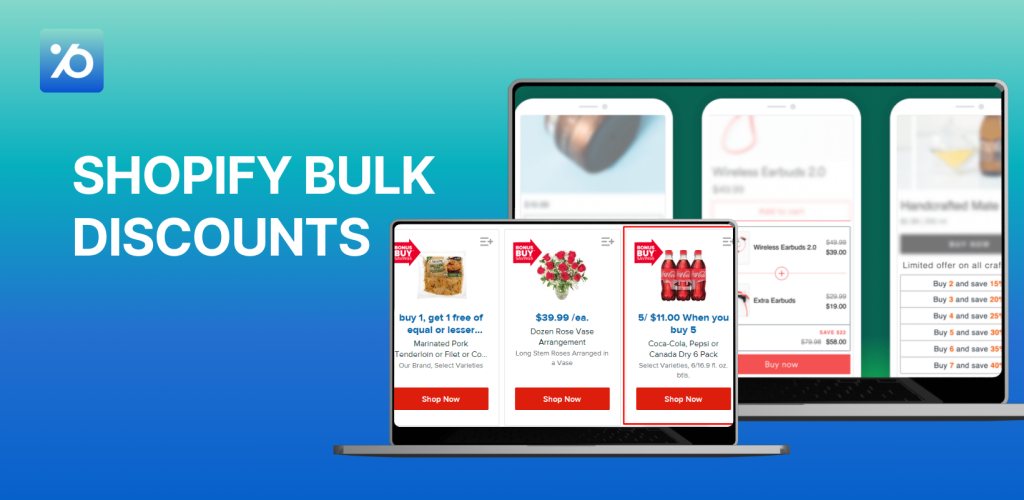
Shopify bulk discounts can transform your store’s performance overnight. When customers see that they can save money by buying more, they naturally increase their order sizes. In fact, 93% of shoppers are more likely to return to stores that offer great discounts, and 80% will try new brands just for special deals. But here’s the thing – Shopify’s built-in discount features are pretty basic. If you want to create multiple tiers like “Buy 3, save 10%; Buy 5, save 15%; Buy 10, save 20%,” you’ll need some help. That’s where volume discount Shopify apps come in handy.
This guide shows you exactly how to add bulk discounts on Shopify without any coding skills. We’ll walk through the best apps, different discount types, step-by-step setup, and smart strategies to boost your sales while protecting your profits.
What Are Shopify Bulk Discounts?
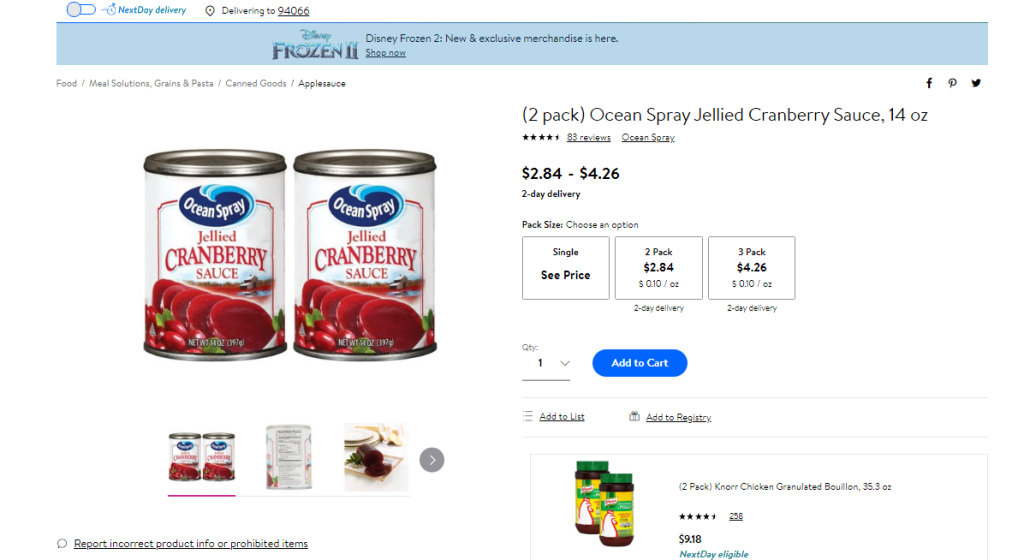
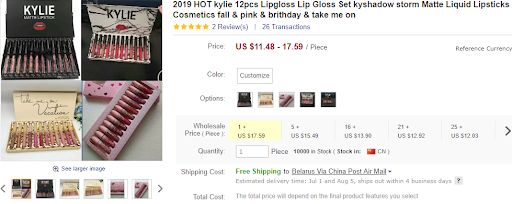
Shopify bulk discounts refer to pricing strategies where merchants offer reduced prices to customers who purchase products in larger quantities. These discounts are commonly known as volume discounts, quantity breaks, or tiered pricing.
In simple terms: “The more you buy, the more you save.”
Instead of offering a single fixed price for every unit, merchants create pricing tiers that provide better value as the customer increases the number of items in their cart.
Why Does Shopify Bulk Discounts Actually Work?
Think about it – when was the last time you bought just one pack of batteries? Most people grab a multi-pack because it’s cheaper per unit. That same psychology works in online stores, too.
- Higher Order Values: When customers know they’ll save more by buying extra items, they naturally add more to their cart. Store owners regularly see 20-30% increases in average order size after setting up quantity discounts Shopify campaigns.
- Better Conversion Rates: That hesitant shopper who’s been browsing for weeks? A “buy 3, get 15% off” deal might be exactly what pushes them to finally purchase. Clear bulk pricing removes friction and makes the buying decision easier.
- Inventory Benefits: Need to move older stock or seasonal items? Bulk discounts help you clear inventory faster while still making decent profit margins.
- Customer Loyalty: People love feeling smart about their purchases. When someone gets a great volume deal, they remember that positive experience and come back for more.
- SEO Advantages: Mentioning bulk pricing on your product pages helps you rank for searches like “quantity discounts [your product]” or “bulk [product name] pricing.” These are often lower-competition keywords with motivated buyers.
The beauty of Shopify bulk discounts is that they create genuine win-win situations. Customers get better value, and you get bigger sales with the same marketing effort.
Different Types of Bulk Discount Structures
Not all bulk discounts work the same way. Here are the main types you can set up:
Tiered Pricing (Most Popular)
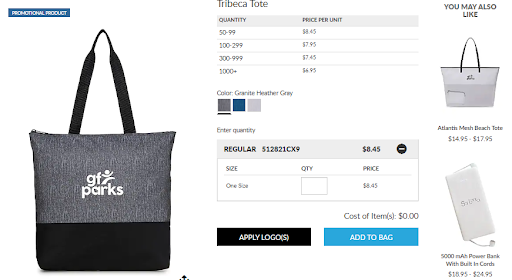
This creates a ladder of savings as customers buy more. For example:
- Tier 1: Items 1-10 cost $10 each
- Tier 2: Items 11-20 cost $8 each
- Tier 3: Items 21+ cost $6 each
Each tier offers bigger rewards, encouraging customers to reach the next level. It’s like a game where everyone wins.
Learn more: Shopify Tiered Pricing: The Top Types & Apps for 2026
Single Threshold Discounts
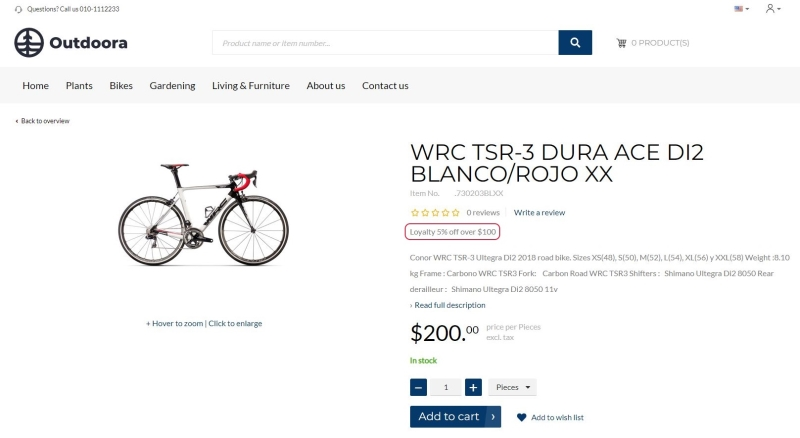
Simple and effective – “Buy 5 or more, get 10% off.” Everything gets the discount once they hit the magic number. Great for limited-time promotions or when you want to keep things super simple.
Fixed Price Deals
Fixed price deals let you offer a clear, no-math-required discount – something like “Buy 3 for $50” instead of “Get 15% off when you buy 3.” These types of offers are incredibly effective because they’re simple, direct, and easy for customers to understand.
Why it works:
- Instant value perception – Customers see the final price right away and immediately recognize the deal.
- No mental math – There’s no need to calculate percentages or guess how much they’re saving.
- Stronger buying decisions – Clear pricing reduces hesitation and helps customers feel more confident about purchasing.
This format is especially powerful when:
- You want to bundle slow-moving or seasonal items into value packs
- You’re selling in competitive niches where straightforward pricing wins attention
- You’re targeting mobile shoppers, who are more likely to convert with simplified pricing
Buy X Get Y
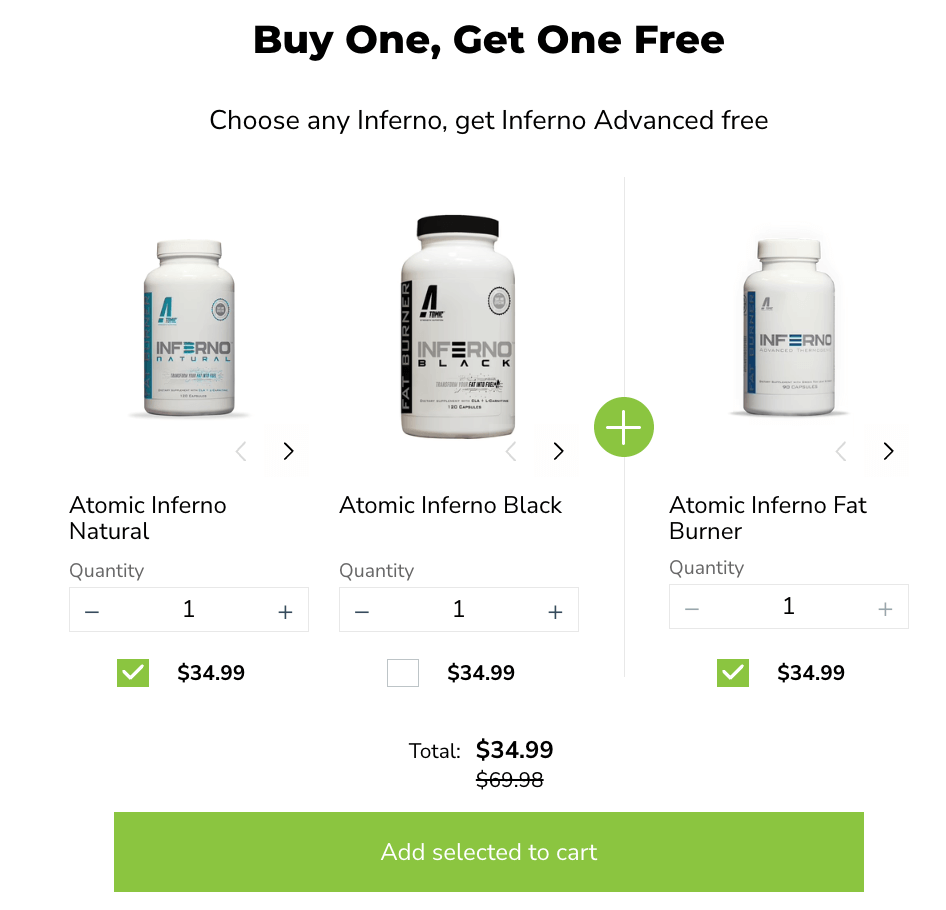
As the name suggests, buy-one-get-one deals typically offer shoppers a free product when they buy another item. This sales approach has been around forever, and businesses worldwide use BOGO deals to increase sales and grow their revenue.
Companies often turn to BOGO deals when they need to move unsold, outdated, or slow-moving inventory. While BOGO works as a sales strategy, there’s actually much more to these promotions than simply giving away free products.
Here’s the thing – offering completely free products can hurt your profits over time. That’s why giving everything away for free isn’t always the smartest move.
So, what other approaches can you take with BOGO offers? Here are several Buy X Get Y variations of the traditional BOGO deal:
- Percentage discount on the second item. Shoppers buy one product at full price and get a percentage off their second purchase. A common example is getting 50% off the second item when you buy the first one at the regular price.
- Fixed dollar amount off. Customers might get $5 off their second product when they purchase the first one at the normal price. You’ll often see this approach with clothing, beauty products, and hardware items.
- Buy multiple, get one free. This version requires customers to purchase several items before they get their freebie. The classic “buy 2, get 1 free” deal is probably the most recognizable example of this approach.
- Complimentary samples. Some companies include free samples with any purchase. This works really well when brands want to introduce customers to new product lines or get people to try something different.
- Bonus gifts with purchase. These “free gifts” encourage customers to spend more. Cosmetic companies love this strategy – they’ll offer a free gift when customers buy a certain amount or purchase specific item combinations.
Each of these variations gives you more control over your profit margins while still providing real value to customers. The key is finding the right balance between attractive offers and sustainable business practices.
Cart-Level Discounts
Cart-level discounts apply a discount based on the total number of items in the cart, no matter what those items are. This is perfect for encouraging customers to explore more of your store and add different products, not just multiples of the same one.
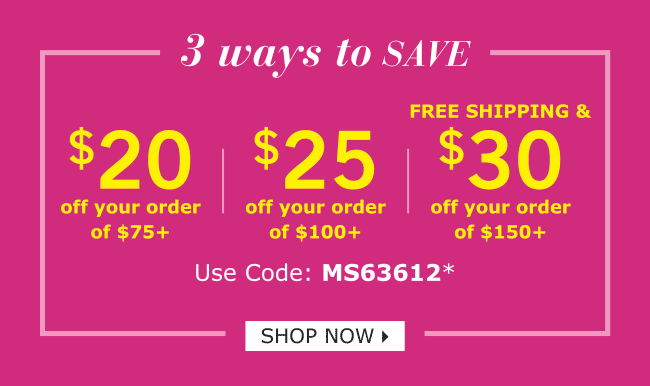
This type of discount is ideal for:
- Stores with a wide product range – Let customers mix and match to reach the threshold.
- Cross-selling – Encourage shoppers to add complementary items to unlock savings.
- Boosting AOV (Average Order Value) – The more items they add, the more value they receive.
Customer-Specific Pricing
Customer-specific pricing allows you to offer special volume deals based on who the customer is. For example, you might want to give:
- Wholesale buyers get a bigger discount than retail customers
- VIP members have exclusive tiered pricing
- Repeat buyers have access to better deals as a loyalty reward
You can do this by tagging customers in Shopify (e.g., “wholesale”, “VIP”, “returning”) and setting rules in the app to show different prices or discounts based on those tags. This is extremely helpful if:
- You’re running both B2C and B2B from the same store
- You want to reward your most valuable customers
- You want to hide premium offers from general traffic
Most Shopify bulk discount apps support multiple types, so you can experiment to see what works best for your products and customers.
How to Create Shopify Bulk Discounts (Step-by-Step)
While Shopify offers basic percentage and fixed amount discounts through its built-in features, these native tools have significant limitations. You can’t easily create tiered pricing (like “buy 5 get 10% off, buy 10 get 20% off”), quantity breaks, or customer-specific bulk pricing without manual workarounds. For businesses selling wholesale or wanting sophisticated discount structures, Shopify’s default options feel restrictive.
Setting up bulk discounts on Shopify is easier than you might think. Start by browsing the Shopify App Store for discount apps. Install your chosen app with one click.
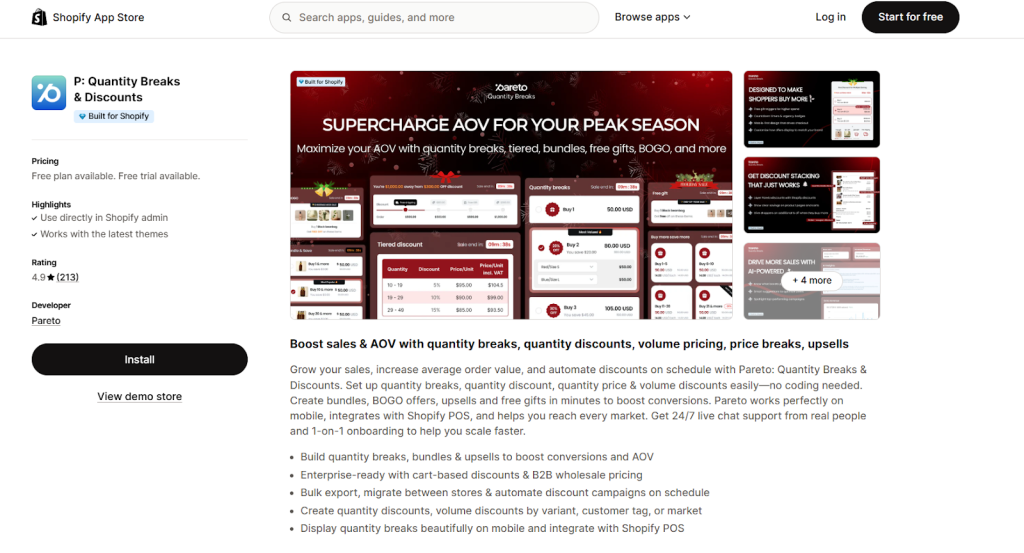
If you’re looking for the easiest and fastest way to offer bulk or volume discounts on your Shopify store, we strongly recommend using the P: Quantity Breaks & Discounts app from Pareto AOV. This app is trusted by thousands of Shopify stores because it’s simple to use, works perfectly with all modern themes, and lets you create powerful discount offers in just a few clicks. Here are why Pareto is a top choice:
- No coding is needed – anyone can set it up
- Free plan available – try it without spending anything
- Boost sales fast – show volume discounts directly on your product page
- Can create multiple types of Shopify bulk bundles like: “Buy More, Save More” pricing, BOGO deals, etc.
- Schedule discounts ahead of time for holidays or special sales
- Offer exclusive discounts to logged-in customers or customer groups
- 24/7 live chat support to help you anytime
Adding product bundles with advanced features is easy using P: Quantity Breaks & Discounts app. Here’s a quick overview of the setup process:
- Choose a campaign type: Bundle, BOGO, or Volume Discount.
- Select the products or collections you want to include in the bundle.
- Set your discount rules: Choose between percentage, fixed amount, or specific pricing.
- Customize who sees the offer: Target logged-in users, VIPs, or all shoppers.
- Schedule your campaign or launch it immediately.
- Monitor performance and optimize your offers as needed.
With no coding required and full theme compatibility, Pareto helps you create powerful bundle deals that increase average order value and boost customer loyalty.
👉 Want the full walkthrough? Read the complete guide here: How to Add Bundles on Shopify: The Complete Guide
Shopify Bulk Discounts FAQs
How do I discount multiple items on Shopify?
To discount multiple items on Shopify, you can:
- Use Shopify’s native automatic discounts (limited to one active discount at a time).
- For more advanced options, install a Shopify app like P: Quantity Breaks & Discounts, which allows you to:
- Set discounts for multiple products or entire collections
- Create tiered pricing, bundles, or BOGO deals
- Apply discounts automatically at checkout
This lets you offer promotions like “Buy 3 shirts, get 20% off” across different items.
How to do bulk pricing on Shopify?
Bulk pricing – also known as volume discounts or quantity breaks – can be done by:
- Installing a discount app such as Pareto from the Shopify App Store
- Creating rules like:
- Buy 2–4 units → 10% off
- Buy 5–9 units → 15% off
- Buy 10+ units → 20% off
- The app automatically applies the correct price based on quantity
This encourages customers to buy more for a better deal, and it works seamlessly with your store’s theme.
Can you stack discounts on Shopify?
By default, Shopify does not allow stacking multiple automatic discounts (e.g., two automatic promotions at once). However, some third-party apps like Pareto allow stacking under certain conditions:
- You can allow a discount code to be used alongside an automatic quantity discount
- Or create combined campaigns that factor in both volume and promotional pricing
Check the specific app’s settings to enable or control stacking behavior.
How to set up quantity discounts on Shopify?
To set up quantity discounts:
- Go to the Shopify App Store and install an app like P: Quantity Breaks & Discounts
- Open the app in your Shopify admin
- Choose “Quantity Discount” or “Volume Discount” as your campaign type
- Select the products or collections to apply the discount to
- Set your discount tiers (e.g., Buy 3–5 → 10% off, Buy 6–9 → 15% off, etc.)
- Customize how the discount is displayed (e.g., on product pages or in the cart)
- Save and activate the campaign
Your store will now automatically apply the right discount when a customer buys the required quantity.
Wrapping Up
Shopify bulk discounts represent one of the most effective ways to increase your average order value without spending more on advertising. When customers can save money by buying more, everybody wins. The key is taking action. Install one of these apps today and watch your average order values climb. Your customers will love the savings, and you’ll love the bigger sales. It’s the kind of win-win that makes e-commerce so rewarding.